

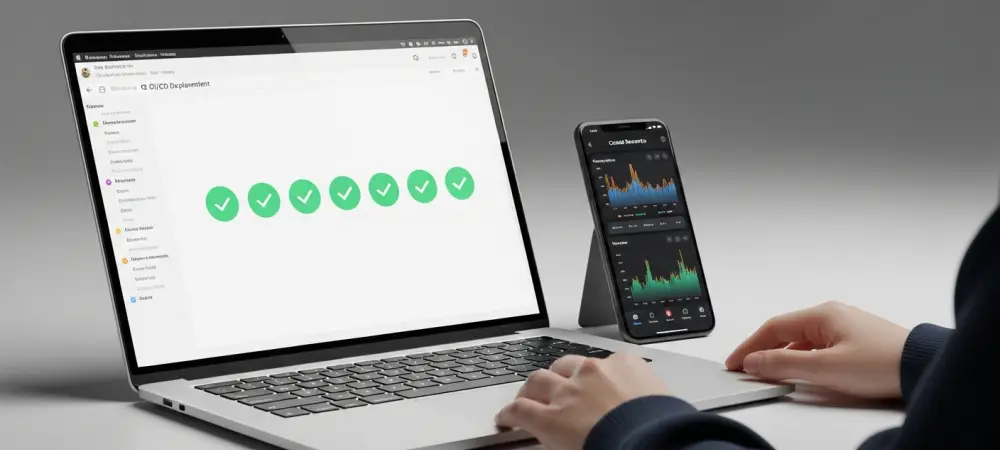
Software development cycles in 2026 demand an unprecedented level of integration between code repositories, automated testing suites, and cloud infrastructure to ensure that enterprise-level applications remain resilient and scalable under heavy traffic loads. The maturity of the Azure DevOps ecosystem has reached a point where the platform provides a unified control plane for organizations seeking to eliminate the friction between development and operations. By adopting a structured twelve-step approach, engineering teams can transition from manual, error-prone deployment processes to a fully automated YAML-based workflow that emphasizes security, auditability, and speed. This transformation is not merely about moving code from point A to point B; it is about establishing a repeatable framework that supports continuous improvement and rapid iteration. As cloud-native architectures become increasingly complex, the ability to define every stage of the pipeline as versioned code allows for greater transparency and easier recovery in the event of failure. Organizations that successfully implement these pipelines find themselves better equipped to handle the demands of modern digital markets, where the time-to-market for new features often determines competitive success. This guide explores the foundational components required to build a production-grade CI/CD pipeline, starting from the initial organizational setup and concluding with sophisticated monitoring and governance strategies that define the current state of professional software delivery in the industry. Establishing a robust CI/CD pipeline begins with the strategic configuration of the Azure DevOps organization, which serves as the fundamental administrative boundary for users, billing, and resource management. Navigating to the centralized portal allows a developer to create a new organization that mirrors the structure of their business unit or technical department, ensuring that permissions and policies are applied consistently across multiple projects. During this initial setup, it is vital to select a geographic region that minimizes latency for the primary development team while adhering to data residency requirements that may be mandated by local regulations or corporate governance. The choice of organization name should be considered a permanent decision, as it dictates the base URL for all repository clones and API interactions, making consistency across the engineering group a priority from the very beginning. Once the organization is active, the next logical step is the creation of a specific project, which acts as the collaborative hub where source code, work tracking, and automation logic converge into a single manageable unit.
The project configuration settings provide the first opportunity to enforce security and visibility standards that will govern the entire development lifecycle for the application. Choosing a “Private” visibility setting ensures that proprietary code and internal pipeline logs are shielded from the public internet, accessible only to authenticated members of the Entra ID tenant or the specific Azure DevOps organization. At this stage, the version control system must be designated as Git, which remains the industry standard for distributed source management and provides the necessary branching capabilities for sophisticated CI/CD workflows. Selecting a work item process, such as Basic, Agile, or Scrum, further organizes the project by defining how features, bugs, and tasks are tracked alongside the code itself. This structural foundation ensures that as the pipeline grows in complexity, the underlying project architecture remains organized and capable of supporting the diverse needs of developers, testers, and operations professionals who will interact with the system daily.
1. Establish Your Azure DevOps Organization and Project: Foundations for Success
A well-structured Azure DevOps organization acts as the bedrock for all subsequent automation efforts, providing a centralized environment where security policies and resource allocations are managed with precision. The process begins with the creation of a top-level organization, which should be named according to long-term architectural goals rather than short-term project needs to avoid the administrative overhead of future renames. Within this organization, the project serves as a dedicated workspace that houses the Git repositories and the pipeline definitions that will eventually orchestrate the deployment of the application. It is during this phase that administrative roles are assigned, ensuring that only authorized personnel have the ability to modify build definitions or alter service connections. By establishing these boundaries early, a team can prevent the sprawl of unmanaged resources and ensure that every action taken within the development lifecycle is attributed to a specific identity and logged for auditing purposes.
The project settings also dictate the fundamental methodology of the development process, including the selection of the version control system and the work tracking framework. By selecting Git, the team gains access to powerful branching and merging capabilities that are essential for maintaining a clean and deployable codebase through the use of pull requests and automated validations. The choice of a “Private” project status is a critical security measure in 2026, protecting intellectual property while still allowing for seamless collaboration between internal team members and authorized third-party contributors. Furthermore, the alignment of the project with a specific work item process ensures that the development of the CI/CD pipeline is tracked with the same rigor as the application code itself. This integrated approach allows stakeholders to view the progress of automation tasks alongside feature development, providing a holistic view of the project’s health and velocity from the very first day of implementation.
2. Set Up and Configure the Azure Command-Line Interface: Tooling and Extensions
Efficiency in the modern DevOps landscape is heavily dependent on the ability to interact with cloud services through a command-line interface, which allows for scriptable and repeatable configuration tasks. The installation of the Azure CLI provides the primary gateway for managing resources across the Azure ecosystem, but for the purposes of pipeline management, the addition of the azure-devops extension is a mandatory requirement. This extension bridges the gap between general infrastructure management and the specific requirements of the Azure DevOps platform, enabling commands that can create pipelines, manage pull requests, and configure service endpoints directly from the terminal. For the engineer, this means that complex setup tasks that might require dozens of clicks in a web portal can be condensed into a handful of clear, reproducible commands that can be shared across the team or stored in a setup script for future projects. Configuring the CLI to point to the correct organization and project as default targets is a subtle but significant optimization that reduces the cognitive load on the developer during daily operations. By using the az devops configure command, the environment is tailored to the specific context of the current project, ensuring that subsequent commands are executed against the correct repository without the need for repetitive flags. Authentication is handled through a secure login process that leverages modern identity providers, ensuring that all actions performed via the CLI are tied to a verified user account with appropriate permissions. This setup phase is not just about installing software; it is about creating a specialized workstation environment that empowers the developer to move quickly and safely through the subsequent steps of the pipeline construction process. Once the CLI is properly tuned, the transition between local development and cloud-scale automation becomes nearly seamless, facilitating a more fluid and productive workflow for the entire engineering organization.
3. Upload Your Source Code to Azure Repos: Managing the Application Core
The transition from local development to a centralized repository is a pivotal moment in the pipeline setup, as it makes the application code accessible to the automated build agents that will soon be responsible for packaging and deploying it. After cloning the newly created, empty repository from Azure Repos, the local workspace must be populated with the necessary application files, including the core logic, package descriptors, and the containerization instructions. In a typical Node.js scenario, the package.json file serves as the manifest for all third-party dependencies, while the Dockerfile provides the standardized blueprint for how the application should be built and executed within a containerized environment. These files are not just components of the app; they are the primary inputs for the CI/CD pipeline, and their correctness directly impacts the success of every subsequent stage in the automation sequence.
Committing these files to the main branch establishes the baseline for the project and triggers the initial integration between the repository and the pipeline services. It is essential to ensure that the code is structured in a way that is compatible with cloud-native deployment patterns, such as externalizing configuration and ensuring the application can respond to health checks. By pushing the source code to Azure Repos, the team also gains the benefit of built-in code review tools and branch protection policies that can be configured to require successful pipeline runs before any changes are merged. This creates a virtuous cycle where the pipeline protects the integrity of the code, and the code provides the necessary instructions for the pipeline to function correctly. The presence of the source code in a managed Git repository is the prerequisite for all the sophisticated automation that follows, serving as the single source of truth for both the development team and the automated systems that support them.
4. Link Your Azure Subscription via a Service Connection: Secure Identity Federation
Authenticating a pipeline to interact with Azure resources is a task that requires a delicate balance between ease of use and strict security protocols to prevent unauthorized access to sensitive infrastructure. In the current landscape of 2026, the use of “Workload Identity Federation” has become the standard for creating service connections, as it eliminates the need for managing long-lived secrets or service principal passwords that are prone to leakage or expiration. This modern approach relies on a trust relationship between the Azure DevOps organization and the Azure Entra ID tenant, allowing the pipeline to request short-lived tokens that are scoped to specific resource groups or subscriptions. By removing the administrative burden of secret rotation, teams can focus on refining their deployment logic while maintaining a high security posture that satisfies the requirements of even the most regulated industries.
The creation of the service connection in the project settings is the moment when the pipeline is granted the “identity” it needs to perform its duties, such as creating web apps or pushing images to a registry. It is a best practice to apply the principle of least privilege during this phase, granting the service connection only the specific permissions it needs to manage the resources relevant to the current project. This prevents a potential security breach in the pipeline from escalating into a broader compromise of the entire Azure subscription. Once the connection is established and verified, it can be referenced in the YAML pipeline definition by a simple, human-readable name, making the automation scripts cleaner and easier to maintain. This secure link is the critical bridge that allows the abstract logic of the build process to manifest as tangible changes in the live cloud environment, providing the necessary authorization for every deployment action.
5. Define the Application Build Phase: Orchestrating the Compilation Process
The build phase is the first functional stage of the azure-pipelines.yml file, where the raw source code is transformed into a deployable artifact through a series of automated steps executed on a hosted agent. This process begins with the selection of a virtual machine image, typically a modern Linux distribution like Ubuntu, which provides a clean and predictable environment for every run. Within this stage, the pipeline must first ensure that the correct runtime environment is available, which is achieved by invoking a task to install a specific version of Node.js. By explicitly defining the environment, the team avoids the “it works on my machine” syndrome that frequently plagues complex software projects.
Following the environment setup, the build stage executes the necessary commands to fetch the application’s dependencies and prepare the code for testing and packaging. In a Node.js environment, the npm ci command is preferred over npm install because it uses the lockfile to ensure that the exact same versions of every library are installed every time, preventing unexpected breaking changes from creeping into the build. The successful completion of this stage produces the foundational binaries or scripts that the rest of the pipeline will rely upon, making it a critical gatekeeper for the entire delivery process. If a syntax error is introduced or a dependency is missing, the build stage will fail immediately, providing the developer with rapid feedback so the issue can be addressed before any further resources are consumed. This immediate validation is the essence of continuous integration, ensuring that the main branch always remains in a state that is potentially ready for deployment.
6. Script the Automated Testing Phase: Ensuring Quality Through Validation
Automated testing is the primary defense against regressions and bugs, and its integration into the CI/CD pipeline ensures that no code is deployed to production without first meeting a predefined quality standard. By defining a dedicated testing stage in the YAML file that depends on the successful completion of the build stage, the pipeline creates a logical progression that mirrors the professional software development lifecycle. This stage is responsible for executing unit tests, integration tests, and any other automated validation scripts that the team has developed to verify the application’s behavior. The results of these tests are then published to the Azure DevOps portal, providing a clear dashboard that shows which tests passed, which failed, and how the overall code coverage has evolved over time. This transparency allows the entire team to take ownership of code quality and make informed decisions about whether a specific build is ready for the next phase of the pipeline. The configuration of the testing phase also includes the ability to parallelize test execution across multiple agents, which can significantly reduce the total time required for a pipeline run in larger projects. By splitting the test suite into smaller chunks, the team can gain the benefits of comprehensive validation without introducing a bottleneck that slows down the development velocity. Furthermore, the use of conditions in the YAML definition allows the testing stage to behave differently depending on the branch being built; for example, more exhaustive end-to-end tests might only be required for pull requests targeting the main branch. This flexibility ensures that the pipeline remains efficient and responsive to the needs of the developers while still providing a rigorous safety net. Ultimately, the testing phase is what builds confidence in the automated delivery process, transforming a simple script into a reliable mechanism for shipping high-quality software to users.
7. Package and Upload a Docker Image to Azure Container Registry: Containerization at Scale
Containerization has become the universal language of modern cloud deployments, and the Azure Container Registry (ACR) serves as the secure, private repository where these application packages are stored and managed. The process of building a Docker image within the pipeline involves taking the validated code and wrapping it in a standardized container format that includes the operating system, the runtime, and all necessary application files. By using the Docker task in the azure-pipelines.yml file, the pipeline can automate the build process and then push the resulting image to the ACR instance in a single, streamlined operation. This stage is critical because it creates a portable, immutable artifact that can be moved through different environments—from development to staging to production—without any changes to the underlying code or configuration.
A sophisticated tagging strategy is essential for managing the lifecycle of container images and ensuring that the correct version of the application is deployed at all times. By using the unique BuildId generated by Azure DevOps as a tag for each image, the pipeline creates a direct, traceable link between a specific execution of the automation logic and the resulting Docker image. This allows for easy rollbacks and auditing, as an engineer can quickly identify exactly which commit and which pipeline run produced a particular container currently running in production. In addition to the build-specific tag, the use of a “latest” tag can provide a convenient reference for the most recent successful build, though it should be used with caution in production environments. The successful push of a tagged image to the registry marks the end of the “Build” portion of the CI/CD process, as the application is now safely stored and ready for the “Deploy” portion to begin.
8. Launch the Containerized App on Azure App Service: Moving to the Cloud
The deployment of a containerized application to Azure App Service is the moment when the code becomes a live, accessible service on the internet, capable of serving requests to users around the globe. This stage of the pipeline utilizes the AzureWebAppContainer@1 task, which is specifically designed to handle the nuances of pulling images from a registry and configuring the App Service environment to run them effectively. The task requires the name of the service connection established earlier, along with the specific details of the web app and the exact image tag that was pushed in the previous stage. By automating this launch, the team eliminates the manual steps of logging into the portal and updating configuration settings, which are common sources of deployment errors and downtime.
Configuration of the web app itself is just as important as the deployment task, as the service must be informed which port the container is listening on to properly route incoming traffic. Setting the WEBSITES_PORT environment variable is a common requirement for containers that do not use the default port 80, and this can be handled through the pipeline to ensure that the infrastructure and the application are always in sync. Once the deployment task completes, the Azure App Service platform handles the process of pulling the new image, starting the container, and performing a health check to ensure the application is responding correctly before it starts receiving live traffic. The successful execution of this stage demonstrates the power of a fully integrated pipeline, where a single code push can result in a live, updated service in a matter of minutes.
9. Configure Distinct Deployment Environments: Managing the Release Path
Modern software delivery rarely involves pushing code directly to a production environment without first validating it in a series of lower-level stages that mimic the final destination. Azure DevOps environments provide a powerful way to model this progression, allowing a team to define targets like “Development,” “Staging,” and “Production” as distinct objects within the pipeline. Each environment can be configured with its own set of resources, such as specific web apps or database instances, and the pipeline can be scripted to deploy to these environments in a sequential fashion. This multi-stage approach allows the team to catch environment-specific bugs or integration issues in a safe space before they impact the final users, providing an additional layer of protection for the production workload. By defining these environments in the YAML script, the deployment logic becomes as versionable and transparent as the application code itself, allowing the team to audit the path that any specific change took to reach production. The use of environments also facilitates better resource management, as the team can see a history of all deployments to a particular target and quickly identify which version of the code is currently running where. This level of visibility is essential for troubleshooting and for maintaining a clear understanding of the system’s state across a complex, multi-environment architecture. By formalizing the release path through the use of environments, the engineering organization can achieve a higher degree of consistency and reliability in their delivery process.
10. Implement Manual Approval Gates: Enforcing Governance and Oversight
In an enterprise environment, the ability to automate deployments must be tempered with the need for human oversight and governance to ensure that releases are coordinated with broader business objectives. Manual approval gates are the primary mechanism for introducing this control, forcing the pipeline to pause at a specific environment—typically production—until an authorized individual or group reviews the changes and provides an explicit “okay”. This is not a technical limitation but a strategic choice that allows stakeholders to verify that marketing materials are ready, that the support team is briefed, or that the deployment window is appropriate for the current traffic patterns. The approval process is fully integrated into the Azure DevOps UI, providing the approver with a summary of the changes, the results of previous test stages, and a direct link to the pull request that triggered the run. This implementation of these gates also serves an important role in regulatory compliance and auditing, as every approval is logged with a timestamp and the identity of the person who granted it. This creates a permanent record of who authorized a production change, which is a common requirement for SOC2, ISO, and other security certifications that are prevalent in 2026. Furthermore, approval gates can be configured with timeouts and fallback policies to ensure that the pipeline doesn’t sit in a pending state indefinitely, which could block other urgent updates. For teams looking to move toward full continuous deployment, these manual gates can eventually be replaced or augmented by “automated checks” that query external services or health monitors to determine if a release should proceed. By mastering the use of approval gates, a team can strike the perfect balance between the speed of automation and the necessary caution required for high-stakes production environments.
11. Manage Sensitive Data with Variable Groups and Key Vault: Secure Configuration
Protecting sensitive information such as database connection strings, API keys, and service tokens is a fundamental responsibility of any CI/CD pipeline, as these secrets represent the keys to the kingdom for any potential attacker. Azure DevOps provides “Variable Groups” as a centralized way to manage configuration values that need to be shared across multiple pipelines, and these groups can be marked as “secret” to prevent their values from being displayed in the UI or leaked into the pipeline logs. For a more robust security posture, integrating these variable groups with Azure Key Vault is the recommended approach in the current professional landscape. This allows secrets to be managed in a dedicated, hardware-secured environment that is independent of the DevOps platform, providing centralized auditing and more granular access control for the entire organization. When a pipeline references a variable group linked to Key Vault, the build agent retrieves the necessary secrets at runtime and injects them into the environment only for the duration of the tasks that require them. This “just-in-time” access ensures that sensitive data is never stored in plain text within the repository or the pipeline definition, significantly reducing the surface area for a potential breach. Furthermore, the use of Key Vault allows for easier secret rotation, as a change made in the vault is automatically picked up by the next pipeline run without any modifications to the automation scripts. This separation of concerns—where developers manage the pipeline logic and security teams manage the secrets—is a hallmark of a mature DevOps culture. By prioritizing secure secret management, the team ensures that their automation efforts do not introduce new vulnerabilities into the application infrastructure, maintaining the trust of both users and internal stakeholders.
12. Establish Triggers, Branch Policies, and Monitoring Logs: The Final Polish
The final step in building a complete CI/CD pipeline is the configuration of the triggers and policies that govern how and when the automation logic is executed in response to developer activity. Continuous integration triggers ensure that every push to the main branch results in an immediate build and test run, while pull request triggers provide early validation for code that has not yet been merged. These triggers are defined at the very top of the azure-pipelines.yml file, allowing the team to specify which branches, tags, or file paths should activate the pipeline. By fine-tuning these settings, the team can avoid unnecessary resource consumption for trivial changes while ensuring that every significant update is thoroughly vetted before it moves forward. Branch protection rules can be configured to require a successful pipeline run and a minimum number of reviewer approvals before any code can be merged into the main branch, effectively turning the pipeline into a mandatory quality gate. Simultaneously, the monitoring logs generated by every run provide a wealth of data that can be used to identify performance bottlenecks, recurring test failures, or infrastructure issues that might be slowing down the team. By regularly reviewing these logs and adjusting the pipeline configuration accordingly, the engineering organization can move from a state of reactive troubleshooting to one of proactive optimization. This final step transforms the 12-step setup from a one-time project into a living, breathing system that evolves alongside the application it supports, providing a foundation for sustainable growth and innovation.
Advancing the Pipeline: Future Strategies and Operational Resilience
The journey of establishing a complete Azure DevOps CI/CD pipeline in 2026 culminated in a robust, automated framework that bridged the gap between raw source code and a live, production-ready application. By following the twelve-step process, engineering teams successfully integrated security through Workload Identity Federation and secret management, ensured quality via automated testing and approval gates, and achieved scalability through containerization and environment-specific deployments. This systematic approach did more than just automate the delivery of code; it established a culture of transparency and accountability where every change was documented, tested, and verified before it reached the user. The transition to YAML-based definitions allowed for the entire deployment logic to be versioned alongside the application, providing a level of resilience and repeatability that was previously difficult to achieve in older, manual systems.
As organizations moved forward with this established foundation, the focus shifted toward continuous optimization and the integration of more advanced telemetry into the deployment process. The data gathered from successful and failed pipeline runs provided the insights necessary to refine build times, improve test coverage, and harden the security of the infrastructure. The implementation of branch policies and automated triggers ensured that the main branch remained a stable source of truth, allowing developers to innovate with confidence knowing that a rigorous safety net was in place. Looking ahead, the principles of platform engineering and automated governance will continue to evolve, but the core structure of a well-defined CI/CD pipeline remains the essential prerequisite for any team operating at the speed of modern digital business. The successful deployment of this pipeline was not the end of the process, but the beginning of a more mature, reliable, and efficient way of delivering value to customers in an increasingly complex cloud landscape.