

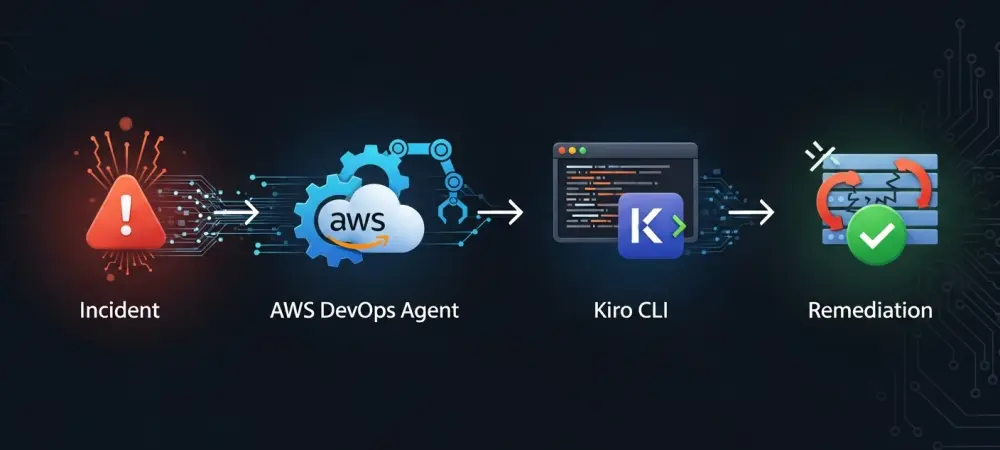
The increasing complexity of modern cloud architecture has made traditional manual incident response protocols nearly impossible to maintain in real-time environments. As of 2026, the reliance on human operators to diagnose and patch production errors during the early hours of the morning has become a significant liability for high-availability services. The emergence of the AWS DevOps Agent and the Kiro CLI provides a sophisticated solution to this bottleneck by automating the entire lifecycle of incident remediation. Rather than merely alerting a standby engineer to a spike in latency or a failure in a microservice, this integrated system analyzes the telemetry data to determine a precise root cause. By bridging the gap between monitoring and code-level fixes, organizations can significantly lower their Mean Time to Repair (MTTR) while ensuring that every change is documented and peer-reviewed. This approach treats incident response not as a panicked manual intervention, but as an automated extension of the existing CI/CD pipeline, maintaining the integrity of the codebase even under duress.
1. Initial Detection and Investigation Workflow
The workflow begins the moment an anomaly is detected within the production environment, typically through Amazon CloudWatch alarms. When metrics such as high CPU utilization, memory exhaustion, or increased error rates cross predefined thresholds, the monitoring system triggers a high-priority alert. Instead of this alert simply pinging a pager, it activates the AWS DevOps Agent, which immediately initiates a comprehensive investigation of the affected system. The agent performs an exhaustive analysis of recent metrics, application logs, and the deployment history to identify exactly what changed before the performance degradation began. By correlating a specific commit or a configuration update with the observed anomaly, the agent moves beyond simple observation to diagnostic reasoning. This phase is critical because it avoids the common pitfall of treating symptoms rather than causes; the agent formulates a mitigation plan based on historical data and real-time performance counters, ensuring the proposed fix is grounded in the actual state of the infrastructure.
Once a mitigation strategy has been formulated, the system relies on Amazon EventBridge to direct the notification to the appropriate execution services. The EventBridge rule specifically looks for a signal indicating that the AWS DevOps Agent has finalized its investigation and created a mitigation plan. Upon identifying this event, the rule triggers an AWS Lambda function, which acts as the coordinator for the remediation process. This Lambda function pulls the technical details of the mitigation plan from the agent’s API and places that data into an Amazon SQS queue. Using SQS ensures that the remediation process is decoupled and resilient; if the downstream services are momentarily busy or if multiple incidents occur simultaneously, the fix instructions are safely queued for processing. This architectural choice prevents data loss and allows for a scalable response to complex, multi-service outages. By isolating the data collection from the execution, the system maintains a high degree of reliability even when the underlying infrastructure is experiencing significant stress.
2. Infrastructure for Automated Execution
The actual execution of the code-level remediation occurs within a managed AWS CodeBuild environment, which is triggered by another Lambda function watching the SQS queue. The first task within the CodeBuild project is to set up the runtime environment, which includes installing the Kiro CLI and retrieving necessary credentials. To maintain a high security posture, the system fetches API keys and other sensitive configuration details from AWS Secrets Manager rather than hardcoding them into scripts. Once the environment is ready, a script processes the raw mitigation plan from the agent and turns it into a clear, technical prompt designed for the Kiro CLI to follow. This formulation step is essential because it translates abstract troubleshooting steps into specific instructions that the AI-driven CLI can execute accurately. By refining the prompt to include context about the specific error and the target files, the system ensures that the subsequent modifications are precise and minimize the risk of introducing unintended side effects into the codebase.
After the instructions are prepared, the system initiates a new development branch to isolate the proposed fix from the main codebase. Creating a unique branch for each incident is a fundamental safety measure that adheres to standard version control practices, allowing for easy tracking and potential rollbacks. With the branch established, the Kiro CLI is activated in a non-interactive mode, which is designed specifically for automated pipelines where manual input is not feasible. The CLI applies the changes to the source code or infrastructure templates based on the formulated prompt, effectively performing the work of a software engineer in seconds. The Kiro CLI’s ability to understand the context of the repository through its steering file ensures that the changes are not only technically correct but also consistent with the existing architectural patterns and coding standards of the organization.
3. Code Integrity and Deployment Integration
Before any changes can be finalized, the system must verify the integrity and correctness of the modified code through a rigorous validation process. Once the Kiro CLI finishes updating the files, the CodeBuild environment runs a series of automated tests, such as unit tests, linters, and security scanners, to ensure the code remains valid. These checks act as a gatekeeper; if any test fails, the process is halted immediately, and the incident is escalated to a human engineer for manual review. This prevents broken code from ever reaching the repository. If the automated checks pass, the system commits the changes to the temporary development branch with a detailed commit message describing the nature of the fix and the incident it addresses. This high level of automated validation provides confidence that the AI-driven remediation is safe to proceed to the final stages of the deployment pipeline without compromising the stability of the application. The final step in the automated workflow is the creation of a formal pull request in AWS CodeCommit, which bridges the gap between machine-generated fixes and human oversight. The pull request includes a comprehensive description of why the change was made, the data that led to the diagnosis, and the results of the automated tests. A designated engineer then reviews the changes, providing a critical layer of human verification before the fix is merged into the production branch. Once the engineer approves and merges the pull request, the standard deployment pipeline is automatically triggered, pushing the remediated code to the production environment. This human-in-the-loop model ensures that while the speed of remediation is greatly increased by automation, the ultimate responsibility and authority remain with the development team. By integrating with existing peer-review workflows, organizations can adopt automated remediation without sacrificing the governance and quality control standards they have established for their software development lifecycle.
4. Strategic Governance and Safety Protocols
Effective governance of the Kiro CLI is managed through a steering file, which acts as a configuration map for the automation tool’s behavior and boundaries. This file defines the layout of the repository, enabling the tool to navigate complex project structures and locate the correct files for modification. It also contains rules for making decisions, which help the tool determine whether an incident requires changes to infrastructure-as-code templates, like Terraform or CloudFormation, or to the application’s business logic. Furthermore, the steering file sets strict limits on the scope of work to prevent the tool from overreaching. These constraints ensure that the AI does not change too many files at once or introduce new, unauthorized dependencies that could create security vulnerabilities. By providing a structured framework for the CLI’s operations, the steering file ensures that the automation remains focused, predictable, and aligned with the organization’s technical requirements and safety standards.
The implementation of restricted files and safety protocols within the steering file ensured that critical components of the system remained protected throughout the remediation process. Certain files, such as build instructions and security configurations, were marked as off-limits to prevent accidental errors that could have compromised the entire CI/CD pipeline. If the instructions generated by the DevOps Agent were ever unclear or contradictory, the safety protocols forced the tool to stop immediately rather than making an incorrect guess. This conservative approach to automation prioritized system stability over blind speed, which ultimately built greater trust among the engineering teams. The transition from reactive firefighting to proactive, automated repair became a defining characteristic of successful DevOps practices, allowing teams to focus on innovation while the system maintained its own health through structured intelligence.