

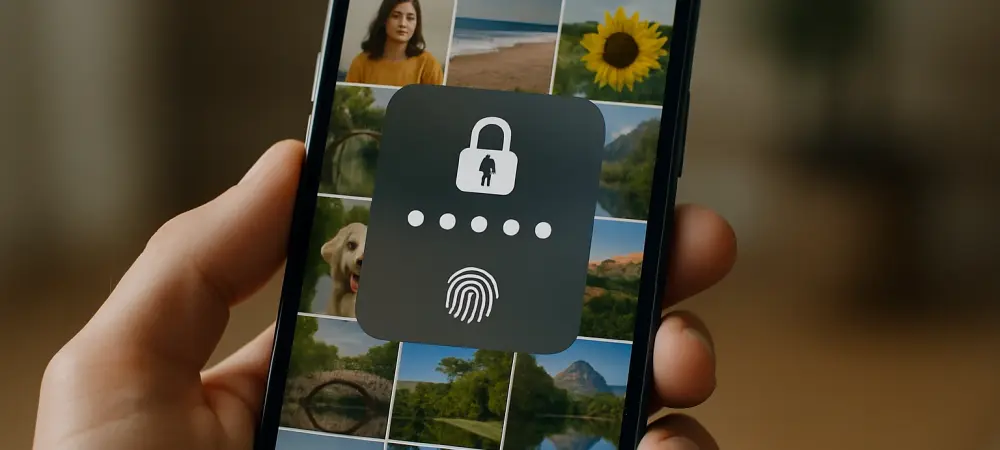
Imagine a scenario where a thief snatches a smartphone, not just for the device itself, but for the goldmine of personal data stored within the photo album—screenshots of passwords, bank statements, and even identification documents like passports or driver’s licenses. This isn’t a distant threat but a growing reality as cybercriminals and physical thieves increasingly target photo libraries to steal identities or access financial accounts. The vulnerability of such sensitive content has raised alarms among consumer advocacy groups and security experts alike. While smartphones have robust protections for apps containing passwords or banking information, photo albums have often remained an overlooked weak spot. With the release of iOS 18, Apple has taken a significant step to address this critical gap by introducing enhanced security features designed specifically to safeguard photo libraries from unauthorized access, ensuring that personal data remains protected even if a device falls into the wrong hands.
1. Rising Threats to Photo Security
The risk of photo-based data theft has escalated dramatically in recent times, driven by both physical device theft and sophisticated malware attacks. Consumer advocacy groups have issued stark warnings about the dangers of storing sensitive information in photo albums, as thieves can exploit images of documents like passports or bank statements to commit identity fraud. Malware, such as the SparkKitty trojan identified by security researchers, specifically targets photo libraries on both iPhone and Android devices. This malicious software uses optical character recognition to extract sensitive data from screenshots, such as cryptocurrency wallet recovery phrases or login credentials, and transmits it to remote attackers. The dual threat of physical theft and digital intrusion underscores the urgent need for stronger protections around photo content, as these albums often contain a wealth of personal information that can be more valuable to criminals than the device itself. This growing concern has pushed tech companies to rethink how photo data is secured on mobile devices.
Beyond the immediate risks of theft and malware, the rise of AI-driven attacks adds another layer of complexity to photo security. Cybercriminals can now use photos and videos from a device to craft highly personalized phishing attempts or deepfake content, amplifying the potential for harm. A stolen photo of a driver’s license, for instance, could be used to open fraudulent accounts or trick victims into revealing more information. Additionally, the sheer volume of photos stored on modern smartphones—often numbering in the thousands—makes it nearly impossible for users to manually monitor and secure every image. Many users unknowingly store sensitive screenshots or personal documents in their camera rolls without realizing the risks. As these threats evolve, the importance of built-in security measures becomes undeniable, prompting a shift in how smartphone manufacturers approach the protection of photo libraries against both physical and digital adversaries.
2. How iOS 18 Locks Down Photo Access
Apple’s latest update, iOS 18, introduces a game-changing feature that allows users to secure their Photos app with the same level of protection as other sensitive applications on their iPhone. This means that accessing the photo album now requires authentication through Face ID or Touch ID, ensuring that only the authorized user can view the content. The process to enable this feature is straightforward: locate the Photos app on the home screen, press and hold the icon, and select the option to “Require Face ID.” Once confirmed, the app locks immediately, providing an instant barrier against unauthorized access. This security measure operates seamlessly, taking only a moment to authenticate, yet it creates a formidable obstacle for thieves or hackers attempting to breach the device. By integrating this level of protection directly into the operating system, Apple has addressed a long-standing vulnerability that previously left photo libraries exposed to potential threats.
In addition to securing the Photos app, iOS 18 complements this feature with Stolen Device Protection, an added safeguard for situations where an iPhone is not in a familiar location. Under these circumstances, the system mandates biometric authentication before allowing access to locked apps, even if the passcode is known. This setting can be enabled through Settings under Privacy & Security, ensuring that stolen devices remain secure against unauthorized entry. For users concerned about storing critical documents like passports or financial statements on their devices, experts also recommend moving such files to encrypted cloud services with multi-factor authentication. However, for those who prefer keeping content on their iPhone, the updated security options in iOS 18 provide a robust alternative. This comprehensive approach not only protects photo content but also reinforces overall device security, setting a new standard for safeguarding personal data on mobile platforms.
3. Future Steps for Enhanced Protection
Reflecting on the strides made with iOS 18, it’s clear that Apple has taken decisive action to counter the escalating threats targeting photo libraries. The implementation of biometric locks for the Photos app and the reinforcement of Stolen Device Protection mark a pivotal moment in mobile security, addressing vulnerabilities that have long been exploited by thieves and hackers. These updates respond directly to warnings from consumer advocacy groups and security researchers about the risks of unsecured photo content, ensuring that sensitive data remains out of reach from unauthorized hands. The impact of these changes is immediate, offering users a tangible way to protect their digital lives from both physical and cyber threats. This proactive stance by Apple sets a benchmark for how personal data can be shielded on smartphones, highlighting the importance of adapting to evolving risks in an increasingly connected world.
Looking ahead, users are encouraged to take full advantage of the security tools provided by iOS 18 while staying vigilant about emerging threats. Regularly reviewing the content stored in photo albums and moving highly sensitive files to secure, encrypted storage solutions can further minimize risks. Enabling all available security features, such as Stolen Device Protection, remains a critical step in maintaining device integrity. Additionally, staying informed about new malware trends and AI-driven attacks will help in anticipating potential vulnerabilities. As cybercriminals continue to innovate, manufacturers like Apple are likely to roll out even more advanced protections in future updates. For now, adopting these best practices and leveraging the robust features of iOS 18 offers a strong defense, empowering users to safeguard their personal information against the ever-changing landscape of digital and physical theft.