

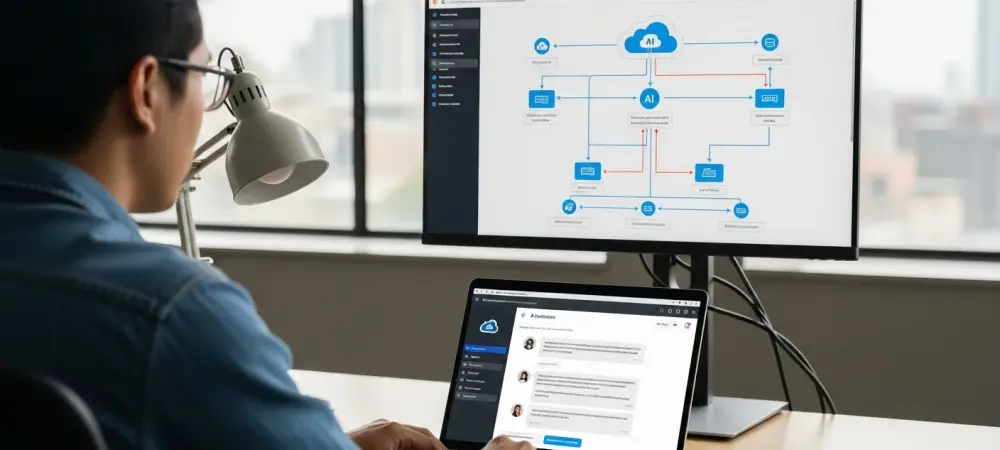
In the high-stakes world of DevOps and incident management, every second counts. When systems fail, the pressure falls on Site Reliability Engineering (SRE) teams to navigate a labyrinth of complex, often fragmented, documentation to restore service. This is where Dominic Jainy, a seasoned IT professional with deep expertise in AI and cloud architecture, is making a significant impact. He specializes in building intelligent, AI-driven assistants on AWS that integrate directly into the daily workflows of engineers, transforming how organizations respond to critical incidents.
Today, we’ll delve into his work on creating a Retrieval-Augmented Generation (RAG) assistant that acts as an expert co-pilot for SREs. We’ll explore how this technology dismantles common barriers like scattered runbooks and language differences, tracing the journey of data from a simple document to an actionable insight delivered in Microsoft Teams. The conversation will also cover the critical nuances of tuning these AI models for accuracy, the game-changing potential of image-based troubleshooting, and the robust security measures required to deploy such powerful tools responsibly in an enterprise environment.
In enterprise environments, fragmented runbooks and language barriers often slow down incident response, increasing MTTR. How does a GenAI-RAG assistant specifically address these challenges for both new engineers and global on-call teams? Please share a scenario demonstrating its impact.
These are precisely the pain points we designed this solution to solve. In a large enterprise, operational guides, or runbooks, are rarely in one place. They’re scattered across SharePoint, S3, Confluence—you name it. For a newer engineer, getting paged at 3 a.m. and having to piece together information from three different documents while the clock is ticking is an incredibly stressful and slow process. This directly inflates the Mean Time to Resolution. Then you add the global dimension. Most runbooks are written in English, which can create a significant delay for an on-call engineer in another part of the world who isn’t a native speaker. Imagine a scenario where a critical service outage triggers an alert for an engineer in a follow-the-sun rotation. Instead of spending precious minutes searching for and translating the correct English-language runbook, they can simply ask the GenAI assistant in their native Spanish, “What’s the procedure for a memory leak on this service?” The assistant instantly retrieves the relevant steps from the English documents, synthesizes them, and provides a clear, actionable answer in Spanish, right within their Microsoft Teams channel. This completely removes the friction of searching and translation, allowing them to start remediation immediately.
When building this RAG solution, AWS services like Bedrock, OpenSearch Serverless, and Amazon Titan play distinct roles. Can you walk me through the data journey, explaining how a runbook document in S3 is transformed and utilized to answer an engineer’s query in Microsoft Teams?
Certainly, it’s a beautifully orchestrated pipeline that turns static documents into a dynamic knowledge source. The journey begins at ingestion. We point the system to our runbooks stored in an S3 bucket. The first step is to break these documents down into smaller, manageable text chunks. Each chunk retains its context—like which service or region it pertains to. Next, we use an embedding model, such as Amazon Titan Text Embeddings provided by Bedrock, to convert these text chunks into numerical vector representations. Think of these vectors as unique fingerprints that capture the semantic meaning of the text. These embeddings are then indexed and stored in Amazon OpenSearch Serverless, which acts as our high-performance vector database. Now, fast-forward to an incident. An engineer types a question into Microsoft Teams. This query travels through the Amazon Q connector, which invokes our Amazon Bedrock Agent. The agent takes the engineer’s question, converts it into an embedding, and queries the OpenSearch index to find the most semantically similar runbook chunks. This retrieved context, which is the ground truth from our own documentation, is then fed to a powerful large language model like Claude 3 Haiku, also hosted on Bedrock. The model generates a concise, human-readable answer based only on that provided information, ensuring the response is grounded and accurate. Finally, that answer is sent back through the chatbot integration and appears in Teams, closing the loop in seconds.
To ensure the assistant is reliable, tuning is critical. What are the practical trade-offs an engineer must consider when adjusting parameters like Top-K and temperature? Could you explain how these settings help minimize hallucinations and ground the AI’s responses in factual runbook content?
Tuning is absolutely essential; it’s the difference between a helpful assistant and a confusing one that makes things up, which is the last thing you want during an outage. The key is to strike a balance between providing enough context and avoiding noise. The ‘Top-K’ parameter, for instance, determines how many of the most relevant document chunks are retrieved from our vector store. If you set K too low, you might miss a crucial piece of information. If it’s too high, you might overwhelm the model with irrelevant details, which can actually increase the chance of a confusing or inaccurate response. We have to experiment to find that sweet spot. Then there’s ‘temperature,’ which controls the randomness or creativity of the model’s output. For factual, runbook-based Q&A, you want to keep the temperature very low. A low temperature makes the model more deterministic and focused, forcing it to stick closely to the retrieved text. A high temperature might encourage it to speculate or get creative, which is a recipe for hallucinations in this context. The goal is to create a tight feedback loop where the model is strictly instructed to answer only from the provided context and to explicitly state when it doesn’t know the answer. Logging the retrieved documents alongside each response is also a great practice, as it allows us to audit and validate that the AI is truly grounding its answers in our established procedures.
The ability to process not just text but also image-based inputs like error screenshots is a powerful feature for ChatOps. How does this capability change the troubleshooting workflow for an SRE during a high-pressure incident, and what are the key technical steps to enable it?
This is a true game-changer for the SRE workflow. Previously, an engineer would see an error in a console or a log file, maybe take a screenshot, and then have to manually transcribe that cryptic error message into a search bar or a ticketing system. It’s a tedious, error-prone step that adds cognitive load during a stressful situation. With multimodal capabilities, the workflow is completely transformed. Now, the engineer can simply drag and drop that screenshot directly into the Microsoft Teams channel and ask, “What does this mean?” The Bedrock model can now “see” the image, understand the text within it—whether it’s a stack trace, a console error, or a performance graph—and use that visual context to perform a much more accurate RAG retrieval. It immediately pulls up the exact runbook section that deals with that specific error message. This collapses the entire diagnostic step from several minutes of manual searching into a single, seamless action. From a technical standpoint, this is enabled by using newer models within the Bedrock catalog that are inherently multimodal. When configuring the Bedrock Agent, you simply ensure it’s connected to one of these compatible models, and the AWS Chatbot and Amazon Q integration handles the rest, allowing image uploads to be passed through to the agent for analysis.
Integrating a powerful AI into a shared corporate chat requires robust security. Beyond the essential bedrock:InvokeAgent IAM permission, what other access control and governance measures, such as Bedrock Guardrails, are necessary to prevent data leakage and enforce operational compliance?
Security is non-negotiable, especially when you’re funneling operational data through a conversational interface in a shared platform like Teams. The bedrock:InvokeAgent permission is just the entry ticket; a comprehensive security posture goes much deeper. We practice the principle of least privilege rigorously. The Bedrock Agent’s own IAM execution role must be tightly scoped, granting it access to only the specific S3 buckets where runbooks live and the designated OpenSearch collections. Nothing more. All data, both in transit and at rest in S3 and OpenSearch, must be encrypted using KMS. Furthermore, we enable full auditability through CloudWatch logs to track every invocation and response. But perhaps the most critical layer is Bedrock Guardrails. This feature allows us to define the “rules of engagement” for the AI assistant. We can configure guardrails to block certain topics, preventing engineers from asking about sensitive subjects like PII or financial data. We can also use it to filter out specific keywords or phrases and even deny responses that don’t align with our company’s operational policies. This ensures the assistant stays strictly within its designed purpose, preventing the leakage of internal information and ensuring all its interactions adhere to our compliance boundaries.
What is your forecast for the future of AI-augmented incident management and its role in the daily life of a DevOps engineer?
I believe we are on the cusp of a fundamental shift. For years, the incident management process has been a very manual, reactive, and often stressful human endeavor. We’re moving away from that world, where engineers have to dig through mountains of scattered documents under immense pressure. The future I see is one where an AI-augmented assistant is the standard, indispensable first responder in any DevOps toolkit. This isn’t about replacing engineers; it’s about empowering them. The daily life of a DevOps engineer will involve collaborating with an intelligent agent that not only provides instant answers but also pre-summarizes incidents, suggests remediation steps based on historical data, and automates routine diagnostic tasks. The question will no longer be whether AI has a role in operations, but how quickly and deeply organizations can integrate these intelligent, context-aware assistants into their core workflows to build more resilient, efficient, and ultimately, more humane operational cultures.