

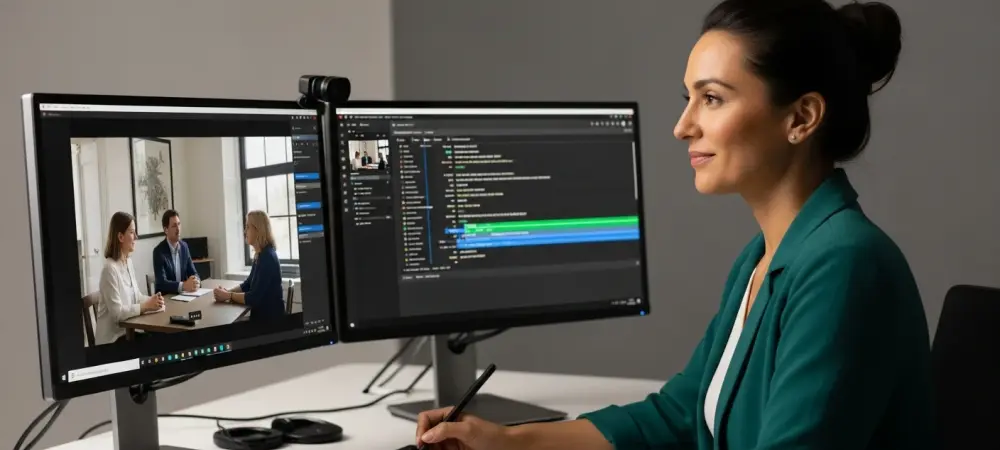
The expertise of an educator often resides in the nuanced delivery of complex theories, yet this professional mastery frequently hits a wall when confronted with the jagged, intimidating peaks of a digital video timeline. For the modern instructor, the leap from standing at a podium to sitting behind a professional editing suite has long represented an exhausting technical bottleneck. While most academics are undisputed masters of their curriculum, the requirement to navigate multi-track editors and complex rendering settings often feels like an insurmountable barrier to entry. This friction creates a divide where the quality of digital instruction is dictated more by an educator’s software proficiency than by the strength of their teaching.
AI-driven platforms like Wondershare Filmora are dismantling these obstacles by automating the most labor-intensive aspects of production, effectively turning the editing process into a task as simple as refining a text document. This shift ensures that the creation of instructional material is no longer restricted to those with media degrees. By utilizing intelligent algorithms to handle the heavy lifting, these tools allow teachers to transition from subject matter experts to digital content creators without the steep learning curve previously associated with the medium. The focus remains squarely on the clarity of the lesson, while the software manages the intricate mechanics of the visual presentation.
Furthermore, this democratization of production power means that high-quality education is becoming more accessible than ever. When the technical gatekeeping is removed, a wider diversity of voices can contribute to the global digital library. This evolution in creative software suggests that the future of education is not just about moving content online, but about empowering every instructor to produce professional-grade resources that can compete with high-budget educational media.
From Subject Matter Expert to Digital Content Creator
The transition from the physical classroom to the digital screen requires a fundamental shift in how information is packaged and delivered. In a traditional setting, an instructor relies on real-time feedback and physical presence to bridge gaps in understanding; however, in the digital realm, the video itself must carry the entire burden of engagement. This reality often forces educators into the role of a producer, a position for which many feel unprepared. The challenge lies in translating decades of pedagogical experience into a format that is concise, visually stimulating, and technically polished. Without the right tools, this transition often results in “lecture capture” that lacks the dynamic quality necessary to hold a modern student’s attention.
Fortunately, the rise of AI-assisted editing has significantly lowered the stakes for those entering the digital arena. Platforms designed with the educator in mind focus on intuitive interfaces that prioritize the narrative over the technicalities. By treating the video timeline as a malleable extension of a lesson plan, these tools help instructors visualize their content in a way that feels familiar. Instead of wrestling with keyframes and codecs, teachers can focus on the logical flow of their arguments, knowing that the software can handle the stabilization, color correction, and audio balancing. This synergy between human expertise and machine efficiency is the cornerstone of the new digital academic era.
The Growing Necessity of Video in a Hybrid Academic Landscape
In the current educational climate, video content has evolved from a supplemental resource into the primary touchpoint for student engagement. The surge in hybrid, virtual, and flipped classroom models demands a constant stream of high-quality visual materials. In these environments, the video serves as the “anchor” of the course, providing the foundational knowledge that students then apply during interactive sessions. However, the traditional production cycle—manual trimming, audio normalization, and tedious captioning—is notoriously unsustainable for a solo instructor managing a full course load. This creates a “time-poverty” crisis where the demand for content far outpaces the human capacity to produce it. As digital literacy becomes a core competency for modern teachers, the industry is pivoting toward automated solutions to bridge the gap. The expectation for professional-grade material has trickled down from large-scale online universities to individual K-12 classrooms. Students who are accustomed to high-production social media and streaming content now expect a certain level of visual and auditory clarity in their educational resources. Meeting these standards without sacrificing hours of prep time requires a more agile approach to media creation. By streamlining these workflows through AI, educators can meet the rising demand for accessible lessons without burning out or compromising their primary focus on student outcomes.
Core Technologies Transforming the Creative Workflow
Modern AI features address the specific pain points of educational video production through several high-impact tools that target efficiency. Integrated screen recording allows teachers to move seamlessly from a digital whiteboard demonstration into the editing suite without the headache of file compatibility issues. Perhaps the most significant advancement is AI Text-Based Editing, which transcribes audio into a text format. This allows users to edit video by simply deleting words or sentences in the transcript, making the removal of filler words like “um” and “uh” instantaneous and precise.
In addition to text-based manipulation, Text-to-Speech (TTS) technology provides high-quality narration for instructors who may not have access to professional recording environments or who wish to preserve their vocal health during heavy production cycles. This tool is especially effective for creating standardized explainers or multi-language versions of the same lesson. Meanwhile, automated speech-to-text tools handle the critical task of generating accurate, accessible captions in seconds. In an academic world where inclusivity is a requirement rather than a choice, the ability to generate subtitles automatically ensures that every student, regardless of their hearing ability or native language, can fully engage with the material.
Shifting the Focus from Technical Polish to Pedagogical Impact
The consensus among educational technologists is clear: AI is designed to serve as a sophisticated assistant rather than a replacement for the human instructor. By offloading the mechanical “grunt work” of video production to intelligent algorithms, teachers can reclaim hours of their week to focus on curriculum strategy and direct student interaction. This shift is crucial because the value of an educational video lies in its ability to facilitate learning, not in its special effects. When the software handles the technical polish, the instructor is free to innovate in their teaching methods, experimenting with different narrative structures and interactive elements that enhance student retention.
This partnership reduces the “app fatigue” associated with bouncing between multiple specialized tools, creating a consolidated environment where the educator remains the authority on content while the AI manages the complexities of the medium. This collaboration allows for a more agile academic response, enabling teachers to update materials as quickly as their subjects evolve. Moreover, it encourages a culture of continuous improvement, where the barrier to “re-shooting” a segment is so low that instructors are more likely to refine their digital lessons based on student feedback. The end result is a more dynamic and responsive educational experience that prioritizes the student-teacher connection over technical hurdles.
A Practical Framework for Efficient Video Creation
To maximize the benefits of AI-assisted editing, educators adopted a structured approach that prioritized clarity and accessibility. The process often began with a script-first mentality, utilizing Text-to-Speech tools to ensure a consistent and professional vocal delivery regardless of the recording environment. This foundational step allowed the instructor to verify the timing and flow of the lesson before any visual assets were even created. Once the visual elements and narration were captured, the AI Text-Based Editing tool was utilized to prune the lesson for conciseness, treating the timeline like a standard word-processing document. This method significantly reduced the time spent on manual cutting and improved the overall pace of the instruction.
Finally, instructors leveraged automated captioning to not only satisfy accessibility requirements but also to repurpose those transcripts into searchable study guides and lesson notes. This strategic implementation allowed educators to extract maximum educational value from every minute of produced video. By treating the video as a multipurpose asset, teachers ensured that their efforts reached students through multiple learning modalities. The adoption of these tools allowed for a more seamless transition into the digital age, proving that when technology was applied thoughtfully, it served to amplify the human element of teaching rather than obscure it. This framework provided a sustainable path forward for a new generation of digital-first educators.