

Craving a warm, glazed doughnut but don’t want to fumble with cash or cards? With digital wallets becoming the go-to payment method for many, Krispy Kreme fans will be delighted to know that the popular doughnut chain now accepts both Apple Pay and Google Pay for in-store purchases. This move reflects the growing trend of mobile payments, which are becoming more popular due to their convenience and security. This article delves into the specifics of using these digital payment options at Krispy Kreme and the advantages they bring.
Krispy Kreme’s decision to adopt Apple Pay and Google Pay in their physical stores showcases their commitment to providing a seamless and efficient customer experience. Mobile payments are revolutionizing the way people pay by offering a faster, more secure, and effortless solution. Let’s dive into the steps needed to use Apple Pay and Google Pay at Krispy Kreme and explore the benefits of these modern payment methods.
Ease of Using Apple Pay at Krispy Kreme
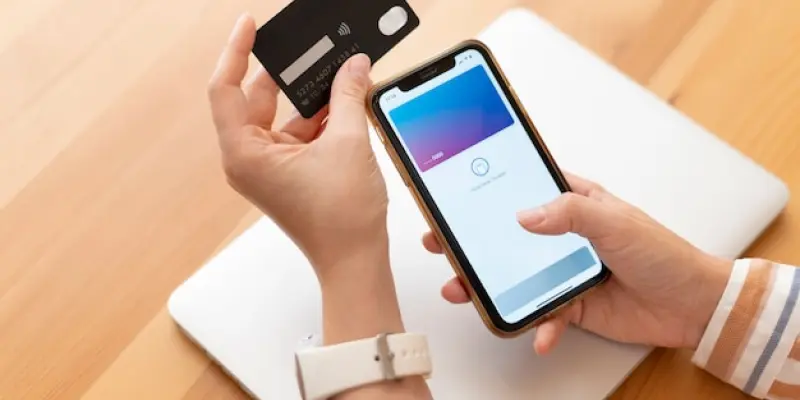
To make your experience at Krispy Kreme even more enjoyable, using Apple Pay is a straightforward process. First, ensure Apple Pay is configured on your iPhone. This involves launching the Wallet app and adding your desired credit or debit card. With Apple Pay set up, there’s no need to carry a physical card, making transactions quicker and safer.
Once at a Krispy Kreme location, look for the NFC terminal at the checkout counter. It’s important to note that Apple Pay is only usable in physical stores and not for online or app-based purchases. Next, confirm the payment by using Face ID, Touch ID, or your passcode. This step adds an extra layer of security, ensuring that only the authorized user can approve the transaction.
Finally, hold your device near the reader. Keeping your smartphone close to the NFC scanner will trigger a confirmation tick on the terminal, signaling that the payment has been successfully processed. This process not only saves time but also reduces contact with surfaces, aligning with the increasing preference for contactless transactions in today’s health-conscious environment.
Advantages of Using Apple Pay
Using Apple Pay at Krispy Kreme isn’t just about convenience; it also brings significant security benefits. Apple Pay uses tokenization to protect card details, meaning your actual card information isn’t shared with Krispy Kreme. This technology significantly reduces the risk of data breaches and unauthorized transactions, making it safer than carrying a physical card.
Moreover, the speed of contactless payments with Apple Pay is a game-changer. Transactions are processed faster compared to traditional swiping or inserting cards, which translates to shorter wait times and quicker service. For those who enjoy earning rewards, any cashback or points available on your card can still be accumulated when using Apple Pay, adding another layer of benefit.
The integration of Apple Pay in Krispy Kreme stores reflects broader industry trends toward digital payments. Companies are continuously adapting to meet consumer demands for faster, versatile, and secure payment options. Choosing to pay with Apple Pay ensures that your transactions are not only efficient but also aligned with the latest in payment technology.
Accessing Google Pay at Krispy Kreme
For Android users, Google Pay is an equally viable option for making purchases at Krispy Kreme. Start by setting up Google Pay on your phone. Open the Google Pay app and link your credit or debit card. This initial setup is crucial for ensuring that payments can be processed seamlessly.
Before heading to Krispy Kreme, check if your phone’s NFC (Near Field Communication) is activated via your device settings. Google Pay requires NFC to communicate with the payment terminal. Similar to Apple Pay, Google Pay is available only for in-store transactions at Krispy Kreme and not for online or mobile app orders.
Upon reaching the store, tap your phone at the payment terminal. Locate the contactless payment reader and ensure your phone makes a connection. Once the transaction is successful, a confirmation message will appear on your screen, indicating that the payment has been processed. This simple and quick process helps you avoid the hassle of traditional payment methods.
Benefits of Google Pay
Google Pay comes with its own set of advantages, offering flexibility and enhanced convenience for Krispy Kreme customers. One of the key benefits is its cross-platform functionality. While it is particularly seamless on Android devices, it is also accessible via the app on iOS platforms, catering to a wider range of users.
Enhanced tracking is another significant benefit. Google Pay provides a detailed transaction history, making it easier for users to manage their budget and expenses. This feature adds an element of financial oversight, helping users keep track of their spending habits. The security of Google Pay is ensured through encrypted transactions, which protect your payment details and minimize the risk of fraud.
The speed of using Google Pay is comparable to Apple Pay. Contactless payments are processed faster than traditional methods, saving time and providing a smoother transaction experience. For those looking to leave their physical wallets at home, Google Pay offers a comprehensive solution that combines convenience and security, making it an ideal payment method for modern consumers.
Additional Contactless Payment Options
Beyond Apple Pay and Google Pay, Krispy Kreme is also embracing other contactless payment options to cater to all customers. One such option is Samsung Pay. Samsung users can utilize this digital wallet at Krispy Kreme stores, providing another alternative for contactless transactions. Samsung Pay’s compatibility broadens the scope of mobile payments available, ensuring that customers with various device preferences are accommodated.
Traditional credit cards with tap-to-pay functionality are also accepted at Krispy Kreme. Many modern credit and debit cards now come equipped with contactless payment features, allowing for a seamless transaction process. Customers can simply tap their cards on the NFC terminal, making it a quick and convenient way to pay without needing a mobile wallet.
Krispy Kreme also offers a dedicated app, which can be used to place orders. While the app does not currently support Apple Pay or Google Pay, users can save their payment methods for easier checkout. The app provides exclusive rewards and discounts, enhancing the value of each purchase. However, it’s important to note that digital wallets are not yet supported for app purchases, a limitation to keep in mind.
Enhancing the Krispy Kreme Experience
Enhance your Krispy Kreme experience by utilizing Apple Pay, a simple and secure payment method. First, ensure Apple Pay is activated on your iPhone. Open the Wallet app and add your credit or debit card. With this setup, there’s no need for a physical card, making transactions faster and safer.
At a Krispy Kreme location, find the NFC terminal at the checkout counter. Keep in mind that Apple Pay can only be used in physical stores, not for online or app purchases. To confirm the payment, use Face ID, Touch ID, or your passcode. This step secures the transaction, ensuring it’s approved only by the authorized user.
Next, hold your iPhone close to the NFC reader. When your device is near the scanner, you’ll see a confirmation tick, signaling that the payment was successful. This not only saves time but reduces physical contact, which is crucial in today’s health-conscious world. By using Apple Pay, you streamline your purchase process and contribute to a safer, more hygienic shopping environment, perfect for the modern customer.