

With millions of computers worldwide now obsolete due to the end of Windows 10 support, a staggering number of users face a harsh reality: upgrade to expensive hardware for Windows 11 or risk running an insecure, outdated system. This dilemma affects not just individuals but also schools and businesses struggling to keep up with forced obsolescence. Yet, amid this crisis, a powerful solution has emerged—Zorin OS 18, a Linux-based operating system designed to revive aging hardware while delivering a familiar, user-friendly experience. This release is capturing attention as a game-changer for those seeking an alternative to Microsoft’s latest offering.
Why Choose Obsolescence Over a Superior Solution?
The end of Windows 10 support has left an estimated 240 million devices stranded, unable to meet Windows 11’s stringent hardware demands like TPM 2.0 and Secure Boot. For many, this translates into a costly decision—either shell out for new machines or cling to unsupported systems vulnerable to security threats. The scale of this issue is staggering, impacting everyone from casual users to large organizations with tight budgets.
Zorin OS 18 steps in as a breath of fresh air, offering a way to extend the life of existing hardware without sacrificing modernity or security. Unlike other alternatives, this operating system is crafted specifically with Windows users in mind, providing a seamless transition that doesn’t demand a steep learning curve. It’s a lifeline for those frustrated by the idea of discarding perfectly functional devices.
This shift isn’t just about avoiding costs; it’s about reclaiming control over technology. With Zorin OS 18, users can sidestep the cycle of planned obsolescence, ensuring their machines remain relevant and secure. The growing interest in such solutions signals a broader pushback against tech giants dictating hardware lifespans.
The Windows 10 Crisis Fuels Linux Momentum
The fallout from Windows 10’s end-of-life is more than a statistic—it’s a global challenge reshaping how people view operating systems. Many users, particularly in educational and small business sectors, find themselves boxed in by Windows 11’s requirements, which exclude a vast number of otherwise capable machines. This isn’t a minor glitch; it’s a deliberate design that pushes toward unnecessary upgrades.
Linux distributions are rising to meet this demand, with Zorin OS 18 leading the charge as a tailored solution for Windows refugees. Its focus on accessibility and cost-effectiveness addresses the real pain points of users who can’t justify new hardware purchases. This trend reflects a growing awareness of sustainable computing options that prioritize user needs over corporate agendas.
Beyond individual benefits, the implications are profound for industries reliant on legacy systems. Schools and non-profits, often operating on limited funds, now have a viable path to maintain functionality without breaking the bank. Zorin OS 18’s emergence is a testament to the power of open-source innovation in solving real-world problems.
Unveiling Zorin OS 18: A Seamless Transition Awaits
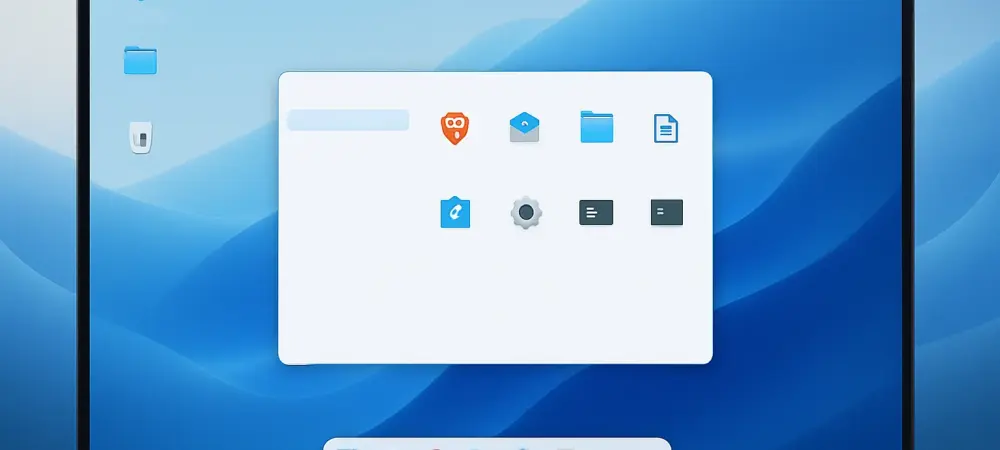
Zorin OS 18 stands out with a desktop environment that mirrors Windows’ aesthetic, featuring rounded panels, soft color palettes, and updated interfaces for core apps like Files and Settings. This deliberate design choice ensures that users feel at home from the first click, minimizing the adjustment period. It’s a thoughtful approach to onboarding those unfamiliar with Linux.
Functionality takes center stage with features like an intuitive window tiling system, allowing users to drag windows into predefined layouts for efficient multitasking. Compatibility is another strength, with built-in OneDrive integration for easy cloud access and a Web Apps tool that transforms sites like Microsoft 365 into desktop applications. These elements bridge the gap between old habits and new systems.
For software concerns, Zorin OS 18 detects over 170 Windows installer files, suggesting Linux alternatives or running them via the latest WINE version for native app and gaming support. Enhanced hardware detection, improved Bluetooth audio through PipeWire, and remote desktop options further cement its versatility. Whether on aging laptops or modern setups, this OS delivers power and ease in equal measure.
Stability and Trust: A Foundation for Confidence
Feedback from tech enthusiasts and early users paints Zorin OS 18 as a reliable haven for those fleeing Windows’ ecosystem. Industry blogs have lauded its ability to make Linux approachable, with one reviewer noting, “It’s the smoothest switch I’ve seen for Windows users.” Such endorsements highlight its potential to redefine expectations for alternative operating systems.
Performance metrics add weight to these claims, showing noticeable speed gains on older hardware compared to Windows 10’s later, resource-heavy updates. For users dreading sluggish systems or expensive replacements, this efficiency is a compelling draw. It’s proof that older devices can still pack a punch with the right software. With guaranteed software and security updates until 2029, Zorin OS 18 offers stability that resonates deeply in a world of fleeting support cycles. This long-term commitment appeals to both individual users and organizations planning for the future. Schools and businesses, in particular, find solace in a platform that won’t demand reinvestment every few years.
Making the Leap to Zorin OS 18 with Ease
Transitioning to Zorin OS 18 is designed to be straightforward, even for those new to Linux. Start by selecting from the Core, Pro, or Education editions on the official website, each catering to specific user needs. A simple backup of data followed by the user-friendly installation wizard ensures a hassle-free setup tailored for Windows migrants.
Tools within the OS simplify software migration, detecting Windows programs and recommending compatible alternatives or enabling them through WINE. Customizable workspace options, like flexible window tiling, allow users to adapt the environment to their workflow. Meanwhile, OneDrive integration keeps cloud files within reach, maintaining continuity with existing setups.
For larger deployments, such as in educational or corporate settings, the extended support until 2029 provides a safety net against sudden obsolescence. This reliability empowers IT teams to plan without the looming threat of forced upgrades. With these steps, adopting Zorin OS 18 becomes a process of empowerment, allowing users to redefine their relationship with technology on their own terms.
Looking back, Zorin OS 18 proved to be a pivotal response to the Windows 10 crisis, offering a lifeline to millions of users with incompatible hardware. Its blend of familiar design, robust compatibility, and enduring support reshaped the landscape for those seeking alternatives. Moving forward, exploring this OS through its available editions opens doors to a sustainable computing future, ensuring that devices once deemed obsolete find renewed purpose.