

The modern landscape of digital infrastructure is undergoing a radical shift as operating systems transition from passive environments into proactive, AI-driven partners that anticipate user intent with surgical precision. The Windows 11 KB5101681 update serves as a critical junction in this evolution, representing more than a mere collection of patches; it is a structural realignment of the 26H1 branch. This update bridges the gap between current usability demands and the sophisticated requirements of near-future computing, focusing on stability, enterprise integrity, and the deep integration of intelligent assistants. By analyzing the multifaceted layers of this release, it becomes evident that Microsoft is prioritizing a refined, reliable core over flashy, superficial additions. The primary objective is to provide a cohesive experience that scales from individual workstations to massive corporate fleets, ensuring that the underlying technology remains invisible while the output remains high.
Evolution of the 26H1 Environment and KB5101681 Context
The 26H1 branch has emerged as the definitive testing ground for system-level optimizations that will define the user experience for years to come. Unlike previous iterative updates that focused on visual consistency, 26H1 targets the deep plumbing of the operating system, refining how the kernel interacts with modern hardware and virtualized security layers. The KB5101681 update acts as a stabilizing force within this branch, consolidating disparate experimental features into a production-ready framework. This context is vital because it signals a move away from the rapid-release instability that once characterized the ecosystem, shifting toward a more deliberate and reliable development cycle.
This technological progression is particularly relevant in an industry currently obsessed with AI-ready infrastructure and streamlined user control. As organizations move toward decentralized work environments, the role of the operating system has changed from a simple launcher of applications to a secure, intelligent gateway. The KB5101681 update acknowledges this shift by reinforcing the foundations of the 26H1 environment, ensuring that the shift toward autonomous system management does not come at the expense of manual user oversight or core system performance.
Critical Innovations and System Enhancements
Enterprise-Grade Device Management and Reliability
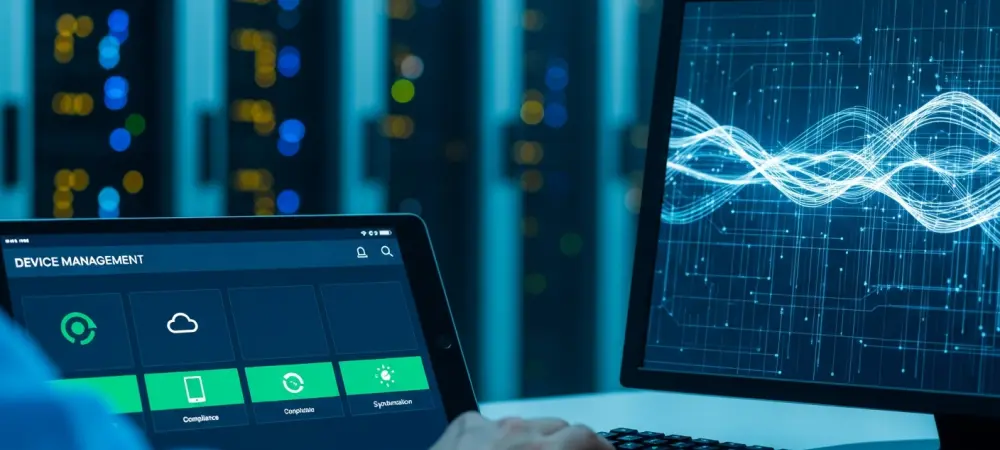
In the realm of professional administration, the update introduces significant improvements to Mobile Device Management (MDM) and Microsoft Intune compliance. The most critical fix addresses a persistent handshake issue that previously plagued provisioned devices during recovery cycles. When a device was restored or newly enrolled, the synchronization between the local OS and cloud-based management protocols often failed to reconcile, leaving the machine in a “noncompliant” state. This update rewrites the credential validation logic, ensuring that compliance status is reported with near-instant precision, which is essential for maintaining zero-trust security architectures in corporate environments.
Moreover, the reliability of system-level processes has been fortified to prevent the silent failures that often disrupt large-scale deployments. By refining the interaction between the system kernel and device configuration profiles, the update reduces the overhead required for background management tasks. This improvement ensures that IT administrators can push updates and policy changes without fear of causing “compliance loops” that previously required manual intervention. The result is a more resilient fleet management experience that honors the complex requirements of modern enterprise security.
Streamlined User Interface and Navigation Improvements
The user interface has undergone a subtle but profound transformation designed to foster a more focused work environment. The Widgets dashboard, often criticized for being overly intrusive, has been redesigned to be “quieter.” Microsoft has eliminated the hover-to-open trigger, requiring a deliberate click to access the information feed. This change respects the user’s focus, preventing accidental distractions during high-intensity tasks. Additionally, notification badges within the dashboard now clear automatically, reducing visual clutter and ensuring that only the most relevant alerts demand attention.
Control over system maintenance has also been enhanced through a new, flexible update calendar. Instead of the traditional, somewhat arbitrary “pause for seven days” button, users can now select a specific date up to 35 days in the future for updates to resume. This implementation offers a level of granular control that aligns with the unpredictable schedules of modern professionals. By allowing users to plan system downtime around their actual workload, the OS moves toward a more human-centric design philosophy that values user time as much as system integrity.
Enhanced File Explorer and Productivity Tools
File Explorer remains the nerve center of the Windows experience, and this update introduces deep integrations that simplify complex workflows. The addition of Entra ID quick actions allows users in professional and educational settings to perform cloud-based operations directly from the local file interface. By hovering over files in the Home section, users can now immediately access commands like “Ask Copilot” or “Share to Group,” bypassing several layers of menus. This integration demonstrates how AI and cloud identity can be leveraged to reduce the “friction of distance” between local storage and collaborative environments.
Technical refinements have also addressed the smaller frustrations that accumulate over time. The address bar now supports more complex string inputs, including quotation marks and double backslashes, which is a significant boon for developers navigating deep network paths. Furthermore, the item-renaming logic has been perfected to ensure that case-sensitive changes are recognized immediately across both local and OneDrive-synced folders. These micro-improvements collectively ensure that the primary tool for data navigation feels responsive, predictable, and fully integrated with the broader Microsoft ecosystem.
Next-Generation Accessibility and Input Options
Accessibility has been elevated from a secondary feature set to a core system priority with the introduction of the Screen Tint feature. This tool allows for a customizable full-screen color overlay, which is instrumental in mitigating eye strain and assisting users with visual processing sensitivities. Unlike third-party solutions that can impact system performance or introduce latency, this native implementation is deeply optimized, ensuring that color accuracy and refresh rates remain high while providing the necessary visual comfort.
Input methods have also seen an expansion into a more globalized context. Voice access and voice typing now support a wider range of languages, including German, French, and Spanish, with enhanced accuracy in noisy environments. For hardware users, the ability to customize touchpad zones offers a new level of tactile personalization. By allowing users to define the specific boundaries for right-click actions, the OS accommodates a wider variety of hardware designs and user preferences. These updates reflect a commitment to making the computing experience inclusive and adaptable to the diverse ways humans interact with technology.
Emerging Trends in Modern Operating System Architecture
The KB5101681 update is a clear manifestation of the industry-wide move toward human-centric design, where the system adapts to the user rather than the reverse. One of the most significant trends highlighted here is the aggressive deprecation of legacy drivers in favor of modern protocols like the Internet Printing Protocol (IPP). This shift is not just about convenience; it is a security-first move that eliminates the vulnerabilities associated with unmanaged, third-party printer drivers. By standardizing on modern, universal protocols, the OS reduces its attack surface while simplifying the setup process for end-users.
Furthermore, there is a visible push for non-intrusive notification systems and “calm technology.” As the volume of digital information increases, the operating system’s role as a filter becomes paramount. The updates to the Widgets dashboard and the Taskbar reflect this trend, moving toward a “pull” rather than “push” model of information delivery. This architectural shift acknowledges that a productive environment is one where the user remains in control of their cognitive load, and it sets a standard for how future operating systems should handle the balance between information and interruption.
Practical Applications in Enterprise and Creative Sectors
In the enterprise sector, the practical utility of this update is most evident in the improved synchronization of Bluetooth communication devices. The implementation of a synchronized mute state between hardware buttons and the software mixer ensures that professionals can move seamlessly between devices without the common “double-mute” confusion during high-stakes calls. Additionally, the use of SR-IOV for Confidential Virtual Machines provides a robust platform for data-sensitive industries, allowing for hardware-accelerated networking within highly secure, isolated environments.
For the creative and developer sectors, the graphics kernel’s new memory-management policy is a game-changer. By optimizing how systems with high RAM capacities handle local AI models, Microsoft is enabling a new class of “AI-first” workstations. Creators using localized generative AI for video editing, 3D rendering, or code generation will find that the OS no longer bottlenecks their hardware’s potential. This localized approach to AI not only improves performance by reducing latency but also addresses privacy concerns by keeping sensitive data on the local machine rather than in the cloud.
Navigating Deployment Challenges and Technical Hurdles
Despite the significant advancements, the transition to this modernized architecture is not without its hurdles. The move toward IPP-only printing, while beneficial for long-term stability, presents a challenge for organizations relying on legacy hardware that does not support modern standards. This necessitates a careful transition period where IT departments must audit their hardware fleets and potentially invest in bridge technologies to maintain functionality. The update’s reliance on specific hardware features for AI memory management also highlights a growing divide between modern, high-spec machines and older legacy systems.
To mitigate these challenges, the deployment is managed through a gradual rollout strategy. This allows for the collection of telemetry across a vast array of hardware configurations, ensuring that potential conflicts are identified and resolved before they impact the broader user base. This cautious approach to innovation is essential for maintaining the stability of the 26H1 branch, as it balances the need for technological progress with the absolute requirement for reliability in professional environments. The ongoing development effort focuses on refining these transitions, ensuring that the “modernization” of the OS does not alienate users with diverse hardware needs.
Long-Term Trajectory of the Windows Ecosystem
The trajectory of the Windows ecosystem is clearly pointing toward a future where the operating system acts as a hybrid engine, seamlessly blending local compute power with cloud-based intelligence. The KB5101681 update lays the groundwork for more robust, locally hosted generative AI applications that can operate independently of an internet connection. This move toward “Edge AI” within the OS indicates that future breakthroughs will focus on privacy-preserving, high-speed automation that feels like a natural extension of the user’s thought process.
Furthermore, the emphasis on inclusive design and automated maintenance suggests a long-term goal of a “self-healing” operating system. By reducing the complexity of device management and expanding accessibility, Microsoft is positioning Windows to be the most versatile platform for global productivity. The ultimate impact will be an OS that is more automated, more inclusive, and significantly more efficient, allowing users to focus entirely on their creative and professional output while the system handles the complexities of security, connectivity, and optimization in the background.
Final Summary and Performance Assessment
The KB5101681 update represented a successful synthesis of high-level technical overhauls and practical quality-of-life refinements. The review confirmed that the adjustments to MDM compliance and File Explorer responsiveness provided a tangible boost to enterprise efficiency, while the “quieter” UI elements improved the daily experience for standard users. The evaluation of the new memory management policies showed that the system was finally prepared to leverage the full power of modern hardware for complex AI tasks, marking a significant milestone in the evolution of the 26H1 branch.
Looking ahead, the successful deployment of these features suggested that the Windows ecosystem was well-positioned to lead the transition into an era of intelligent, decentralized computing. The focus on modernizing legacy protocols like printing and enhancing accessibility showed a comprehensive understanding of the diverse needs of a global user base. Ultimately, the KB5101681 update proved that a disciplined approach to system refinement could yield significant performance gains without sacrificing the stability that remains the hallmark of a professional-grade operating system. Future considerations must now center on the standardization of NPU hardware and the continued expansion of local AI capabilities to maintain this momentum.