

Introduction to Windows 10 and Windows 11
Imagine a world where nearly 600 million computers are at risk of becoming vulnerable to cyber threats overnight due to outdated software support, a staggering statistic that reflects the reality for many Windows 10 users as support for this widely used operating system ends in 2025. Launched a decade ago, Windows 10 earned its reputation for stability and a user-friendly interface, becoming a staple in homes and offices worldwide. Its successor, Windows 11, introduced four years ago, brings a modernized design and advanced features, aiming to redefine user experience in a rapidly evolving digital landscape.
Windows 11 stands as Microsoft’s response to the demands of contemporary computing, offering a sleek interface and enhanced capabilities tailored for newer hardware. With Windows 10 no longer receiving standard updates, the transition to Windows 11 has become a pressing concern for personal users, professionals, and enterprises alike. Comparing these two operating systems is critical now more than ever, as millions grapple with decisions about upgrading amidst hardware limitations and security risks.
This analysis delves into the relevance of such a comparison, particularly for those in diverse environments ranging from small businesses to large corporations. Understanding the differences between these systems sheds light on the challenges of transitioning, as well as the potential benefits of embracing the latest technology. The following sections aim to provide clarity on how each system serves distinct needs in an era of heightened cybersecurity awareness.
Key Feature Comparisons
User Interface and Design
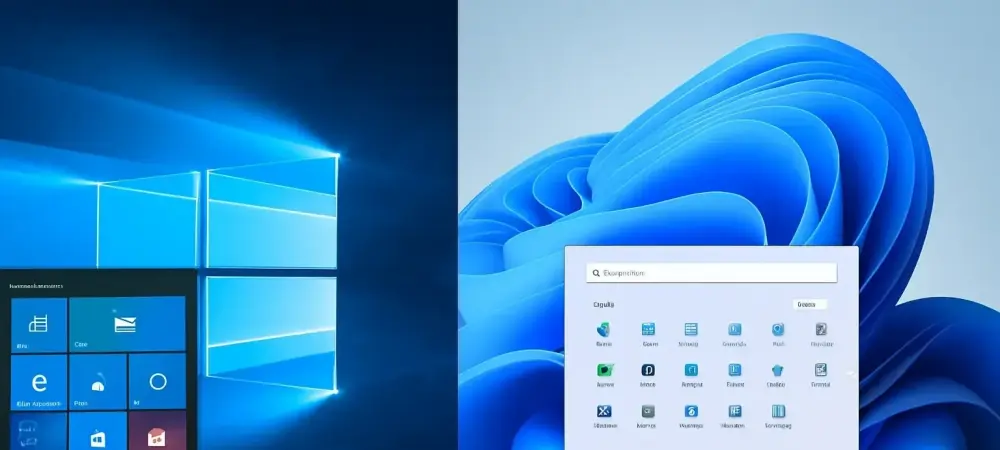
Windows 10 offers a familiar layout that many users have grown accustomed to, featuring a traditional Start Menu and a taskbar anchored to the left. This design prioritizes functionality over flair, ensuring that navigation remains straightforward for long-time users. Its interface has been a benchmark of consistency, appealing to those who value predictability in their daily computing tasks.
In contrast, Windows 11 introduces a refreshed aesthetic with a centered taskbar and rounded window corners, creating a more polished and contemporary look. This redesign aligns with modern design trends, emphasizing visual appeal alongside usability. Features like Snap Layouts enhance multitasking by allowing users to organize multiple windows effortlessly, a significant step beyond Windows 10’s more basic window management tools.
User feedback highlights varied experiences with these changes. While some appreciate Windows 11’s intuitive navigation and visually engaging elements, others face a learning curve adapting to the new layout. Anecdotes suggest that younger users or those accustomed to mobile interfaces find the transition smoother, whereas long-term Windows 10 users occasionally struggle with the repositioned elements, underscoring the diverse impact of design evolution.
Performance and System Requirements
When it comes to performance, Windows 11 has been optimized for newer hardware, often resulting in faster boot times and smoother operation compared to Windows 10 on compatible devices. Benchmarks indicate noticeable improvements in tasks like application loading and system responsiveness, particularly on systems equipped with the latest processors. This makes Windows 11 a compelling choice for users prioritizing efficiency.
However, the system requirements for Windows 11 are notably stricter, demanding features such as TPM 2.0 and Secure Boot, which many older devices running Windows 10 lack. This exclusion affects a substantial portion of the user base, with estimates suggesting that hundreds of millions of PCs cannot upgrade. Windows 10, by contrast, remains functional on a broader range of hardware, though without the performance enhancements seen in its successor.
The real-world implications are significant. Users with newer machines experience tangible benefits in speed and resource management with Windows 11, while those with older hardware face a dilemma—stick with a slower, unsupported Windows 10 or invest in new equipment. This divide shapes the decision-making process for many, balancing cost against the advantages of cutting-edge performance.
Security and Support Features
Security stands as a pivotal concern, with Windows 11 incorporating advanced hardware-based protections that bolster defense against modern threats. These built-in safeguards provide a robust foundation, ensuring users benefit from the latest cybersecurity advancements. Windows 10, while still receiving updates through the Extended Security Update (ESU) program in 2025, lacks the same level of integrated protection, making it more reliant on external measures. The end of standard support for Windows 10 in 2025 has heightened cybersecurity risks for users unable to transition to Windows 11. Without regular updates, systems become susceptible to exploits, a concern for both individuals and organizations. Windows 11, with its promise of long-term support, positions itself as a safer bet for the future, addressing vulnerabilities through ongoing patches and enhancements.
The ESU program offers a temporary reprieve for Windows 10 users, extending security updates for an additional period, though access varies by region. In Europe, this program is available at no cost, while other regions may incur a fee or require specific subscriptions. Such disparities highlight inconsistencies in support policies, raising questions about equitable access to critical security resources for all users globally.
Challenges and Limitations
Windows 10 faces substantial challenges as its standard support concludes in 2025, leaving millions of devices exposed to potential cyber threats. The inability of many older systems to meet Windows 11’s hardware requirements compounds this issue, affecting a vast user base stuck with outdated technology. This situation poses a significant risk, particularly for small businesses or individuals lacking the resources to upgrade promptly.
On the other hand, Windows 11 is not without its hurdles. Compatibility issues with older software applications can disrupt workflows, especially for users reliant on legacy programs. Additionally, the redesigned interface, while innovative, introduces a learning curve that may frustrate those accustomed to traditional layouts, slowing adoption in certain demographics or professional settings.
Broader concerns emerge regarding Microsoft’s regional policy differences, particularly with the ESU program’s varying accessibility. The ethical implications of unequal access to security updates are noteworthy, as some users may be left vulnerable due to geographic or financial barriers. These disparities underscore the complexity of managing a global transition, where not all users face the same opportunities to safeguard their systems.
Conclusion and Recommendation
Reflecting on the detailed comparison, it becomes evident that Windows 10 and Windows 11 cater to distinct user needs during a pivotal shift in operating system support. The differences in design, with Windows 11’s modern interface versus Windows 10’s familiarity, paint a clear picture of aesthetic and functional evolution. Performance and security further distinguish the two, as Windows 11 offers superior speed and protection, while Windows 10 struggles with obsolescence and looming risks after support ends. For actionable next steps, users with compatible hardware are advised to transition to Windows 11 to leverage its advanced features and ensure long-term security. Those unable to upgrade can find a temporary solution in the ESU program, which extends critical updates for Windows 10, albeit with regional variations in cost and access. Evaluating hardware capabilities becomes a crucial task to determine the feasibility of moving forward with an upgrade. Looking ahead, exploring alternative strategies, such as investing in cloud-based solutions or third-party security tools, emerges as a viable consideration for sustaining protection on older systems. Engaging with community forums and tech support resources also provides valuable insights for navigating this transition. Ultimately, prioritizing cybersecurity and aligning system choices with long-term digital goals stand as essential principles guiding users through this evolving landscape.