

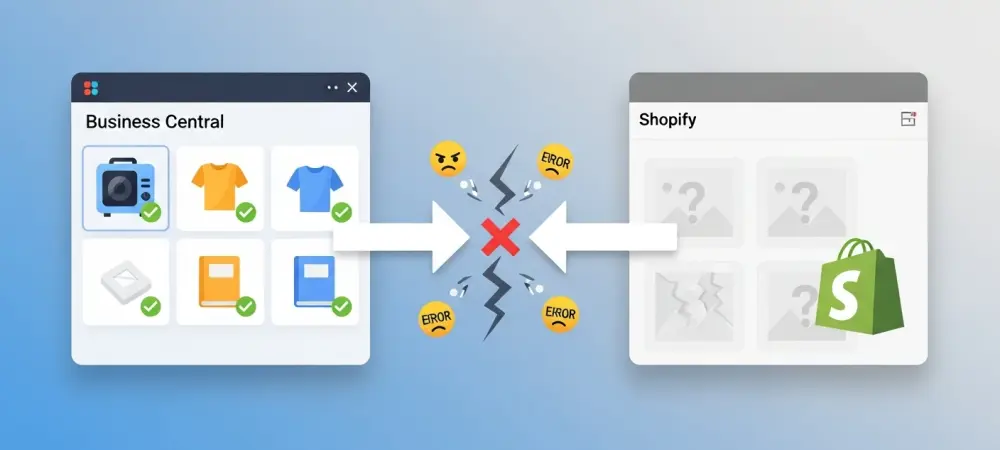
The seamless integration of Microsoft Dynamics 365 Business Central with Shopify represents a critical nerve center for modern retail operations, yet it remains susceptible to frustrating disruptions that can paralyze a digital storefront. When a business relies on this automated bridge to push product updates, any failure in the synchronization process immediately impacts the customer experience, leading to inaccurate inventory counts or missing product listings. These “silent failures” often occur without dramatic error messages, leaving administrators to wonder why a newly created item in the ERP hasn’t populated on the web. To diagnose these issues effectively, one must view the Shopify Connector not just as a simple data pipeline but as a sophisticated filter that demands perfection in data quality and structural alignment. By stripping away the mystery of why certain records fail to migrate, organizations can establish a more resilient e-commerce ecosystem that ensures the right products are always available to the right buyers at the right time. This requires a shift from reactive troubleshooting to a proactive stance where data integrity is maintained at the source. The complexities involved in mapping these two distinct environments often hide behind a layer of automation, but once the underlying logic is exposed, the path to a consistent and reliable product catalog becomes clear. Successful companies in the current year realize that synchronization is not a one-time setup but a continuous process of governance and refinement that bridges the gap between back-office accounting and front-end sales.
Filtering and Eligibility Roadblocks
The most common reason an item fails to appear in the online store is that it simply has not been invited to the synchronization process through the defined gatekeeping mechanisms. Within Business Central, the Shopify Shop card acts as the primary governor, utilizing specific filters to decide which items are eligible to be transmitted to the storefront. If a new product does not meet the exact criteria defined in these filters, such as belonging to a specific item category or having a specific “Sync to Shopify” checkbox toggled, the connector will ignore the record entirely during its scheduled run. This frequently occurs during bulk imports or when new product lines are introduced by staff members who may not be fully aware of the technical requirements for web visibility. Ensuring that the ERP users understand the downstream effects of every checkbox is the first step in maintaining a healthy connection between the warehouse and the web.
Furthermore, the eligibility of an item is often tied to its operational status within the broader ERP environment, where internal restrictions can inadvertently block the external sync. For instance, if an item is marked as “Blocked” on the item card to prevent internal warehouse movements or purchasing, the Shopify Connector will typically honor this status by refusing to push the item or by removing it from the active web listings. This logic is designed to prevent the sale of items that are not ready for distribution, yet it can cause confusion when a product is technically in stock but remains invisible to the customer. Administrators must audit their item status settings regularly to ensure that products intended for the e-commerce channel are not being caught in these internal safety nets. A well-defined workflow for product activation that includes a final verification of the sync flags can prevent these common oversights from affecting the bottom line.
SKU Mismatches and Identification Errors
The identification key, usually the SKU or the Barcode, serves as the heartbeat of the entire integration, but it is also the most frequent point of failure due to the presence of “dirty data.” Synchronization often breaks down when the identification fields in Business Central do not perfectly mirror the expected format in Shopify, leading to a failure to link existing records. For example, Business Central might store a SKU with leading zeros, such as “0050,” while Shopify might be configured to treat that same identifier as a simple integer, stripping the zeros and listing it as “50.” Even a single accidental trailing space or a slight variation in capitalization can cause the system to treat the two entries as completely different entities, which results in duplicate records or a complete failure to update stock levels. This misalignment creates a situation where the ERP believes the update was sent, while the e-commerce platform ignores the incoming data because it cannot find a matching recipient. To mitigate these identification errors, businesses must implement a strict data entry standard that prioritizes consistency across all platforms involved in the supply chain. The use of specialized tools for data cleansing or the implementation of validation rules within Business Central can help ensure that every SKU follows a predictable and web-friendly format before it ever reaches the connector. When these identity fields are managed with precision, the connector can effortlessly match records, allowing for real-time updates to pricing and availability. It is also important to recognize that once a mismatch occurs, manual intervention is often required to re-link the records and clear the cache of the connector. Moving forward, the most successful implementations are those that treat the SKU as a sacred data point, protected by rigorous administrative controls and regular audits to prevent the gradual creep of formatting inconsistencies that inevitably lead to synchronization failures.
Missing Mandatory Fields and Data Integrity
Shopify has a significantly lower tolerance for empty or malformed data fields than a standard ERP might require for its internal accounting and logistics functions. While Business Central allows a user to create an item with minimal information, such as just a number and a description, Shopify requires a more comprehensive set of data to build a valid and functional product page. If the synchronization process encounters a blank mandatory field, such as a missing Base Unit of Measure or an undefined weight value, it will often reject the entire record to prevent a broken listing from appearing to the public. This safety feature is essential for maintaining a professional brand image, but it can be a source of frustration for ERP users who are accustomed to more lenient data requirements. Bridging this gap requires a clear understanding of which fields are considered “mission-critical” by the Shopify API and ensuring those fields are populated within the ERP.
Beyond the basic requirements, data integrity issues can also arise from the way descriptions and rich text are handled between the two systems. Business Central typically uses a “Description” and “Description 2” field, or perhaps an “Extended Text” feature, whereas Shopify relies on a single, HTML-capable body section for product details. If the mapping is not correctly configured to concatenate these ERP fields into a format the web store can digest, the resulting product page may appear empty or visually garbled. This discrepancy often leads to a sync failure because the connector detects that the resulting output does not meet the structural requirements of the destination. Organizations that prioritize high-quality data at the point of origin find that their synchronization issues dissipate, as the system no longer has to struggle with interpreting incomplete or fragmented information. Establishing a “web-ready” status for items within the ERP serves as a final checkpoint to ensure that all mandatory attributes are present before the data is handed off to the Shopify Connector.
Structural Differences in Variants and Locations
A significant technical hurdle in the synchronization process stems from the fundamental differences in how the two platforms handle product variations and inventory locations. Business Central traditionally utilizes a relatively flat structure for item variants, whereas Shopify organizes products into a hierarchical model with multiple options like size, color, and material. If the mapping logic is not meticulously configured to translate these different data models, the items may fail to sync entirely or, worse, merge into a single incorrect entry that misrepresents the actual product lineup. This structural mismatch often results in “orphaned” variants that exist in the ERP but never make it to the web because the connector cannot determine where they fit within the Shopify product tree. Solving this requires a deep dive into the variant mapping settings to ensure that every attribute in Business Central has a corresponding home in the e-commerce environment.
Inventory transparency is equally affected by the way physical warehouses in Business Central are mapped to digital locations in Shopify. If the mapping is incomplete or if a new location was added in the ERP without being linked to the Shopify Shop card, the system will not know which stock levels to report for a given item. This often leads to the connector defaulting to an inventory count of zero, even if the warehouse is full of physical products. In a multi-location retail environment, this can be particularly damaging as it prevents the system from accurately fulfilling orders based on proximity or stock availability. To resolve these issues, administrators must ensure that the inventory synchronization settings are refreshed whenever the physical logistics network changes. By maintaining a one-to-one or many-to-one relationship between ERP locations and Shopify sites, businesses can ensure that their online availability always reflects the true state of their global inventory, preventing lost sales and customer dissatisfaction.
Financial Logic and Operational Blocks
Pricing and tax configurations represent another frequent source of friction that can cause the synchronization process to stall or produce distorted data. If Business Central is configured to export prices excluding tax, but the Shopify storefront expects tax-inclusive values, the synchronization might fail due to validation errors or produce pricing that is fundamentally incorrect for the target market. Furthermore, currency mismatches between the Shopify Shop card in the ERP and the actual currency settings of the online store can cause the connector to reject price updates altogether. These financial settings are often “set and forget,” but they can become problematic when a business expands into new international markets or changes its tax strategy. Ensuring that the financial logic of the ERP is perfectly synchronized with the fiscal requirements of the web platform is essential for a smooth and accurate product rollout.
Beyond the numbers themselves, the operational status of an item plays a decisive role in whether it successfully migrates to the web. The Shopify Connector is designed to respect the business logic of the ERP; therefore, if an item is marked with a “Sales Blocked” status or if its “Sales Posting Group” is missing, the sync will often treat the item as unavailable for export. This logic extends to the item’s life cycle as well, where discontinued items may persist in the ERP but are intentionally blocked from the web to prevent backorders. However, if these statuses are applied incorrectly or if an automated process inadvertently blocks a range of items, the synchronization will stop without warning. This highlights the need for a unified strategy where the sales and IT teams work together to ensure that the operational flags in Business Central are always aligned with the commercial goals of the Shopify storefront. Regular reviews of blocked items and financial mapping tables can catch these discrepancies before they impact the bottom line.
Technical Constraints and Character Limits
Technical limitations regarding data types and string lengths often cause localized failures that are exceptionally difficult to spot during a cursory review. Shopify enforces strict character limits on product titles and URL handles to ensure that the web pages remain optimized for search engines and mobile devices. If a Business Central item description or title is excessively long or contains special characters that are not web-friendly, the synchronization process will likely fail for that specific record. This is a classic example of data that is perfectly “clean” for internal office use but “invalid” for the technical requirements of a high-performance e-commerce platform. Without a mechanism to truncate or sanitize these fields during the export process, the connector will simply skip the problematic items, leading to a persistent gap in the online catalog.
In addition to character limits, the frequency and volume of data transmissions can trigger rate-limiting protections on the Shopify side. When a large batch of items is updated simultaneously in Business Central, the ERP may attempt to push a volume of data that exceeds the API limits of the Shopify plan. This results in temporary blocks or “throttling,” where some items sync successfully while others are left in a pending state or fail entirely. Managing these technical constraints requires a balanced approach to synchronization scheduling, where updates are staggered or prioritized based on their importance. Developers and administrators must also be mindful of the “Handle” field in Shopify, which acts as the unique URL for a product; if this is not carefully managed, changing a product name in Business Central can break the existing link on the web, causing 404 errors and hurting the site’s search engine ranking. Success in this area depended on a high level of technical awareness and the implementation of safeguards to ensure that ERP data always fit within the digital containers of the storefront.
Data Governance and Synchronization Direction
Organizations that overcame these challenges successfully adopted a rigorous data auditing protocol that treated the ERP as the ultimate source of truth for all product information. They recognized that the synchronization was not merely a technical connection but a reflection of their internal data health and organizational discipline. By implementing automated validation checks within Business Central before any item was flagged for export, these businesses reduced the incidence of failed syncs significantly. They also discovered that establishing clear ownership over specific data fields—where the ERP owned the SKU and pricing while Shopify owned the customer-facing marketing copy—prevented the recursive overwriting errors that previously plagued their operations. This shift toward a more structured governance model ensured that everyone from the warehouse manager to the digital marketer understood their role in maintaining the integrity of the product catalog.
The transition to a more disciplined approach to ERP management allowed these businesses to scale their e-commerce presence without the constant fear of technical debt or inventory discrepancies. These companies realized that clear documentation regarding which system “owned” which data point prevented the recursive overwriting errors that previously plagued their operations. As the retail landscape continued to evolve throughout 2026, the focus shifted from merely moving data to ensuring that data was refined and contextually relevant for the end consumer. Ultimately, the lessons learned from troubleshooting the Shopify Connector led to broader improvements in data quality across all departments. Future-proofing the integration required a commitment to ongoing education and the willingness to adapt internal processes to meet the rigid but necessary standards of modern e-commerce platforms. By viewing every sync error as an opportunity to improve data standards, businesses transformed a technical hurdle into a competitive advantage in the digital marketplace.