

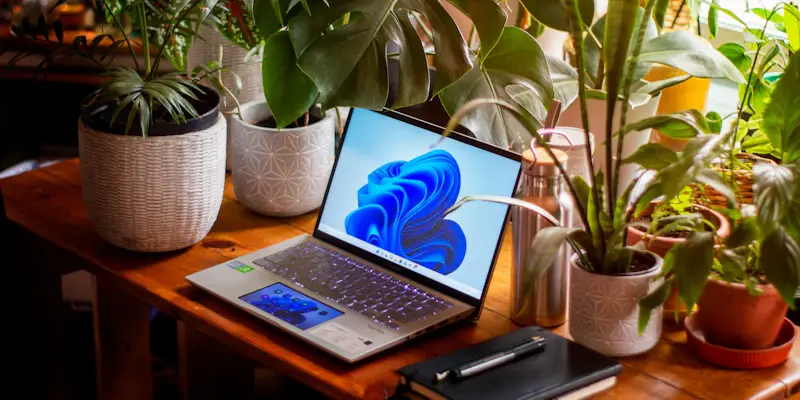
For anyone still operating on Windows 10, the pressing question arises: why should they upgrade to Windows 11?Microsoft has made it clear that sticking with older systems exposes users to potential security risks. As we navigate increasingly digital lives, the need for robust security and superior performance becomes paramount.Windows 11 is designed to meet these needs head-on, providing users with an enhanced experience marked by both advanced security protocols and efficient performance that aligns with modern technological standards.
Enhanced Security Features
One of the standout benefits of upgrading to Windows 11 is its improved security measures, which are crucial in the current era of sophisticated cyber threats. Microsoft has integrated a variety of security features such as hardware-based isolation, encryption, and malware protection.These advancements collectively contribute to a more secure computing environment that proactively defends against increasingly complex cyber attacks. Furthermore, the built-in Windows Hello biometric authentication adds an additional layer of security, making it much harder for unauthorized access to occur.
Aside from these core enhancements, the operating system also introduces comprehensive security management tools suitable for both individual and enterprise use. Windows 11’s security features are designed to be intuitive and seamlessly integrated into users’ daily operations, minimizing the likelihood of human error that can compromise system integrity.By continually updating these security measures through regular patches and updates, Microsoft ensures that users are shielded from the latest threats. This commitment to security represents a significant step forward from previous iterations of the operating system that had limited capabilities to counter modern cyber threats.
Performance Improvements
Windows 11 isn’t just about security; it also brings substantial performance improvements that make computing more efficient and enjoyable.The new operating system has been optimized for speed and responsiveness, significantly reducing the time it takes to launch applications and perform everyday tasks. This optimization extends to managing system resources more effectively, ensuring that even on older hardware, Windows 11 provides a noticeable performance boost compared to Windows 10.
Moreover, the redesigned user interface in Windows 11 contributes to these performance enhancements.The interface has been streamlined to offer a more modern and visually pleasing experience that aligns with contemporary design trends. Users will find that navigation is more intuitive, and the overall system feels more cohesive and responsive. This not only enhances productivity by reducing the time spent on technical issues but also creates a more pleasant computing experience.These factors together make Windows 11 a compelling upgrade for those seeking both performance and efficiency in their daily computing activities.
Compatibility and Support
A critical aspect of any operating system upgrade is compatibility with current software and hardware. Windows 11 has been developed to ensure that it is fully compatible with the latest hardware components and software applications. This compatibility extends to advanced gaming technologies, professional-grade software, and the newest peripheral devices, making Windows 11 a versatile choice for various user groups. Whether used for professional tasks, creative projects, or gaming, Windows 11 offers a robust platform that supports a wide range of applications.
In addition to compatibility, Microsoft emphasizes ongoing support for Windows 11, which includes regular updates and patches.These updates are designed to address any emerging vulnerabilities and performance issues, ensuring that the system remains reliable over time. With the end of support for Windows 10 drawing near, transitioning to Windows 11 becomes a prudent choice to avoid the pitfalls associated with unsupported systems. Users can rest assured that their systems will continue to receive necessary updates, keeping them secure and functional in the years to come.
Responsible Upgrade Path
Microsoft not only encourages upgrading to Windows 11 but also advocates for responsible disposal of older devices.They highlight the importance of recycling old PCs to minimize environmental impact and suggest trading in these devices for monetary value. This approach not only benefits the environment but also provides users with an incentive to transition to newer hardware that meets Windows 11 requirements.By promoting sustainable practices, Microsoft makes it easier for users to adopt the latest technology without causing unnecessary waste.
The company’s emphasis on purchasing a new PC that complies with Windows 11’s system requirements underlines the importance of modern hardware in realizing the full potential of the new operating system. While methods exist for installing Windows 11 on unsupported devices, Microsoft strongly discourages this practice to ensure users receive optimal performance and security.Adhering to recommended guidelines guarantees a seamless and efficient experience, emphasizing the importance of adopting compatible hardware alongside new software innovations.
Future Considerations
Moving forward, the benefits of upgrading to Windows 11 become increasingly clear. With ongoing improvements in security, performance, compatibility, and support, Windows 11 positions itself as a forward-thinking operating system designed to meet the demands of future technology landscapes.Users who transition to Windows 11 are not only securing their systems against contemporary threats but are also preparing for upcoming advancements. The operating system’s commitment to regular updates and support reassures users of its long-term viability.
As Microsoft continues to innovate and enhance its offerings, adopting Windows 11 represents a strategic decision for users who wish to stay on the cutting edge of technology. The platform’s ability to integrate with future developments ensures that users can leverage the latest features and improvements as they become available.By making the switch to Windows 11, users can confidently navigate their digital lives, knowing their systems are equipped with the best tools available to tackle modern challenges and opportunities.
Conclusion
For those still using Windows 10, the critical question arises: why should they upgrade to Windows 11?Microsoft has emphasized that continuing to use older operating systems exposes users to significant security risks. In today’s increasingly digital world, the demand for robust security and top-notch performance is more critical than ever.Windows 11 is crafted to address these needs directly, offering users an enhanced user experience characterized by cutting-edge security features and efficient performance. This new version aligns seamlessly with modern technological standards, ensuring that your system is protected against emerging threats. Additionally, Windows 11 introduces a fresh, modern interface that simplifies navigation and boosts productivity. The operating system also boasts improved compatibility with various applications and hardware, ensuring that users have a smooth and consistent experience.Upgrading to Windows 11 is not just about staying current; it’s about embracing a more secure, efficient, and user-friendly digital environment, minimizing any potential vulnerabilities associated with outdated software.