

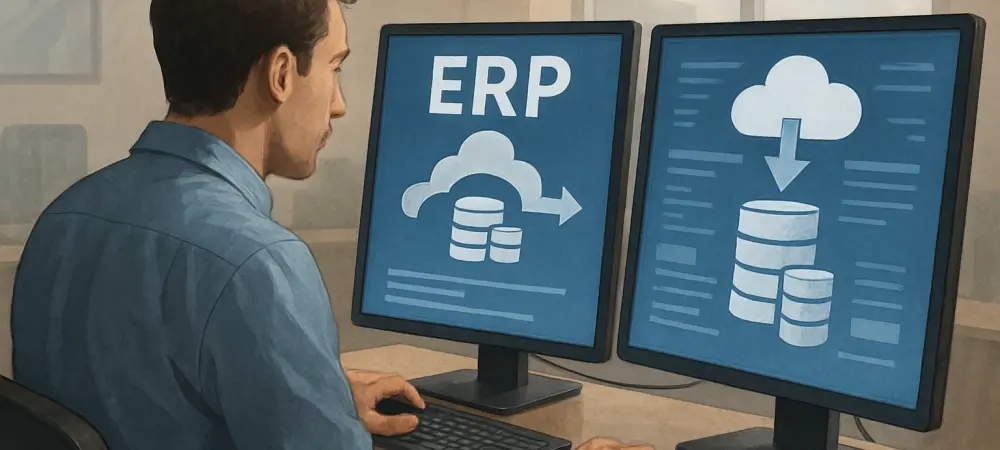
As we dive into the world of ERP software migration, I’m thrilled to sit down with Dominic Jainy, an IT professional whose deep expertise in technology and business systems has helped countless organizations navigate complex transitions. With a focus on moving from Microsoft Dynamics GP to Business Central, Dominic has guided businesses through the intricacies of this full-scale ERP implementation. Today, we’ll explore the challenges of underestimating timelines, the importance of strategic planning, the impact on internal resources, and the critical need for thorough testing and training. Let’s uncover the insights that can make or break a successful migration.
Can you walk me through why migrating from GP to Business Central is seen as a full ERP implementation rather than just a simple software update?
Absolutely. Unlike a typical software update where you’re just patching or adding features to an existing system, migrating from GP to Business Central involves a complete overhaul. You’re moving to a cloud-based platform with different architecture, workflows, and capabilities. This means rethinking how every part of your business—finance, operations, supply chain—integrates with the new system. It’s not just technical; it’s about redefining processes, migrating data, and ensuring everyone is on board with the change. It’s a major project that touches every corner of the organization.
Why is it so important to start planning this migration now, especially with Microsoft support for GP ending in 2029?
Starting now gives companies a huge head start. With 2029 on the horizon, early planning means you’re not racing against the clock. You have the luxury of time to assess your current setup, define goals, and build a roadmap that fits your business cycles. It also allows for proper testing and training, which are often rushed when deadlines loom. Waiting until the last minute risks falling behind, facing potential support gaps, and dealing with a flood of other companies trying to migrate at the same time, which can strain resources and expertise availability.
What are some reasons companies often underestimate the timeline needed for a migration like this?
Many companies see this as just swapping one system for another, but they don’t account for the depth of work involved. They might overlook the time needed for data cleanup, custom configurations, or integrating third-party tools. There’s also a tendency to assume their team can handle migration tasks alongside daily work without much disruption. In reality, unexpected issues—like data incompatibilities or process mismatches—can pop up and stretch timelines significantly. Without a realistic view, they’re caught off guard by how long each phase truly takes.
How does underestimating internal resource needs impact staff during a GP to Business Central migration?
It can really stretch a team thin. When companies don’t allocate enough time or support, employees—especially in finance, operations, and IT—end up juggling their regular duties with migration tasks. This leads to burnout, errors, and frustration. For instance, finance teams might be reconciling accounts while trying to validate data in the new system, and IT might be troubleshooting daily issues while configuring Business Central. Without proper planning, morale and productivity take a hit, and the quality of the migration suffers.
Why is thorough testing so critical before going live with Business Central?
Testing is your safety net. It ensures that data has migrated correctly, workflows function as expected, and integrations with other systems are seamless. Without it, you risk launching a system with hidden bugs or inaccuracies—think incorrect financial reports or broken inventory tracking. That can disrupt operations, erode trust in the new system, and cost time and money to fix after the fact. Proper testing catches these issues early, so you’re not firefighting on day one of go-live.
How can inadequate training affect user adoption after the system is implemented?
If users aren’t properly trained, they’re likely to struggle with the new system, which can tank adoption rates. Business Central has a different interface and logic compared to GP, so without hands-on, role-specific training, employees might feel lost or resistant to change. This leads to workarounds, errors, and frustration, ultimately slowing down processes. Good training builds confidence, helps staff see the system’s value, and ensures they’re using it effectively from the start.
What are some common causes of unexpected costs during a migration like this?
Unexpected costs often stem from poor planning or surprises during the process. For example, companies might not anticipate the need for additional customizations to match their unique workflows, or they might discover data issues that require extra cleanup. Underestimating the need for external consultants or temporary staff to backfill roles can also drive up expenses. Delays in the timeline often compound these costs, as extended project durations mean more hours billed and more disruption to regular business.
How can companies better prepare for and manage these potential expenses and delays?
Preparation starts with a detailed discovery phase. Companies need to map out their current processes, data, and integrations to spot potential hurdles early. Building a realistic budget that includes contingencies for custom work or extra support is key. Partnering with experienced consultants who’ve done this before can also help anticipate costs and keep things on track. Regular check-ins and clear milestones during the migration ensure you’re not blindsided by delays, allowing for adjustments as needed.
Can you explain the value of a structured, phased approach to migration, like discovery, system build, and training?
A phased approach breaks the overwhelming task of migration into manageable chunks. Discovery sets the foundation by clarifying goals and assessing needs, so you’re not jumping in blind. The system build and data migration phase focuses on getting the technical pieces right. Testing validates everything, while training ensures your team is ready. Finally, post-go-live support helps iron out any kinks. This structure keeps everyone aligned, prevents critical steps from being skipped, and balances urgency with thoroughness, making the transition smoother.
What’s your forecast for the future of ERP migrations as more companies move to cloud-based systems like Business Central?
I see ERP migrations becoming even more common as businesses recognize the benefits of cloud systems—scalability, real-time data, and lower maintenance. The shift will accelerate as legacy systems like GP reach end-of-life. However, I think we’ll also see more emphasis on automation and AI tools to streamline migrations, reducing timelines and human error. Companies that embrace early planning and invest in change management will stand out, while those who delay might struggle with resource shortages and outdated processes. The future is cloud, and the sooner businesses adapt, the better positioned they’ll be.