

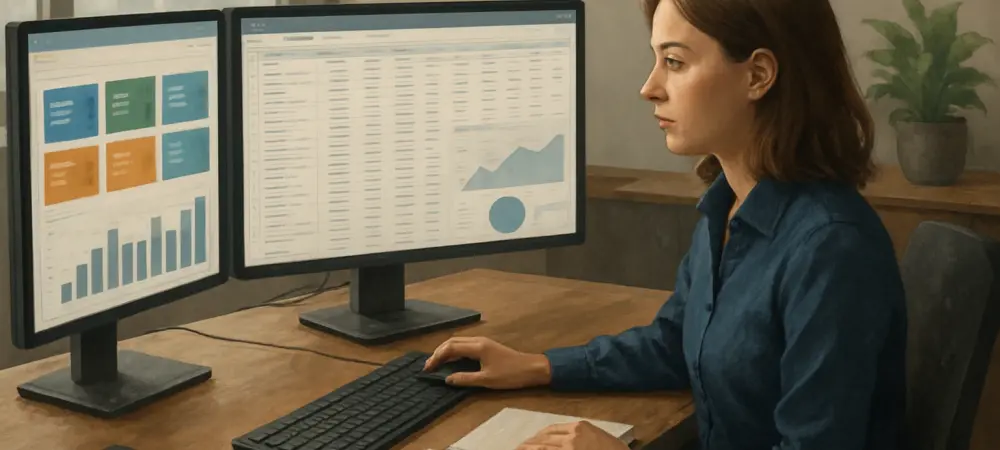
Picture this: a vendor rolls out a slick Enterprise Resource Planning (ERP) demo, showcasing dazzling dashboards and seamless features, but beneath the gloss, does the system truly match the intricate needs of a specific business? Many companies have fallen into the trap of being mesmerized by polished presentations, only to discover post-implementation that the software fails to align with their unique workflows or scalability goals. A demo isn’t merely a sales pitch; it’s a golden opportunity to dissect the ERP’s real-world applicability and the vendor’s commitment as a partner. Digging deeper than surface-level appeal is essential to avoid costly mismatches that can stall operations and drain budgets. The right questions can transform this experience from a passive viewing into a rigorous evaluation, ensuring the chosen solution supports not just current demands but also future ambitions. By focusing on practical fit, usability, and long-term adaptability, businesses can navigate the selection process with confidence and clarity.
Evaluating Fit for Your Business Needs
Specific Processes and Flexibility
Navigating the complexities of a business’s unique operations demands more than a generic ERP demo; it requires a tailored approach to uncover true compatibility. A pivotal question to pose is how the system handles the most intricate or distinctive process within a company’s workflow. Pushing the vendor to demonstrate this in real-time—without leaning heavily on customizations—offers a window into the software’s inherent flexibility. Such a test also sheds light on whether the vendor grasps the nuances of the industry in question. If the system struggles to adapt or requires extensive tweaking, it might signal future headaches. This kind of scrutiny ensures that the ERP isn’t just a shiny tool but a practical solution built to tackle specific operational challenges head-on, saving time and resources down the line.
Moreover, exploring how the ERP accommodates unique needs highlights the importance of a vendor’s expertise beyond just software. A vendor that can pivot during the demo to address a niche scenario often brings deeper industry insight to the table. This is crucial because every business operates with its own quirks, from specialized production cycles to uncommon customer demands. Observing whether the vendor anticipates these pain points or merely offers blanket solutions can be telling. A system that bends without breaking under these conditions suggests a robust foundation, while a rigid setup may foreshadow constant workarounds. This line of questioning sets the stage for a partnership rooted in understanding, ensuring the ERP evolves as a true extension of the business rather than a cumbersome add-on.
Seamless Integration Across Modules
Integration lies at the heart of any ERP’s promise, and testing this capability during a demo is non-negotiable for operational efficiency. Asking the vendor to walk through a single transaction—from initial quote to final ledger entry—across all modules reveals whether the system delivers on its core claim of connectivity. True integration eliminates the dreaded “swivel-chair” data entry, where manual transfers between systems create errors and delays. If the demo shows hiccups or disconnected workflows, it’s a red flag that efficiency gains might be more hype than reality. This question cuts through marketing fluff to focus on whether the ERP can unify processes, ensuring data flows smoothly across departments like sales, inventory, and finance.
Beyond just observing the transaction, attention should shift to the impact of seamless integration on daily operations. A system that links modules effortlessly reduces redundant tasks, allowing teams to focus on strategic goals rather than clerical fixes. However, if the demo exposes clunky handoffs or siloed data, it suggests the ERP might not deliver the promised time savings or accuracy. This exploration also tests the vendor’s transparency—do they gloss over integration gaps, or do they address them candidly? A cohesive system fosters real-time insights, empowering decision-making across the board. Probing this aspect during the demo ensures that the ERP isn’t just a collection of tools but a unified engine driving productivity and reducing operational friction.
Usability and Accessibility for All Users
Reporting Tools for Non-Technical Staff
An ERP’s value hinges on its accessibility, particularly for staff without technical expertise, making usability a critical focus during a demo. A key question to ask is how easily non-technical users can generate reports, ideally through intuitive tools like drag-and-drop interfaces. If creating a basic sales summary or inventory snapshot requires IT intervention, the system’s practical worth diminishes. Vendors should demonstrate how everyday employees can pull actionable data without wading through complex menus or coding. This ensures the ERP empowers the broader workforce, turning data into a democratized asset rather than a bottleneck locked behind specialized skills, which can frustrate teams and slow down critical tasks.
Additionally, digging into reporting capabilities uncovers whether the ERP prioritizes user experience over mere functionality. A demo that showcases straightforward, visually clear report generation reflects a design philosophy centered on inclusivity. In contrast, cumbersome processes or steep learning curves suggest the system may alienate key staff, undermining adoption. This question also probes the vendor’s foresight—have they built tools that evolve with user feedback, or are they stuck on outdated interfaces? Empowering non-technical users to harness data independently boosts efficiency and morale across departments. By focusing on this aspect, businesses can gauge if the ERP will truly serve as a tool for all, bridging the gap between complex technology and practical, everyday needs.
Mobile Experience for Frontline Teams
Frontline employees, like warehouse staff or field sales reps, often represent the operational backbone of a business, and their ERP experience matters just as much as that of office-based teams. Asking about the mobile interface during a demo is essential—does it cater to roles that rely on real-time access outside traditional settings? A poorly designed or limited mobile experience can cripple efficiency, leaving workers struggling with clunky navigation or missing features. Vendors should show how the app supports tasks like inventory updates or customer interactions on the go. This question tests whether the ERP is built with a holistic view of the workforce, ensuring that every level of the organization benefits from its deployment.
Furthermore, evaluating the mobile experience highlights the vendor’s commitment to modern, flexible work environments. A robust mobile platform can transform how field teams operate, offering instant data sync and reducing delays in communication. On the flip side, if the demo reveals a tacked-on or barely functional mobile component, it signals a lack of consideration for real-world applications. This exploration also touches on usability trends—does the interface prioritize speed and clarity under varying conditions, like poor network coverage? A system that supports frontline users effectively can drive significant productivity gains, while a neglected mobile offering risks alienating a critical segment of the team. Pushing for this demonstration ensures the ERP aligns with the dynamic needs of today’s mobile workforce.
Vendor Support and Implementation Transparency
Training and Ongoing Support Resources
Beyond the initial dazzle of an ERP demo, the reality of post-purchase support can make or break a system’s success, necessitating a close look at available resources. A vital question to raise is what kind of training and help materials the vendor provides, ideally with a live walkthrough during the session. Accessible, up-to-date resources are a lifeline for users navigating a new platform, while outdated guides or limited access spell trouble for adoption. If the vendor hesitates to showcase these tools or offers vague promises, it’s a warning sign of weak ongoing commitment. This inquiry ensures that the partnership extends beyond the sale, equipping teams with the knowledge to maximize the ERP’s potential without constant external help.
Equally important is understanding how these resources impact long-term user confidence and system uptake. Comprehensive training—whether through video tutorials, live sessions, or detailed manuals—can significantly shorten the learning curve, especially for complex features. However, if the demo reveals thin or generic support materials, it suggests potential bottlenecks when issues arise post-implementation. This question also gauges the vendor’s foresight in addressing diverse learning styles and user needs. Strong support structures not only ease the transition but also build trust in the vendor as a reliable ally. By prioritizing this aspect during the demo, businesses can avoid the frustration of inadequate guidance, ensuring smoother operations from day one.
Handling Implementation Challenges
No ERP rollout is without hurdles, and a vendor’s candor about these challenges during a demo speaks volumes about their reliability as a partner. Asking directly about common implementation pitfalls—such as data migration issues or over-customization—and how they’re addressed can reveal much about preparedness. Honest, detailed responses demonstrate experience and a willingness to collaborate through rough patches, while evasive answers hint at unrealistic expectations. This transparency is crucial for setting a foundation of trust, as it shows the vendor views the relationship as a joint effort rather than a one-time transaction. Such discussions help businesses brace for potential roadblocks with practical solutions in mind.
Delving deeper, this line of questioning also uncovers the vendor’s problem-solving approach under pressure. Specific strategies, like phased data cleanup or tailored user training to avoid customization traps, indicate a proactive mindset that can save significant time and cost. In contrast, generic reassurances often mask a lack of real-world experience, leaving businesses vulnerable during deployment. This exploration further tests whether the vendor anticipates industry-specific challenges or merely offers cookie-cutter fixes. A transparent dialogue about implementation fosters realistic planning, ensuring that surprises are minimized. By focusing on this during the demo, companies can better align with vendors who prioritize partnership over quick sales, paving the way for a smoother transition.
Future-Proofing Your Investment
Scalability and Configuration Options
Growth and change are inevitable for any business, making an ERP’s adaptability a cornerstone of its long-term value, which must be tested during a demo. A critical question to ask is how the system accommodates evolving needs through configuration tools without requiring constant consultant intervention. If every adjustment demands external expertise, the total cost of ownership skyrockets, draining budgets over time. Vendors should demonstrate user-friendly configuration options that allow internal teams to tweak workflows or add functionalities as the company scales. This focus ensures the ERP remains a sustainable investment, capable of supporting ambitions without becoming a financial burden or operational constraint.
Additionally, exploring scalability reveals whether the vendor has designed the system with future trends and challenges in mind. A platform that empowers businesses to manage changes independently—be it expanding user bases or shifting market demands—reflects a forward-thinking approach. Conversely, if the demo suggests heavy reliance on third-party support for basic updates, it signals a shortsighted solution that could lag behind growth. This question also touches on the balance between customization and configurability, as over-customized systems often become rigid. A scalable ERP should offer flexibility while maintaining simplicity, ensuring adaptability over years, not just months. Scrutinizing this aspect during the demo helps secure a system that grows alongside the business, protecting both resources and vision.
Building a Lasting Partnership
Reflecting on past ERP demo experiences, businesses often realized that the success of their implementations hinged on the groundwork laid during those initial evaluations. Strategic questioning about scalability, support, and fit uncovered not just the software’s capabilities but also the vendor’s dedication to a lasting partnership. Transparent discussions about implementation challenges and honest showcases of user-friendly tools often paved the way for smoother rollouts. These moments of clarity, driven by pointed inquiries, helped avoid the pitfalls of mismatched systems and fostered trust that carried through years of collaboration.
Looking ahead, the insights gained from those demos underscored a vital next step: maintaining an ongoing dialogue with the vendor to anticipate future needs. Companies that continued to engage, asking how the ERP could evolve with emerging technologies or market shifts, stayed ahead of potential disruptions. Prioritizing vendors who demonstrated adaptability and accessibility in their support structures proved essential. Those early questions, asked with precision, laid a foundation for transformative solutions that didn’t just solve immediate problems but also supported long-term growth and innovation.