

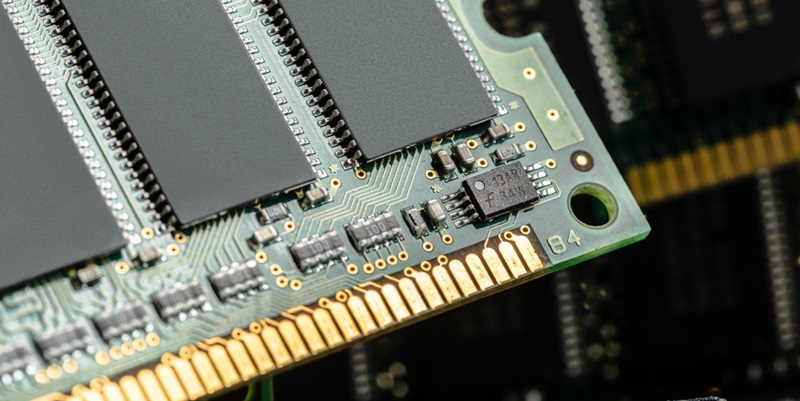
Computers rely on various types of memory to store and access data during their operations. Two essential forms of memory are RAM (Random Access Memory) and ROM (Read-Only Memory). Additionally, secondary memory provides long-term, persistent storage for large amounts of data. This article aims to explore the different types of memory, their functions, and their significance in the world of computing.
RAM: The Powerhouse Memory
RAM, often referred to as primary memory, plays a vital role in a computer’s operations. It is used to hold data that the central processing unit (CPU) requires while running a program. By utilizing RAM, the CPU can quickly access the necessary data or instructions, saving time that would otherwise be spent retrieving information from secondary storage.
Exploring the Types of RAM
Dynamic RAM (DRAM)
Dynamic RAM is a common type of RAM that stores data in capacitors that must be constantly refreshed. This memory type is cost-effective but less stable compared to SRAM.
Static RAM (SRAM)
Static RAM, which utilizes flip-flop circuits, provides faster access times and greater stability than DRAM. However, it is more expensive to produce, resulting in its primary use for cache memory.
The Speedy Performance of RAM
RAM is exceptionally fast, with access times only marginally slower than the CPU itself. This quick performance allows for rapid data retrieval during program execution.
With speedy access to data, RAM enables efficient multitasking, smoother program execution, and responsive system performance. Upgrading RAM often leads to noticeable performance improvements.
Unveiling the Mysteries of ROM
ROM, as its name suggests, holds data that cannot be altered or removed using ordinary methods. It stores firmware, firmware updates, and other permanently stored information required for device operation.
A distinguishing feature of ROM is its immutability. The information stored in ROM remains intact even when power is lost, ensuring that critical system-level code and configurations are preserved.
The Significance of ROM in Device Startup
During a device’s startup process, the CPU reads instructions from the ROM. This code, often known as “bootstrap code,” initiates the startup process and prepares the computer to launch the operating system stored on secondary memory.
ROM’s role is crucial in loading the operating system into the computer’s volatile memory. By executing the bootstrap code, the computer initiates the process of running an operating system from secondary memory.
The Different Flavors of ROM
Programmable ROM (PROM)
PROM is a type of ROM that allows data to be programmed onto it. Once programmed, the data becomes permanent and cannot be altered.
Erasable Programmable ROM (EPROM)
EPROM provides the ability to erase and reprogram data multiple times using ultraviolet light. This feature allows for flexibility in updating firmware or software stored on the chip.
Electronically Erasable Programmable ROM (EEPROM)
EEPROM, unlike EPROM, allows for electronic erasure of data. This erasure occurs byte-by-byte, which makes it more flexible and convenient for updating information stored on the chip.
The Essence of Secondary Memory
Secondary memory refers to the persistent, non-volatile segment of computer memory that is not directly accessed by the CPU. It offers affordable, long-term storage solutions for large amounts of data.
Unlike RAM, secondary memory retains its data even when power is turned off. It ensures the preservation and accessibility of large volumes of data, making it indispensable for storing files, programs, and the operating system itself.
Exploring the Types of Secondary Memory
Hard Disk Drives (HDDs)
HDDs are electro-mechanical data storage devices that use rotating disks coated with a magnetic material to store and retrieve data. They offer large storage capacities at a lower cost per gigabyte.
Solid-State Drives (SSDs)
SSDs are semiconductor-based storage devices that use flash memory technology. They provide faster access times, improved durability, and compact form factors compared to HDDs. However, they tend to be relatively more expensive per gigabyte.
Cloud Storage
Cloud storage involves remotely storing data on servers accessible through an internet connection. It offers flexibility, scalability, and data redundancy, making it an increasingly popular choice for individuals and businesses alike.
Tape Drives
Although less common in modern computing, tape drives provide an affordable and reliable long-term storage solution for large volumes of data. They are often used for backup and archival purposes.
Harnessing the Power of Secondary Memory: HDDs vs. SSDs
HDDs rely on mechanical components and rotating disks, resulting in slower access times and higher latency compared to SSDs. Conversely, SSDs leverage solid-state technology, enabling faster data transfer rates and improved overall system performance.
HDDs are generally more cost-effective per unit of storage compared to SSDs. They offer larger capacities, making them suitable for storing massive amounts of data economically. On the other hand, SSDs deliver superior speed, compactness, and energy efficiency, making them perfect for enhancing system performance in demanding applications.
NAS and Cloud Storage: Expanding Data Storage Options
NAS is a file-based storage system connected to a wider computer network. It provides seamless data accessibility and sharing capabilities to multiple users and devices within the network.
Cloud storage offers the convenience of remotely storing and accessing data over the internet. It ensures data availability, easy synchronization, and collaboration possibilities while reducing the need for physical storage devices.
In conclusion, understanding the different types of memory in computing is essential to comprehend how computers store, access, and manipulate data. RAM enables quick access to frequently used data during program execution, while ROM plays a vital role during device startup. Secondary memory provides the necessary capacity for the long-term storage of substantial amounts of data, with options ranging from traditional HDDs and modern SSDs to the convenience of cloud storage. By appreciating the nuances of each memory type, users can optimize their computing experiences and make informed choices regarding their storage needs.