

The coexistence of modern design and legacy infrastructure within the Windows ecosystem continues to provide a fascinating study in software evolution as Microsoft balances innovation with deep-rooted backwards compatibility. For over a decade, the promise of a unified Settings experience has remained one of the most persistent narratives in the development of the Windows operating system, yet the reality remains a fractured landscape where the classic Control Panel refuses to vanish. Recent observations in Windows 11 preview build 26300.7877 underscore this glacial pace of change, specifically regarding the relocation of user account management functions. While certain labels and entry points have finally made their way into the contemporary Settings interface, the underlying functionality often still relies on the older framework to complete complex tasks. This architectural stubbornness is not merely a lack of effort but a reflection of the intricate dependencies defining the platform. Consequently, a modernized environment remains a distant goal for the current year.
The Incremental Shift: Moving Legacy Features to Modern Menus
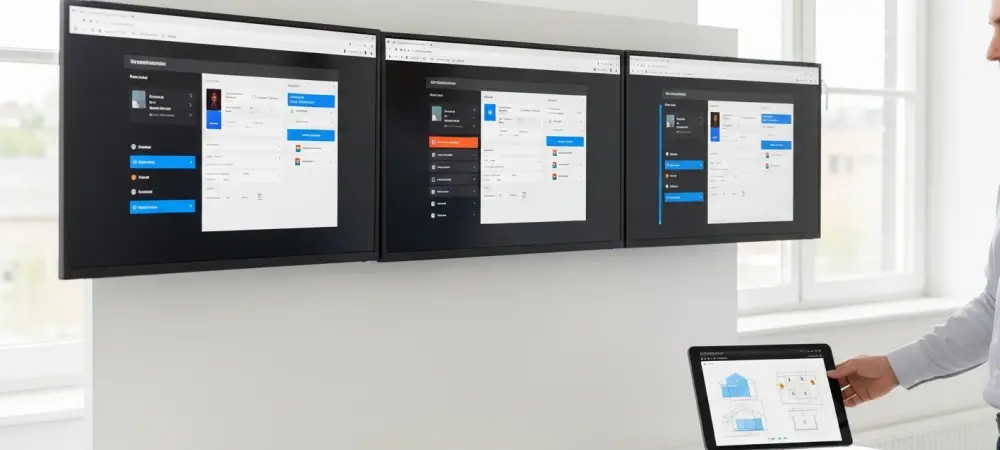
The recent discovery within the Windows 11 preview build 26300.7877 highlights a specific attempt to bridge the gap between legacy and modern interfaces by relocating the user account name change feature. In previous versions, this specific adjustment required a trip deep into the legacy Control Panel applets, but it has now surfaced within the modernized Settings interface under the accounts section. However, early reports from testers indicate that this transition is far from seamless, as the new menu item often acts as a non-functional placeholder or simply redirects the user back to the older dialogue boxes for final confirmation. This incremental approach suggests that Microsoft is attempting to modernize the entry points of the operating system without necessarily rewriting the deep logic that governs these settings. Such a strategy allows for a visual refresh that aligns with the current design language while maintaining the stability of the underlying system processes.
This slow migration pattern creates a disjointed user experience where modern aesthetics frequently clash with jarring, old-school interfaces that have remained largely unchanged for decades. When a user navigates from the sleek, rounded corners of the Windows 11 Settings app into a gray, square dialogue box from the early 2000s, it reinforces the perception of an operating system that is perpetually under construction. The drip of functionality from the Control Panel to the Settings app is so infrequent that it rarely feels like a comprehensive overhaul and more like a series of minor patches. This creates significant friction for power users who must remember which settings have been moved and which ones still reside in the classic view. Despite the ongoing efforts to streamline the interface, the persistence of these legacy elements suggests that the complete removal of the Control Panel is a low-priority task compared to the broader goals of system stability.
Technical Hurdles: Why Legacy Interfaces Persist in Modern Systems
Deep within the Windows architecture lies a complex web of dusty code and legacy APIs that make the total retirement of the Control Panel a monumental technical challenge for development teams. Many of these older applets are tied to essential system behaviors and third-party software dependencies that expect certain registry keys and window classes to exist in their original form. Translating these intricate options into the minimalist, touch-friendly design of the modern Settings app requires more than just a visual reskin; it often demands a complete re-engineering of the underlying logic. Because the Control Panel contains decades of obscure options that only a small fraction of the user base ever touches, Microsoft must weigh the cost of migration against the potential for introducing new bugs. This technical debt ensures that the migration remains slow, as developers must ensure every moved feature retains its full functionality across diverse hardware configurations.
Throughout 2026 and into 2027, Microsoft redirected its primary engineering resources toward refining core system fundamentals, such as fixing persistent kernel-level bugs and improving overall shell performance. By prioritizing quality assurance and stability over the aesthetic unification of niche system tools, the company effectively signaled that the Control Panel would remain a necessary component for the foreseeable future. This strategic focus was essential to maintain the trust of enterprise clients who rely on the reliability of legacy management tools for their fleet of devices. When the development cycle emphasizes reliability, the migration of legacy settings inevitably takes a backseat to more critical security and performance updates. As a result, the transition has become a long-term background project rather than an immediate development objective, confirming that the classic interface will continue to serve as the backbone for advanced administrative tasks.
Strategic Adaptation: Managing the Hybrid User Environment
The realization that the Control Panel remained an integral part of the operating system forced many organizations to adopt a hybrid approach to system administration. IT professionals recognized that relying solely on the modern Settings app was insufficient for comprehensive device management, as many granular network and security configurations were still tied to legacy applets. This necessitated a dual-path training strategy where staff members had to maintain proficiency in both the contemporary and classic interfaces. By acknowledging this persistent duality, businesses improved their troubleshooting efficiency and reduced the downtime caused by navigating the incomplete transition. The focus shifted from hoping for a unified menu to mastering the specific locations of critical tools regardless of their visual style. This pragmatic acceptance of the hybrid state allowed for a more stable operational environment during a period of slow software evolution.
Future considerations for Windows management involved a heavier reliance on command-line tools and automated scripts to bypass the fragmented user interface entirely. As the migration process continued at its incremental pace, advanced users turned to PowerShell and Windows Terminal to execute changes that were scattered across different graphical menus. This shift provided a more consistent and reliable method for managing system parameters than waiting for the final consolidation of the Settings app. The long-term solution for navigating this transition relied on a deep understanding of the underlying system architecture rather than the surface-level design. Moving forward, maintaining a repository of direct shortcuts to legacy applets served as a practical bridge for those who required deep access. This proactive stance ensured that productivity remained high, even as the operating system maintained its split personality through the end of the current hardware cycle.