

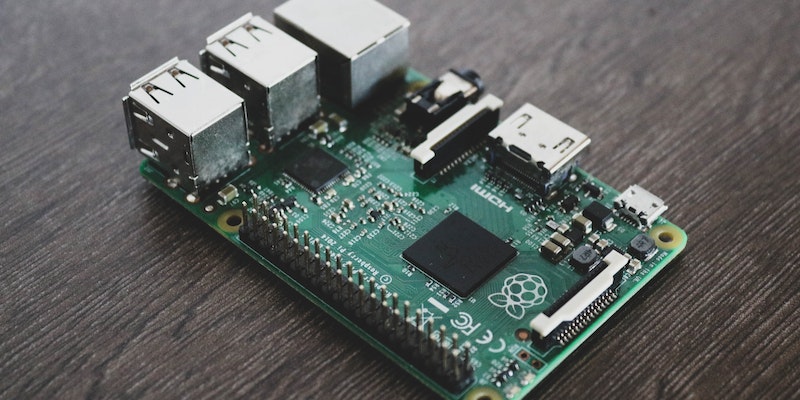
The motherboard is commonly regarded as the central hub that brings together all of a computer’s components, facilitating smooth communication between them. This article aims to highlight the essential functions and components of a motherboard, emphasizing their significance in determining a computer’s performance, upgradability, and overall user experience.
Components of a Motherboard
A motherboard consists of several major components that are crucial to understand when considering a new motherboard.
The CPU socket is a designated slot on the motherboard where the processor is installed. The socket type must match the processor to ensure compatibility and efficient operation. Understanding the CPU socket is vital for selecting the appropriate motherboard that can support a desired processor.
Expansion slots on the motherboard serve as interfaces to connect expansion cards. These slots enable users to enhance their system’s functionality by installing graphics cards, sound cards, network cards, or other peripheral cards. An understanding of expansion slots is key to expanding a computer’s capabilities.
The motherboard provides connectors to attach storage devices such as hard disk drives and solid-state drives. These connectors ensure secure and stable connections, facilitating fast data transfer rates and efficient storage management. Familiarity with the available storage connectors helps ensure compatibility with different storage options.
The Basic Input/Output System (BIOS) or its successor, the Unified Extensible Firmware Interface (UEFI), is stored on a chip on the motherboard. BIOS/UEFI is responsible for initializing the hardware during system startup, providing a user interface for system configuration, and acting as the bridge between the hardware and the operating system. Understanding BIOS/UEFI assists users in optimizing their system’s performance and implementing firmware updates.
Functions of the Motherboard
The motherboard plays a multitude of critical functions in a computer system, acting as the foundation for its operation.
The motherboard facilitates communication between components, enabling them to exchange data seamlessly. It ensures that the processor and other components can communicate effectively, reducing bottlenecks and enhancing the overall system performance.
The motherboard acts as a power distribution center, ensuring that each component receives the appropriate amount of power to operate efficiently. It regulates power delivery to prevent damage caused by overloading.
The motherboard facilitates data transfer between various components, ensuring that information flows smoothly and quickly. It enables data to move between the processor, memory, storage devices, and other peripherals.
The motherboard coordinates the activities of different components to ensure they work together harmoniously. It synchronizes timing, manages interrupts, and ensures that all components function cohesively to deliver optimal performance.
In conclusion, the motherboard serves as the backbone of a computer, providing electrical and mechanical support to crucial components and enabling their seamless integration. Understanding the components, functions, and role of the motherboard is essential when selecting or upgrading a computer system, as it determines the system’s overall performance, upgradability, and user experience. With its ability to facilitate communication, power distribution, data transfer, and component coordination, the motherboard truly acts as the foundation that allows a computer system to function as more than just the sum of its parts.