

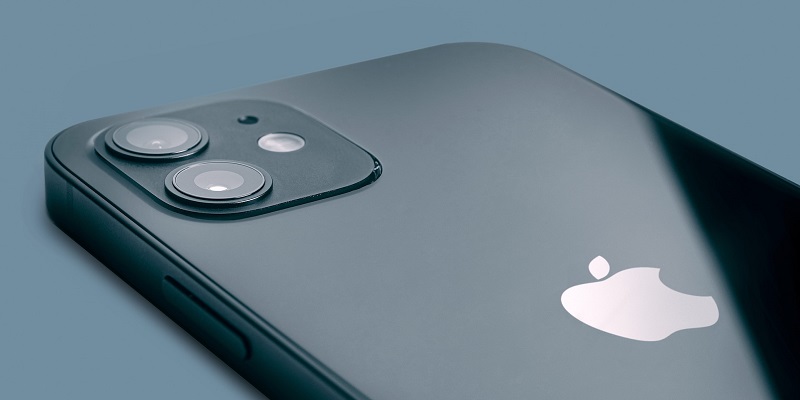
Smartphones have revolutionized the way we take photos, allowing us to capture important memories at a moment’s notice. However, despite the increasing popularity of smartphone photography, the photos coming out of Samsung and Apple’s flagship phones in the past 3-4 years look increasingly artificial.
In this article, we will delve deeper into the problems with Samsung and Apple’s cameras, including their inability to compete with dedicated camera phones, oversharpening, overprocessing, and the lack of technology to improve low-light images. We will also provide a solution, suggesting that changing camera settings and resolving issues with the default camera app can enable us to take more authentic photos with the Galaxy S23 Ultra.
The problem with Samsung and Apple’s cameras
Artificial-Looking Photos
One of the most significant problems with Samsung and Apple’s cameras is that their photos come out looking unnaturally sharp and oversaturated. The cameras often employ aggressive processing techniques to produce images that look bright, vibrant, and pleasing to the eye. However, they can lack authenticity, and as a result, photos can appear artificial, and users may complain that they do not capture the true essence of what they are trying to photograph.
Inability to Compete with Real Camera Phones
Despite advancements in smartphone camera technology, Samsung and Apple’s cameras fall short when compared to dedicated camera phones. Real camera phones focus on delivering an authentic photographic experience by providing manual controls, high-quality lenses and sensors, and advanced image processing techniques. Due to their limited aperture, depth of field, and sensor size, smartphone cameras cannot compete with DSLR or mirrorless cameras in certain aspects, including image quality, dynamic range, and low-light performance.
Lackluster Low-Light Images
In low-light situations, the photos produced by Samsung and Apple’s cameras are lackluster when compared to competitors such as Xiaomi. Samsung and Apple have tried to address this problem by improving hardware and software, such as increasing aperture size, pixel size, and advanced noise reduction algorithms. However, the images still lack the detail, color, and clarity of the photos taken by a dedicated camera phone.
Oversharpening and Overprocessing
By far, the biggest problem with Samsung and Apple’s cameras is their tendency to oversharpen and overprocess photos, resulting in unnatural landscapes, faces, and textures overall. This problem has become more pronounced in recent years as Samsung and Apple have started to roll out higher megapixel cameras. The cameras employ oversharpening to compensate for the lack of detail caused by the smaller pixel sizes, which ends up creating artifacts and halos around edges.
The Solution: Camera Settings
Unnecessary High-Resolution Photos
Although some users might expect the secret to taking more natural photos with their Galaxy S23 Ultra (or another recent Galaxy phone) is to start taking 50 or 200-megapixel photos, that’s actually not necessary. These high-resolution photos are often too large to store and take up a lot of space on the device. Not to mention, they can lead to even more overprocessing.
To overcome the problem of oversharpening and overprocessing, Galaxy phone users should change their camera settings. The built-in camera app on Samsung devices has an option called ‘Image Sharpness,’ which allows users to adjust the sharpness level of the photo. By turning down the sharpness level to ‘0’, the photos produced will look more natural and less processed.
Need for an Improved Default Camera App
In addition to providing camera settings, Samsung should improve its default camera app to offer more manual controls, better auto white balance, and natural-looking photos. Samsung should consider partnering with well-known camera manufacturers and implementing advanced image processing algorithms to improve image quality.
In conclusion, Samsung and Apple’s flagship cameras have made significant strides in recent years when it comes to features and hardware, but there is still room for improvement. The delay in progress is due to the companies’ questionable image processing methods, which focus on producing bright, vibrant, and artificial-looking photos. While the camera settings on Galaxy devices may help improve the quality of photographs, Samsung must continue to work on improving its default camera app to catch up with competitors such as Xiaomi and Google.