

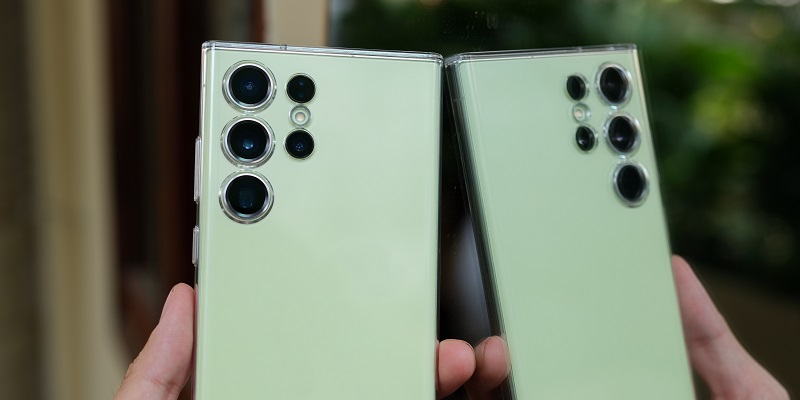
Samsung has taken the smartphone experience to new heights with the recent launch of One UI 6 beta for owners of the Galaxy S23 series. This eagerly awaited update offers users early access to cutting-edge features and an array of customization options, allowing them to personalize their phone settings like never before. In this article, we delve into the exciting new enhancements that One UI 6 brings to the table.
Samsung Introduces One UI 6 Beta for Galaxy S23 Series Owners
Samsung has initiated the beta program for One UI 6, inviting Galaxy S23 series owners to be part of the exclusive testing phase. This program grants participants a sneak peek into the upcoming software update and enables them to provide valuable feedback to further refine the user experience.
Early access to new features and customization options
By participating in the One UI 6 beta, users gain early access to a host of new features and customization options. This unique opportunity allows users to explore and engage with the latest advancements in smartphone technology.
Personalized Phone Settings Focus in One UI 6
One UI 6 places a high emphasis on personalization, providing users with an array of options to tailor their phone settings according to their preferences. Whether it’s adjusting display settings, fine-tuning audio profiles, or customizing the user interface, One UI 6 lets users create a truly personalized smartphone experience.
Enhanced design, default font, and emojis on Samsung Keyboard
The update brings a simplified and modern design language to the forefront, ensuring a visually pleasing experience for the users. Additionally, One UI 6 introduces a new default font that enhances readability and aesthetic appeal. Furthermore, users can now enjoy an expanded set of emojis on the Samsung Keyboard, making conversations more expressive and engaging.
Direct access to screen visibility and settings from the quick panel
One UI 6 streamlines accessibility by providing users with direct access to screen visibility settings from the Quick Panel. With just a swipe and a few taps, users can effortlessly adjust brightness, toggle dark mode, and access other display-related settings at their fingertips.
Modes and Routines for Setting Different Lock Screens
Introducing Modes and Routines, One UI 6 allows users to select and customize various lock screens that complement their lifestyle and preferences. Users can choose from a range of options, including a calming photo in sleep mode, ensuring that their lock screen resonates with their daily activities and moods.
Custom Camera Widget for Preselecting Modes and Saving Locations
Photography enthusiasts will appreciate the addition of a custom camera widget in One UI 6. This handy feature enables users to pre-select their preferred camera modes and photo-saving locations, allowing for a seamless and efficient photography experience.
Based on Google’s Android 14 operating system
One UI 6 is built on the foundation of Google’s latest Android 14 operating system. By integrating the powerful capabilities of Android 14, Samsung ensures optimal performance, exceptional security, and a seamless user interface.
Beta Program Open to Galaxy S23 Users in Certain Countries
Initially, the beta program for One UI 6 is open to Galaxy S23 users in the United States, Germany, and South Korea. This selective rollout ensures a focused testing environment where user feedback can be closely monitored and incorporated into the final version.
User Feedback to Shape Final Adjustments Before Official Launch
Samsung values user feedback immensely, as it allows them to fine-tune the software before the official launch of One UI 6. The insights and suggestions provided by beta program participants will be carefully considered to ensure a flawless user experience when the update is available to all Galaxy S23 users.
Samsung’s introduction of the One UI 6 beta for Galaxy S23 series owners signifies a leap forward in smartphone technology. By offering early access to new features and customization options, Samsung empowers users to mold their smartphones into extensions of their personal tastes and requirements. One UI 6’s focus on personalization, enhanced design, and seamless functionality sets the stage for an exceptional user experience. With the invaluable feedback collected during the beta program, Samsung is well-equipped to refine and perfect One UI 6 for its official launch.