

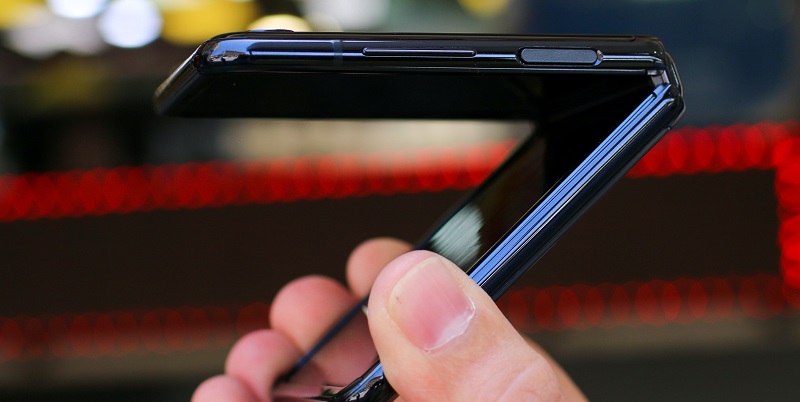
The Oppo Find N3 Flip has arrived, and it aims to revolutionize the world of flip phones. Oppo not only brings a fresh design to the table but also introduces a trio of Hasselblad-branded cameras that promise to take smartphone photography to new heights. With its sleek design, improved features, and Oppo’s claim of rewriting the flip phone rulebook, the Find N3 Flip is set to make waves in the market.
Design and Camera Features
One glance at the Find N3 Flip, and you’ll notice that Oppo has made significant changes to the camera bump. The vertically oriented cover screen remains, but the design has been refreshed, giving it a more contemporary look. However, the real star of the show is the camera setup on the cover. Oppo has partnered with esteemed camera manufacturer Hasselblad to integrate not one, not two, but three powerful cameras into the Find N3 Flip. The 50-megapixel main camera ensures stunningly detailed photos, while the 8-megapixel ultrawide lens lets you capture breathtaking panoramic shots. Additionally, the 32-megapixel telephoto lens offers impressive zoom capabilities, bringing distant subjects closer with remarkable clarity.
Trade-offs and Value Proposition
While Oppo should be commended for adding an extra camera and improving the design, some users may have concerns about the trade-offs that come with it. The Find N3 Flip’s new design may appear visually cluttered to some, and there could be a potential increase in price due to the additional features. It remains to be seen whether the extra camera truly adds enough value to justify these trade-offs. Users should carefully evaluate their priorities and preferences before making a decision.
Enhanced Design and Features
The Find N3 Flip outshines its predecessor, the N2 Flip, in terms of design and functionality. With its curved edges and sleek construction, the N3 Flip exudes modern elegance. The addition of an alert slider further enhances the user experience, offering easy access to important features and notifications. Oppo has not overlooked aesthetics either, offering a fresh color palette with black, light pink, and gold finishes to suit various tastes.
Improved user experience
In its pursuit of an enhanced user experience, Oppo has made some notable advancements. The Find N3 Flip retains the impressive 6.8-inch display with a 120Hz refresh rate found in the N2 Flip, ensuring smooth visuals and responsive touch. However, Oppo has listened to user feedback and removed the screen polarizer, leading to improved visibility, especially when using the phone with sunglasses. This change not only makes the display more enjoyable to use but also potentially saves battery life.
Growing market of foldable phones
Foldable phones have started gaining momentum, gradually expanding their presence in the smartphone market. While they currently represent a small portion of overall sales, their popularity is growing steadily. The Oppo Find N3 Flip enters this niche market at an opportune time, aiming to capitalize on the increasing demand for foldable devices. Its unique design, Hasselblad cameras, and improved user experience make it a strong contender in the foldable phone landscape.
The Oppo Find N3 Flip introduces exciting changes to the world of flip phones. With a redesigned camera bump and a trio of Hasselblad-branded cameras on its cover, Oppo takes smartphone photography to new heights. While the visually cluttered design and potentially higher price may give some users pause, the added camera functionality and enhanced user experience may prove worthwhile. The Find N3 Flip offers a fresh and elegant design, improved visibility with the removal of the screen polarizer, and the reassurance of being part of the growing market for foldable phones. Oppo has certainly made a statement with the Find N3 Flip, and it will be fascinating to see how consumers respond to this innovative device.