

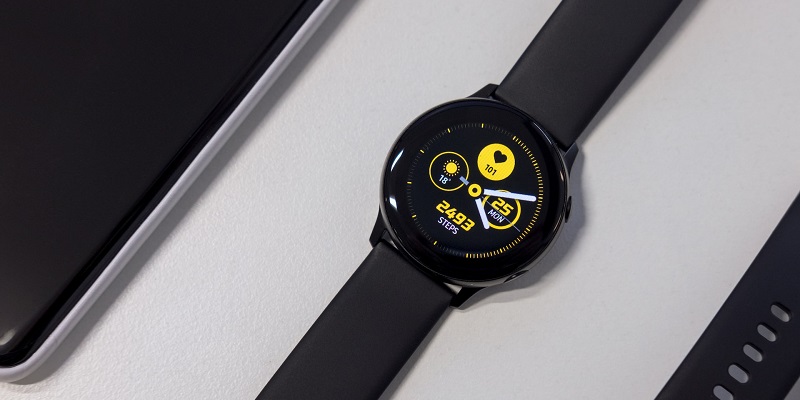
Samsung’s Galaxy Watches have been at the forefront of smartwatch technology for years. With their sleek design and advanced features, they have helped shape the market for wearables. Now, they are set to take a turn towards a much-needed health monitoring feature. Samsung’s Galaxy Watches will soon be equipped with an Irregular Heart Rhythm Notification (IHRN) feature with plans for launch later this year.
Galaxy Watches to Add Irregular Heart Rhythm Notification Feature
IHRN, or Irregular Heart Rhythm Notification, is a new feature that will be added to Samsung’s Galaxy Watches. The functionality of this feature is to help notify Galaxy Watch wearers if their watch detects heartbeat rhythms suggestive of arrhythmia. Arrhythmia is a condition where the heartbeat is either too fast or too slow. These abnormal rhythms may be indicative of more severe heart conditions such as atrial fibrillation (AFib). Getting a notification that your Galaxy Watch detected a potential heart problem could be a reason to set up a visit with a doctor.
Functionality of Irregular Heart Rhythm Notification (IHRN)
The IHRN feature on the Samsung Galaxy Watch works by continuously monitoring the wearer’s heart rate. Using its onboard sensors and advanced algorithms, the Galaxy Watch can detect any irregular heartbeat patterns and, if necessary, notify the wearer. The feature is easy to activate, and once activated, the notification feature will run in the background, giving wearers peace of mind knowing that their watch is continuously looking out for their health.
The importance of IHRN lies in its ability to detect cardiovascular issues at an early stage, even before any symptoms become apparent. Cardiovascular disease is a leading cause of death worldwide, and early detection is crucial for effective management and treatment of these conditions. Heart problems can often be asymptomatic, making smartwatches with monitoring features an ideal way to catch potential issues early. With IHRN, Galaxy Watch wearers can actively monitor their heart health and take preventive measures.
Benefits of Galaxy Watches’ Health Monitoring Features
Galaxy Watches already come loaded with a plethora of great health monitoring features that make them stand out in the smartwatch market. These features include sleep tracking, stress management, and exercise tracking, among others. The addition of HRM further cements Samsung’s dedication to providing wearers with the most comprehensive set of health tracking features available on the market.
Launch Details of IHRN
IHRN is set to launch later this summer with the release of Samsung’s One UI 5 Watch software update. At launch, the feature will be available in 13 countries, including the US, UK, Japan, France, Germany, and Canada. Samsung also plans to launch IHRN on older devices that cannot run One UI 5 Watch “later this year.”
Availability of IHRN on Older Devices
For Galaxy Watch owners who have older devices, Samsung has confirmed that the IHRN feature will be available to them later this year. This means that Samsung is actively working on updates that will allow older Galaxy Watch devices to run One UI 5 Watch, which will be required for the IHRN feature.
The addition of IHRN to Samsung’s Galaxy Watches is a significant move towards making wearables even more health-focused. Smartwatches have become an essential tool for tracking daily activity and exercise, but with the addition of health-monitoring features, they become much more than just a fashion statement or fitness accessory.
As smartwatches continue to grow in popularity, it is exciting to see additional innovation that puts the health monitoring capabilities to even better use. Samsung’s IHRN feature will undoubtedly help save lives by detecting heart problems early; it is a move in the right direction.