

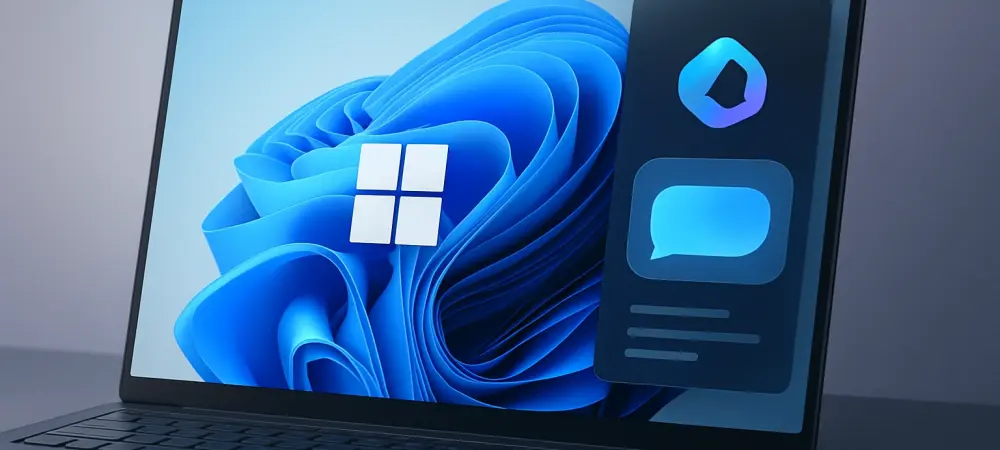
Introduction to Windows 11 Copilot Actions Review
In an era where digital efficiency dictates success, the demand for tools that streamline daily tasks has never been higher, with studies showing that professionals spend nearly 30% of their workday on repetitive activities. This review delves into Windows 11 Copilot Actions, an AI-driven feature designed to transform how users interact with their operating system by automating mundane processes. The purpose here is to assess whether this innovation justifies an upgrade or adoption for those seeking enhanced productivity.
This evaluation focuses on determining if Copilot Actions meets critical user needs, such as boosting efficiency and simplifying workflows, while also addressing concerns like ease of use and data security. By examining real-world applications, the goal is to uncover the practical value this tool offers to a diverse range of users.
The exploration ahead will detail how Copilot Actions integrates into everyday tasks, its impact on operational speed, and whether it stands as a compelling reason to embrace Windows 11. This comprehensive analysis aims to guide potential users in making informed decisions about incorporating this technology into their routines.
Overview of Copilot Actions in Windows 11
Copilot Actions represents a significant leap in Windows 11, functioning as an AI-powered assistant that automates routine tasks through natural language commands, whether typed or spoken. This feature enables users to organize files, summarize documents, and manage schedules with minimal manual input. Its design prioritizes reducing cognitive load by interpreting user intent with precision.
A standout aspect of this tool is its integration with Microsoft 365 and select third-party applications, allowing seamless operation across platforms. Accessible via a dedicated sidebar or keyboard shortcuts, Copilot Actions embeds itself into workflows without disrupting user focus. This accessibility ensures that even those less familiar with advanced tech can leverage its capabilities.
Underpinning this feature is Natural Language Understanding (NLU), which empowers the system to process complex instructions conversationally. Microsoft’s vision shines through here, aiming to make technology intuitive and user-friendly by minimizing barriers. This approach positions Copilot Actions as a cornerstone of a smarter, more adaptive operating environment.
Performance Evaluation of Copilot Actions
When tested in real-world scenarios, Copilot Actions demonstrates notable speed and reliability in automating tasks like file sorting or email drafting. Commands are often executed within seconds, with a high degree of accuracy for straightforward requests. However, performance can vary depending on the complexity of instructions, occasionally requiring rephrasing for optimal results.
User experience remains a strong suit, with the interface proving intuitive for individuals across skill levels. Responsiveness to both text and voice inputs enhances its appeal, though some users may need time to adapt to phrasing commands effectively. The tool’s ability to adjust to diverse tasks, from personal organization to professional documentation, adds to its versatility.
Integration with Windows 11 and supported apps is generally smooth, yet limitations arise with non-compatible software, restricting its scope in certain environments. Context-aware assistance often boosts productivity by anticipating needs, but gaps in understanding nuanced requests highlight areas for refinement. Overall, while highly functional, there is room to enhance consistency in more intricate use cases.
Strengths and Weaknesses of Copilot Actions
One of the primary strengths of Copilot Actions lies in its ability to drive significant productivity gains by automating repetitive tasks, saving users valuable time. This benefit extends across individual and business contexts, streamlining operations like data entry or content summarization. Such efficiency proves transformative for professionals juggling multiple responsibilities.
Accessibility stands out as another advantage, catering to users with varying technical expertise through simple, natural language interaction. Businesses, in particular, gain from reduced operational friction, enabling employees to focus on strategic priorities. This democratization of advanced tools fosters inclusivity in tech adoption, aligning with modern software design principles.
On the downside, dependency on compatible applications can limit functionality for those using unsupported platforms, creating potential frustration. A learning curve exists for new users unfamiliar with crafting effective commands, and occasional misinterpretations of complex instructions can disrupt workflows. While these drawbacks are notable, they are balanced by the feature’s potential for growth and ongoing updates to address such challenges.
Summary of Findings on Copilot Actions
The evaluation of Copilot Actions within Windows 11 reveals a tool that excels in enhancing productivity through intelligent automation and user-friendly design. Its performance in speeding up routine tasks and integrating with core Microsoft services offers tangible benefits for daily use. Usability remains high, with most users finding the system approachable despite minor hiccups in command interpretation.
Security measures implemented around this AI feature instill confidence, adhering to strict protocols to protect user data and privacy. The alignment with diverse user needs, from personal organization to corporate efficiency, underscores its value proposition. These elements collectively position Copilot Actions as a meaningful addition to the Windows ecosystem. Based on these insights, Copilot Actions justifies consideration for adopting or upgrading to Windows 11, particularly for those prioritizing workflow optimization. The productivity benefits and secure framework outweigh the current limitations, making it a recommended feature for tech-savvy individuals and organizations alike. This assessment reflects a balanced view of its current capabilities and future potential.
Final Opinion and User Guidance
Reflecting on the journey through this evaluation, Copilot Actions emerges as a transformative element that elevates Windows 11 into a smarter, more efficient platform for diverse users. Its ability to automate tasks with minimal input reshapes daily interactions with technology, setting a benchmark for what operating systems can achieve through AI integration. For those contemplating adoption, actionable steps include assessing system requirements and ensuring compatibility with essential applications to maximize benefits. Professionals, multitaskers, and businesses aiming for streamlined operations stand to gain the most, provided they invest time in mastering command nuances to unlock full potential.
Looking ahead, it is advised to stay informed about updates that could address existing limitations, particularly around app support and command accuracy. Understanding security protocols for AI interactions remains crucial to safeguard privacy. These considerations pave the way for a more confident transition to leveraging Copilot Actions, ensuring users capitalize on its strengths while navigating any evolving challenges.