

Dominic Jainy is an IT professional with extensive expertise in artificial intelligence, machine learning, and blockchain. With a career dedicated to deconstructing the hardware-software synergy in modern electronics, he offers a unique perspective on how specialized devices like gaming phones push the boundaries of thermal engineering and battery chemistry. In this discussion, we explore the intricate balance between raw power and portability, examining how mid-range devices are now challenging the dominance of traditional flagships.
The following conversation delves into the technical trade-offs of modern mobile gaming, from the return of mechanical cooling and the physics of high-capacity 7,000mAh batteries to the compromises of under-display camera technology and the impact of custom gaming UIs on long-term device value.
Integrating a mechanical cooling fan into a slim 7.85mm frame is a significant technical challenge. How does this hardware-based thermal management impact sustained frame rates during demanding titles, and what specific metrics should players monitor to ensure their device isn’t throttling during sessions that last several hours?
The achievement of fitting a physical fan into a sub-8mm chassis is nothing short of an engineering marvel because it addresses the “thermal wall” that plagues almost every other smartphone. In my testing of the RedMagic 11 Air, this hardware-based approach resulted in a 95% stability score in the 3DMark Solar Bay Stress Test, which is a massive leap over the 89.8% seen in the fanless previous generation. For players, this means that while a standard flagship might drop from 120fps to 60fps after twenty minutes of GRID Legends to protect its internals, this device maintains its peak output indefinitely. I always tell gamers to keep the “Game Space” overlay active to monitor the GPU clock speeds and internal Celsius readings; if you see the temperature plateauing while the fan is audible, the system is doing its job perfectly. It’s that physical movement of air through the side vents that prevents the software from having to “throttle” or intentionally slow down the processor to shed heat.
Opting for an under-display front camera removes the notch but often compromises image clarity and selfie quality. How does this trade-off affect the experience for competitive players who prioritize a 144Hz refresh rate, and what visual advantages does a totally unbroken screen provide during fast-paced, high-resolution matches?
For a competitive player, a notch or a “hole-punch” camera is more than just a visual eyesore; it’s a dead zone that can obscure critical HUD elements like mini-maps or ammo counts in games like Call of Duty: Mobile. By hiding the 16MP sensor beneath the 6.85-inch AMOLED panel, you get a 2688 x 1216 resolution canvas that is entirely unobstructed, allowing for total immersion at a fluid 144Hz refresh rate. However, the sensory trade-off is stark because the light has to struggle through display pixels to reach the lens, resulting in selfies that often look fuzzy, indistinct, and frankly “yuck” by modern standards. It’s a calculated sacrifice where the manufacturer assumes you care more about seeing a sniper in the corner of your screen than you do about the clarity of your own face in a photo. If your priority is a 1,800-nit peak brightness experience without a black dot interrupting your view, this is the gold standard, even if the camera itself feels like a regression.
Moving to a 7,000mAh battery provides significant stamina but adds to a device’s physical weight. For power users, what are the practical implications of 80W fast charging on such a large cell, and how can gamers optimize their software settings to achieve multi-day longevity without sacrificing GPU performance?
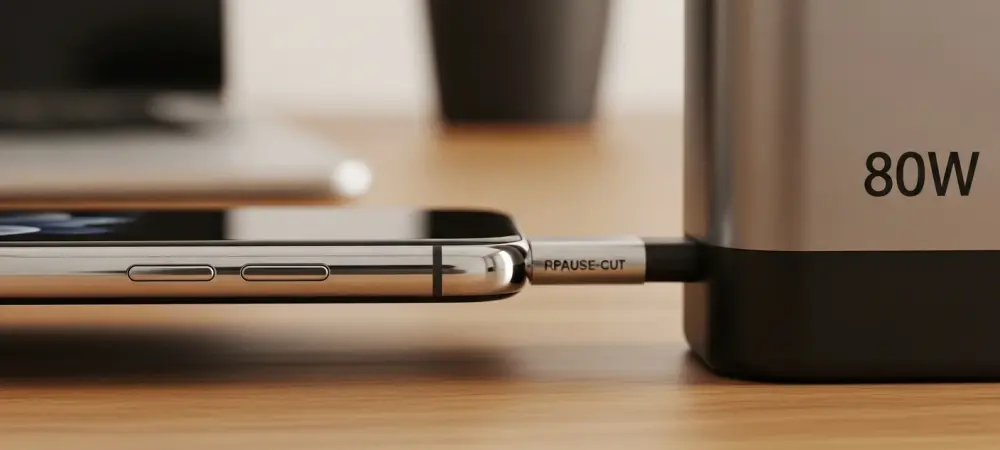
A 7,000mAh battery is a beast that transforms the device into a multi-day tool, but charging such a massive reservoir requires serious current to avoid being tethered to a wall for hours. With the 80W wired charging provided in the box, you can move from empty to a full charge in just over an hour, which is impressive given that this cell is nearly 17% larger than the one in the 10 Air. To hit that three-day usage mark without neutering the Snapdragon 8 Elite’s power, users should utilize the dedicated “Magic Key” to enter the Game Space UI and toggle specific GPU profiles. By setting the screen to an adaptive refresh rate and only activating “Diablo Mode” or max performance for specific heavy titles, you preserve the 207g device’s stamina for lighter tasks. I also recommend checking the Battery Settings for the “Turbo Charge” option, which ensures that even a short 15-minute burst of charging provides enough juice for several hours of intensive gameplay.
The “gamer” aesthetic often features semi-transparent finishes, side vents, and RGB lighting. How do these design choices, combined with capacitive shoulder buttons, influence the ergonomics of a mobile device, and what are the long-term durability risks associated with an IP54 dust and water resistance rating?
The design of the RedMagic 11 Air is unapologetically “adolescent,” utilizing a Phantom or Prism semi-transparent back that showcases faux circuit boards and glowing RGB lights that may not appeal to the over-30 demographic. Ergonomically, the 520Hz capacitive shoulder buttons are a game-changer, allowing you to map “aim” and “shoot” to the edges of the aluminum alloy frame, effectively turning the phone into a handheld console controller. However, the inclusion of a physical cooling vent creates a literal hole in the device’s defenses, which explains the modest IP54 rating. This means the phone is protected against splashes, but it is certainly not waterproof, and dust ingress over two or three years could potentially impact the mechanical fan’s efficiency. You are trading the rugged, sealed nature of a standard flagship for the high-performance cooling necessary to stay at the top of the leaderboards.
Custom gaming interfaces offer specialized toggles for GPU profiles, screen sensitivity, and macro plug-ins. Beyond these features, how do preinstalled bloatware and a shorter OS update cycle affect the overall value of a mid-range device, and what steps can a user take to streamline a cluttered UI?
The software experience is often where the “budget” reality of a $499 device hits home, as RedMagic OS 11 remains a clunky, often ugly layer on top of Android 16. You’ll find folders for “More Games” and “More Apps” that are essentially just billboards for sponsored bloatware like TikTok or Booking.com, which can feel like a betrayal of the premium hardware. Furthermore, with only two major OS updates promised (Android 17 and 18), the long-term value is lower than a Google or Samsung device that might offer seven years of support. To fix this, I suggest immediately disabling the custom home-brewed news feed to the left of the home screen and manually uninstalling the pre-packed third-party apps to reclaim storage. While the Game Space UI is a powerful sanctuary for players, the rest of the interface requires a “clean-up” session the moment you take it out of the box to make it feel like a professional tool.
Professional gaming phones frequently use slightly older flagship chips to keep costs under $500. When comparing a high-memory budget device to a standard flagship, what are the real-world performance gaps in 8K video recording or heavy multitasking, and which hardware compromises are the easiest for most users to overlook?
When you opt for the 16GB RAM model of a phone like the 11 Air, you are actually outperforming many $1,000 flagships in sustained multitasking and raw gaming speed. The “gap” usually appears in secondary features; for instance, while this phone supports 8K at 30fps, the lack of a telephoto lens and the downgrade to an 8MP ultra-wide means the actual visual quality of those videos won’t match a dedicated photography flagship. You also lose out on luxuries like wireless charging, which was omitted here to keep the “Air” branding slim and the price point approachable. For a gamer, the easiest compromise to overlook is definitely the camera system, as the main 50MP sensor still takes perfectly “social media-ready” shots in good light. Most users will find that they don’t miss a 5x optical zoom when they are getting a 144Hz AMOLED screen and a cooling fan for half the price of a Pro Max or Ultra device.
What is your forecast for the budget gaming phone market?
I predict that the budget gaming market will move toward “specialized silos” where we see a total abandonment of traditional features in favor of extreme performance metrics. Within the next two years, I expect the $450 to $550 price bracket to standardize 7,500mAh batteries and solid-state cooling solutions, effectively rendering the “standard” mid-range phone obsolete for younger demographics. We will see a widening chasm where one type of phone is a “camera in your pocket” and the other, like the RedMagic line, is a “PC in your pocket,” with very little overlap between them. As mobile titles become more architecturally similar to console games, the demand for physical triggers and active cooling will turn these “niche” gaming phones into the primary choice for anyone who spends more than ten hours a week in digital worlds.