

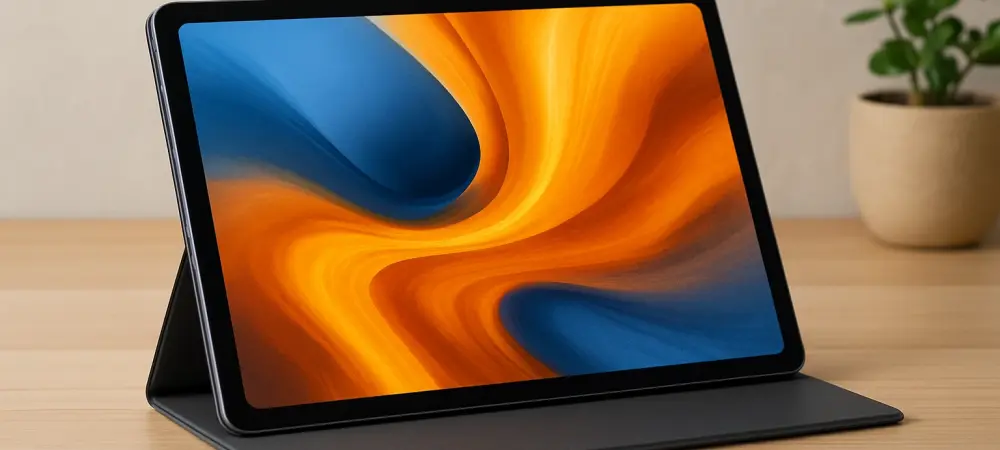
What if a tablet priced under $400 could deliver the punch of devices costing twice as much, without cutting corners on design or performance? The Poco Pad X1 enters the market as a bold contender, promising premium features at a budget-friendly price. This unboxing reveals a device that challenges expectations, blending affordability with high-end functionality for students, casual users, and productivity seekers alike. Let’s dive into the box and explore how this tablet stands out in a crowded field of tech gadgets.
Why the Poco Pad X1 Stands Out in a Sea of Tablets
Affordable tablets are no longer just secondary devices; they’ve become essential tools for millions balancing tight budgets with growing digital needs. The Poco Pad X1, priced at just $399 for its 8GB/256GB configuration, emerges as a game-changer by offering capabilities that rival premium models like the iPad Pro. As a rebranded version of the well-regarded Xiaomi Pad 7, it taps into a proven formula while establishing its own appeal. This tablet matters because it proves that cutting-edge tech doesn’t have to come with a hefty price tag, addressing the demand for versatile, cost-effective solutions in today’s economy.
Peeling Back the Layers: What’s Inside the Box
Opening the Poco Pad X1 package feels like unwrapping a thoughtful gift. Inside, a USB-C to USB-A cable and a 45W charger await, ensuring users can power up immediately without hunting for extras. Unlike many brands that skimp on accessories to cut costs, Poco keeps things practical and user-friendly. This straightforward approach sets a positive tone, hinting at the tablet’s focus on delivering value right from the start.
A Design That Punches Above Its Weight
The first thing that catches the eye is the tablet’s sleek 11.2-inch IPS LCD display, sporting a crisp 3200x2136px resolution and a fluid 144Hz refresh rate. Whether streaming movies or scrolling through feeds, the visuals remain sharp and seamless. Add to that a quad-speaker system, and the audio-visual experience feels surprisingly luxurious for a device in this price range. It’s clear that Poco aimed to create a multimedia powerhouse that doesn’t just meet expectations but exceeds them.
Performance That Keeps Up with Demands
Under the hood, the Poco Pad X1 packs a Snapdragon 7+ Gen 3 chipset paired with 8GB of RAM, handling apps and multitasking with effortless precision. From browsing to gaming, there’s no hint of lag, making it a reliable companion for diverse tasks. With an 8,850mAh battery—claimed to last over 11 hours of video streaming—this tablet is built for long hauls, whether during commutes or late-night work sessions. Such specs make it a standout for anyone needing power on a budget.
Connectivity That Adds Real Utility
Beyond raw performance, the tablet offers practical features like a USB 3.2 Gen 1 port, enabling fast data transfers and external storage compatibility. This addition transforms it into a viable tool for professionals and students managing large files or presentations on the go. Tech reviewers have praised this versatility, with one expert noting, “It’s rare to see such connectivity in a sub-$400 tablet—it’s a small detail that makes a big difference.” This focus on utility bridges the gap between casual entertainment and serious productivity.
Voices from the Field: What Users and Experts Think
Early feedback on the Poco Pad X1 underscores its impressive balance of cost and capability. A tech blogger highlighted, “The display clarity and speaker setup rival tablets twice its price—it’s a steal.” Meanwhile, an early adopter shared on a popular forum, “Two days of heavy use, and I didn’t need to plug it in once. That battery life is unreal.” These real-world impressions, paired with hands-on unboxing insights, confirm the tablet’s solid build and premium feel, cementing its reputation as a top pick for value-driven consumers.
Supercharging the Experience with Accessories
The Poco Pad X1’s potential skyrockets with optional add-ons designed to boost functionality. For $99, the Focus Pen offers precision for sketching or note-taking, while a magnetic smart cover serves as a multi-angle stand. More notably, the $199 Floating Keyboard, complete with a full keyset and trackpad, turns the tablet into a laptop alternative—though its compact design requires some adjustment. As one user put it, “Typing felt cramped at first, but after a few hours, it became second nature.” These accessories, while adding to the cost, unlock new ways to use the device.
Tips to Maximize This Budget Gem
To truly harness the tablet’s strengths, start by taking advantage of its high-refresh-rate screen for immersive gaming or streaming—pair it with quality headphones to elevate the quad-speaker sound. For work, connect external drives via the USB port to manage hefty files with ease. If opting for the keyboard, spend time practicing on short tasks to adapt to its layout. Dimming the screen during extended use can also stretch that impressive battery life even further, ensuring the device fits seamlessly into varied lifestyles.
Reflecting on a Budget Powerhouse
Looking back, the unboxing of the Poco Pad X1 revealed a device that redefined expectations for affordable tech. Its blend of striking design, robust performance, and thoughtful extras left a lasting impression. For those seeking a tablet that delivers beyond its price, the next step was clear: explore its potential firsthand. Considering the feedback from users and experts alike, delving deeper into compatible apps or testing accessories offered a path to unlock even more value. This tablet proved that premium experiences don’t always demand premium costs, paving the way for smarter tech choices ahead.