

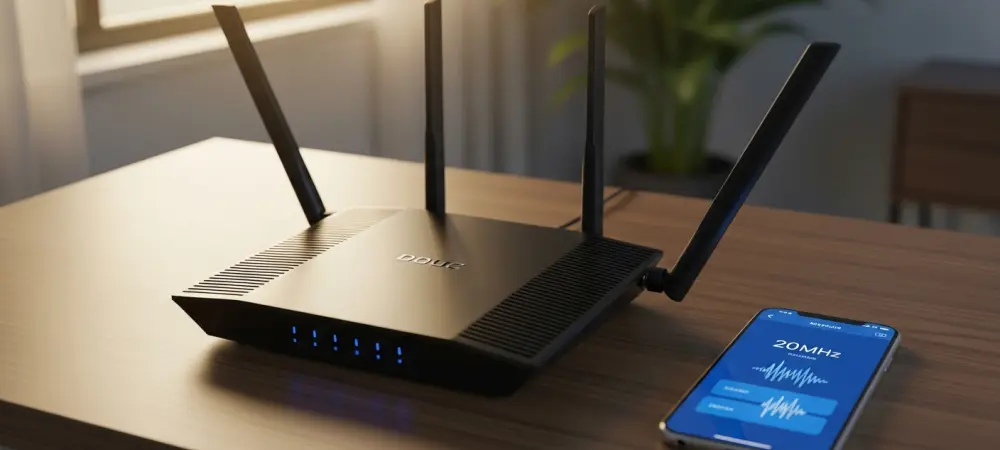
In a modern household where dozens of smart devices compete for a single internet signal, a blazingly fast download speed means very little if the connection constantly drops or stutters during a critical video call or gaming session. Most users focus entirely on the maximum theoretical throughput advertised on their router boxes, often ignoring the fundamental truth that stability is the most important factor in a functional home network. While the transition from 2026 to 2028 is expected to bring even more advanced wireless standards, the current reality remains that many localized connection issues stem from over-aggressive bandwidth settings. Specifically, the desire to maximize speed often leads to the selection of wider channels, which inadvertently makes the signal far more vulnerable to environmental interference. Achieving a reliable connection requires a shift in perspective, moving away from chasing peak speeds and toward optimizing the underlying data lanes that carry traffic for everything from security cameras to smart lights.
1. The Architecture of Modern Wireless Frequencies
Modern routers typically operate across three primary frequency bands known as 2.4GHz, 5GHz, and the more recent 6GHz spectrum, each serving distinct purposes within a residential ecosystem. The 2.4GHz band is the veteran of the group, prized for its ability to penetrate solid walls and travel long distances, making it the primary choice for smart home sensors, doorbells, and legacy hardware. In contrast, higher frequency bands like 5GHz and 6GHz offer significantly more capacity and lower latency but suffer from much shorter effective ranges and poorer obstacle penetration. Within each of these bands, data is transmitted across specific segments called channels, which act as individual lanes for traffic. Understanding how these lanes are allocated is the first step toward diagnosing why a network might feel sluggish or unstable despite having a high-tier fiber connection. Mismanagement of these channels results in performance bottlenecks that are entirely avoidable with targeted adjustments.
The concept of channel width serves as the primary mechanism for determining how much data can move through a wireless lane at any given moment, essentially acting as the diameter of the pipe. Standard widths are usually measured in Megahertz, with 20MHz and 40MHz being the most common settings for the 2.4GHz band, while 5GHz and 6GHz bands can expand to much wider 80MHz or even 160MHz configurations. While a wider channel theoretically doubles the potential speed of the connection, it also increases the surface area exposed to external noise and overlapping signals from neighboring routers. This trade-off is critical because a wider lane on a crowded highway might allow a faster car to pass, but it also increases the likelihood of a collision with other vehicles entering from the side. For devices that do not require massive bandwidth, such as a smart thermostat, the priority should remain on signal integrity rather than raw speed, as these devices rely on consistent pings to stay online.
2. Navigating the Congestion of the 2.4GHz Band
The 2.4GHz band is notoriously crowded because it only offers three non-overlapping channels—1, 6, and 11—meaning that any router using this frequency is likely competing with several other nearby networks. When a router is set to a 40MHz channel width, it effectively consumes two of these three available slots, making it nearly impossible to avoid overlap with a neighbor’s signal. This overlap creates a scenario where multiple routers are constantly shouting over one another, leading to packet loss and high latency as devices struggle to distinguish their own data from background noise. Furthermore, the 2.4GHz range is shared with non-Wi-Fi technologies, including Bluetooth peripherals, baby monitors, and microwave ovens, all of which emit signals that can disrupt wireless communication. In such an environment, the attempt to use a wider channel width often backfires, as the increased exposure to interference outweighs the theoretical speed benefits, resulting in a connection that frequently drops.
Think of the 2.4GHz band as a narrow three-lane residential street where a wide-load vehicle, representing a 40MHz channel width, is trying to navigate through heavy traffic. While the wide vehicle might have the capacity to carry more cargo, its sheer size causes it to block adjacent lanes, leading to gridlock for every other device trying to use that street simultaneously. This congestion paradox is the reason why many users find that their smart home accessories suddenly become unresponsive or “offline” in their respective management apps. By forcing these devices to communicate across a narrower 20MHz lane, the router can provide a more focused and resilient signal that is less likely to be drowned out by the chaotic electronic noise of a modern neighborhood. This strategy is particularly effective in high-density living situations, such as apartment complexes, where dozens of individual wireless networks are all fighting for the same limited amount of airwave space during peak hours.
3. Step-by-Step Configuration for Network Stability
To initiate the process of stabilizing a wireless network, the first requirement is to access the internal management console or the administrative mobile application provided by the router manufacturer. Most modern routers allow users to log in by entering a specific IP address into a standard web browser on a computer that is currently connected to the network. Once the login page appears, administrative credentials must be entered to gain access to the deep configuration menus. After successfully navigating into the main dashboard, the next objective is to locate the specific wireless settings related to the 2.4GHz frequency or channel configuration. This menu is typically found under headings labeled “Wireless Settings” or “Advanced Wi-Fi.” Identifying this specific toggle is essential because it dictates how the router partitions the available spectrum for all devices connected to the 2.4GHz radio, providing the necessary foundation for narrowing the bandwidth to a more stable width. Once the correct menu for the 2.4GHz band has been identified, the bandwidth setting should be manually adjusted from its current state—likely 40MHz or an automatic selection—to a fixed 20MHz width. Narrowing the lane reduces the footprint on the wireless spectrum, which significantly lowers the probability of colliding with signals from neighboring routers or household electronics. The final step involves saving the configuration changes and performing a full restart of the network hardware to ensure the new settings are correctly applied across the system. Most router interfaces will have a “Save” or “Apply” button that may trigger a brief period where the wireless signal becomes unavailable as the firmware updates its broadcast parameters. Manually power-cycling the router by unplugging it for thirty seconds ensures that every connected device is forced to re-establish a handshake using the new width, clearing out any lingering errors that were previously causing unexpected disconnects.
4. Assessing Performance Trade-offs and Limitations
While narrowing the channel width is a powerful tool for the 2.4GHz band, it is generally recommended to leave the 5GHz and 6GHz bands set to their default “Auto” or wider bandwidth configurations. These higher frequencies are designed for high-performance activities like streaming 8K video or competitive online gaming, which demand the massive data throughput that wider channels provide. Furthermore, the 5GHz and 6GHz spectrums have many more available channels than the 2.4GHz band, meaning the risk of interference is significantly lower even when using 80MHz or 160MHz widths. Narrowing these bands unnecessarily would throttle the performance of high-end smartphones and laptops, negating the benefits of owning modern networking equipment. The goal of network optimization is not to slow down the entire system but to apply targeted fixes where they are most needed. Maintaining the “Auto” setting for higher bands allows the router to dynamically shift frequencies if it detects local interference.
It is also important to recognize that some modern networking solutions, particularly high-end mesh systems, may not allow for manual channel width adjustments at all. These systems are often designed with sophisticated algorithms that monitor the local environment in real-time and automatically adjust channel widths and frequencies to avoid congestion. In these cases, the hardware is already performing the optimization work on behalf of the user, and attempting to force a manual change could interfere with the system’s ability to manage the mesh backhaul effectively. Mesh networks are particularly adept at routing traffic around interference by hopping between different nodes, providing stability benefits without the need for user intervention. If a user owns a system that lacks manual controls, the best course of action is to ensure the firmware is fully updated, as manufacturers frequently release patches that improve the automated interference mitigation logic for all connected devices.
5. Future Considerations for Home Network Management
The decision to prioritize signal reliability over peak theoretical speeds proved to be a fundamental turning point for many home networks that previously struggled with inconsistent performance. By implementing a narrower 20MHz channel width on the 2.4GHz band, homeowners effectively eliminated the primary source of wireless collisions that caused smart home devices to become unresponsive. This adjustment established a more predictable environment where data packets reached their destinations without the constant need for retransmission, leading to a noticeable decrease in latency for basic operations. The hardware functioned more efficiently as the processors no longer had to manage the overhead of maintaining a wide, interference-prone signal in a saturated neighborhood. Observations after the change indicated that even older legacy devices regained their connectivity, proving that many connectivity issues were simply victims of poor environmental management rather than actual hardware failure.
Looking ahead, the focus of home networking must shift toward a holistic management approach that balances the needs of high-bandwidth entertainment with the low-bandwidth stability required by the Internet of Things. As the number of connected devices per household continues to rise toward 2028 and beyond, the practice of segmenting traffic and optimizing individual bands will become an essential skill for any tech-conscious resident. To build on the success of narrowing channel widths, users should consider implementing a guest network specifically for smart devices to keep them isolated from high-traffic personal computers and consoles. Regularly auditing the local wireless landscape using a Wi-Fi analyzer app can also provide insights into when neighboring networks have changed, signaling a need for a new channel scan. Ultimately, the key to a frustration-free digital life lies in understanding that the most robust connection is one that is tailored to the specific electronic environment.