

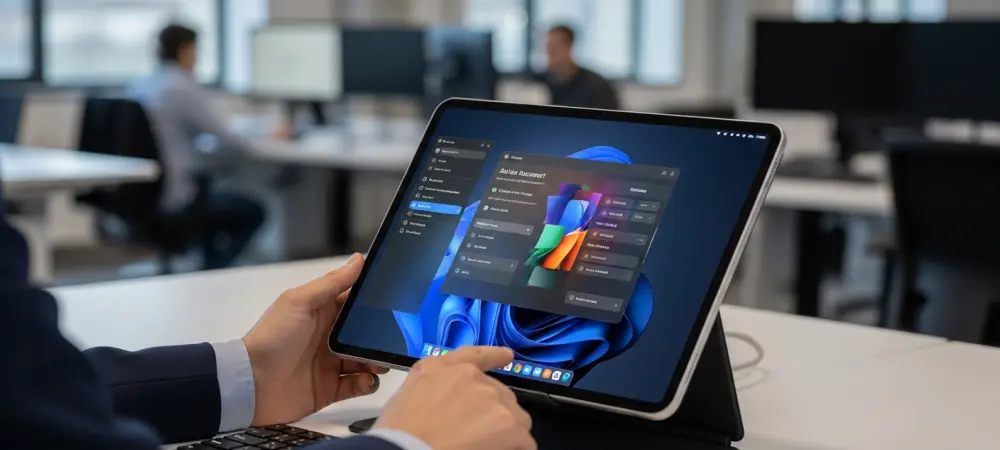
The traditional desktop environment is undergoing a fundamental transformation as Microsoft addresses long-standing visual inconsistencies through its ambitious internal project known as the K2 Initiative. This effort represents a significant shift from the piecemeal updates seen in previous years toward a holistic overhaul of the operating system’s aesthetic and functional layers. By prioritizing a more cohesive user experience, developers worked to eliminate the jarring transitions between legacy components and modern interfaces that have characterized the platform for a long time. This initiative went beyond simple cosmetic changes, digging deep into the system’s architecture to ensure that every menu, dialogue box, and window adhered to the latest Fluent Design System standards. The focus remained on creating a sense of continuity that felt intentional, aiming to provide users with a streamlined workflow that minimized visual friction. The K2 Initiative targeted the remnants of older eras that still lurked in menus.
Modernizing the Core Interface: Materials and Motion
Central to the K2 Initiative is the widespread implementation of the Mica material across the entire shell, including secondary windows and utility dialogs that were previously overlooked. This specific design element does not merely provide a translucent effect; it dynamically samples the desktop wallpaper to create a sophisticated hierarchy of information that feels deeply integrated into the workspace. By 2026, this technology evolved to consume fewer resources, allowing even entry-level hardware to maintain high frame rates while rendering complex blurring effects. Alongside these visual layers, the initiative introduced refined motion patterns that provide subtle feedback through animation. When a user interacts with the taskbar or shifts between virtual desktops, the transitions are now fluid and predictable, reducing cognitive load. These refinements were specifically engineered to improve the perception of speed, making the operating system feel more agile without increasing the overhead. Beyond the surface-level aesthetics, the K2 Initiative prioritized the aggressive migration of legacy settings and administrative tools into the unified Settings application. This long-term project reached a critical milestone in 2026, as deep-level networking configurations and hardware management profiles finally received the modern treatment. The goal was to remove the reliance on thirty-year-old interface assets that often broke the user’s immersion and created confusion for those accustomed to modern smartphone-style navigation. Each migrated page was designed with a modular layout, ensuring that information is presented clearly with consistent iconography and spacing. This transition involved more than just copying text; it required rewriting the underlying logic to support modern accessibility features, such as improved screen reader compatibility and dynamic text scaling. By standardizing these essential system components, the developers ensured that managing complex configurations became an intuitive process.
Intelligent Shell Integration: The AI-First Approach
The current phase of the K2 Initiative places a heavy emphasis on integrating artificial intelligence directly into the shell’s visual architecture rather than treating it as a sidebar add-on. This “AI-First” design philosophy ensures that generative tools and predictive assistants appear as native components of the file explorer and window management systems. For instance, the updated shell can now suggest window layouts based on the specific type of content being viewed, such as side-by-side code editors or media production suites. From 2026 to 2028, the development roadmap focuses on expanding these capabilities to include context-aware menus that anticipate the user’s next action based on historical patterns. This high level of integration means that the AI assistant is no longer just a chatbot but a functional layer of the operating system that helps organize files. The design ensures these features remain unobtrusive, appearing only when the context demands their presence.
As the K2 Initiative moved into its final stages of deployment, the focus shifted toward ensuring that these design refinements remained sustainable and adaptable for future hardware cycles. The engineering team successfully implemented a more granular control system for power consumption related to UI effects, allowing the OS to automatically scale back animations when battery life became a priority. This proactive approach to resource management proved essential for maintaining the balance between a premium visual experience and the practical needs of mobile professionals. Organizations that adopted these updates reported a significant decrease in support tickets related to interface confusion, as the unified design language made the platform easier to navigate without specialized training. Moving forward, the blueprint established by K2 provided a stable foundation for ongoing iterative improvements. Users were encouraged to explore the new customization options to fully leverage the flexibility now offered.