

Transitioning the Widgets feature to an on-demand loading model allows the operating system to reclaim approximately two hundred megabytes of memory for foreground tasks. This specific technical adjustment serves as a cornerstone for a much broader initiative aimed at refining the foundational performance of Windows 11. For many users, the operating system has occasionally felt burdened by background processes and an accumulation of features that prioritizes secondary services over immediate productivity. However, the current strategy reflects a significant pivot toward operational efficiency, treating system resources as a precious commodity that must be managed with extreme precision. As the computing landscape moves through 2026, the demand for leaner, faster software has never been higher, particularly as users juggle increasingly complex workflows across hybrid environments. Microsoft is now prioritizing what it calls “Windows quality,” an engineering philosophy that seeks to eliminate the friction points that have historically frustrated both casual users and enterprise professionals. By focusing on core responsiveness rather than merely adding superficial aesthetic layers, the company is attempting to redefine the value proposition of its flagship platform. This transition is not just about minor tweaks; it represents a deep-seated change in how the operating system interacts with hardware, ensuring that every cycle of the processor and every megabyte of RAM is utilized to its fullest potential to deliver a seamless experience. The ultimate goal is to move away from the perception of Windows as a platform filled with bloatware toward one that functions as a high-performance instrument for modern work and creativity.
Optimizing System Resources and Responsiveness
Strategic Memory Management and Core Speed
The most striking metric emerging from this overhaul is the documented twenty percent increase in responsiveness across the core Windows 11 interface and its integrated applications. This improvement is most evident in the Microsoft Edge browser, which has undergone a substantial internal restructuring to reduce its footprint while maintaining high-speed rendering capabilities. In the past, users often complained that the browser and the shell would compete for the same resources, leading to noticeable stutters or delayed input response during heavy web browsing sessions. By implementing more aggressive thread prioritization and background task suspension, the operating system now ensures that the application in focus receives the lion’s share of processing power. This shift is particularly beneficial for professionals who rely on web-based software tools and multi-tab environments for their daily operations. The result is a system that feels significantly snappier, with windows opening almost instantaneously and context menus appearing without the traditional millisecond delay. This optimization addresses a fundamental psychological aspect of computing where even minor latencies can lead to user fatigue and a perceived lack of reliability. By smoothing out these interactions, Microsoft is effectively modernizing the user’s perception of speed, making the hardware feel newer and more capable than it did prior to the update.
Beyond general speed, the overhaul introduces a sophisticated logic specifically designed for systems equipped with eight gigabytes of RAM, which remains a prevalent configuration for many mainstream laptops. The operating system is now capable of retaining up to two gigabytes of the most frequently accessed and actively used data directly within the physical memory, rather than swapping it to the disk. Previously, Windows would aggressively move inactive data to virtual memory on the storage drive to make room for new tasks, a process that frequently caused “hitching” when a user switched back to a previously open application. By refining the compression algorithms and the eviction policies of the system cache, Microsoft has ensured that critical application states remain ready for immediate access. This change transforms the multitasking experience on mid-range hardware, allowing for fluid transitions between a word processor, a spreadsheet, and a video conferencing tool without the jarring pauses of the past. It effectively extends the lifespan of hardware from 2026 to 2028 and beyond, proving that software optimization can be just as impactful as a physical hardware upgrade. The move signals a departure from the assumption that every user will have sixteen or thirty-two gigabytes of RAM, acknowledging the diverse range of devices currently in active use across the global market.
Stability and Hardware Connectivity
Reliability in the modern era is often defined by how well a device communicates with its environment, particularly regarding wireless peripherals that have become ubiquitous. Microsoft has dedicated significant engineering resources to rewriting the Bluetooth stack within Windows 11 to address long-standing connectivity issues. Users have historically faced challenges ranging from slow pairing times to dropped connections with high-fidelity wireless headphones and precision input devices. The updated protocols prioritize faster handshake sequences and more robust signal maintenance, especially in environments crowded with competing wireless signals. This improvement is not merely a convenience; it is a necessity for the growing population of remote workers who depend on stable audio and video input for daily communication. By reducing the latency associated with wireless audio, the system also improves the overall media consumption experience, ensuring that sound remains perfectly synchronized with on-screen action. These refinements extend to the management of power states for connected devices, preventing accessories from entering deep sleep modes too aggressively, which often caused delays when waking a peripheral for immediate use. The objective is to create an ecosystem where the seamless connection of hardware becomes a reality for every component, regardless of the manufacturer.
Ensuring stability across the vast landscape of Windows-compatible hardware requires a collaborative approach with original equipment manufacturers. As part of this performance overhaul, Microsoft has established stricter telemetry and quality standards for third-party drivers that interact with the Windows kernel. This initiative aims to drastically reduce the occurrence of system crashes and blue-screen events that are often traced back to poorly optimized drivers for graphics cards, network adapters, and specialized sensors. By working closely with partners like Dell and HP, the company has created a more streamlined pipeline for driver verification and distribution through Windows Update. This ensures that when a performance patch is released, it is accompanied by the necessary low-level software updates to maintain harmony between the software and the physical hardware. Furthermore, the system now features more intelligent recovery mechanisms that can isolate a failing driver without bringing down the entire operating system. If a specific peripheral driver encounters an error, the operating system can often restart that specific service in the background, allowing the user to continue their work uninterrupted. This focus on defensive engineering highlights a shift toward a more resilient architecture that can withstand the complexities of modern hardware diversity, ultimately leading to a more consistent and professional user experience across all device tiers.
Modernizing Media and User Interfaces
The Photos App as a Unified Media Hub
The transformation of the Photos application is a centerpiece of the visual and functional redesign within this Windows 11 overhaul. No longer just a simple file viewer, the application now serves as a unified gallery that aggregates content from local storage, iCloud, and OneDrive into a single, cohesive interface. This integration acknowledges the multi-platform reality of modern users who may capture high-resolution images on mobile devices but prefer to manage or edit them on a desktop environment. By bridging the gap between Apple’s cloud services and the Windows ecosystem, Microsoft is removing a significant point of friction for creative professionals and casual users alike. The application now provides a seamless scrolling experience, even when dealing with massive libraries spanning thousands of high-definition files. This is achieved through a rebuilt rendering engine that pre-fetches thumbnails and utilizes hardware acceleration to ensure that image navigation remains stutter-free. The goal is to provide a central repository for digital memories that feels native to the Windows experience, regardless of where the original file was captured or stored, reflecting a more open and integrated approach to cross-platform media management.
Functionality has been expanded to include native support for modern image formats like Apple’s HEIC and Google’s WebP, removing the tedious need for external conversion tools. The application also features an intuitive editing suite that balances accessibility with power, allowing for quick adjustments to lighting, color, and composition without the complexity of professional-grade software. Advanced filtering options have been introduced, allowing users to sort their vast libraries by the specific people detected in the frames or by the source cloud service. This metadata-driven approach makes finding a specific memory from years ago a matter of a few clicks rather than a manual search through countless folders. These improvements are supported by a rebuilt viewer component that ensures high-resolution images load instantly, providing a premium feel to the basic task of viewing photos. By centering the user’s personal content and making it easier to access across different platforms, the Photos app has evolved from a utility into a comprehensive media management tool. This evolution aligns with the broader strategy of making Windows 11 more adaptable to the diverse digital lifestyles of its users, ensuring that the software acts as a facilitator for creativity rather than a hurdle to be overcome.
Removing Friction from the User Experience
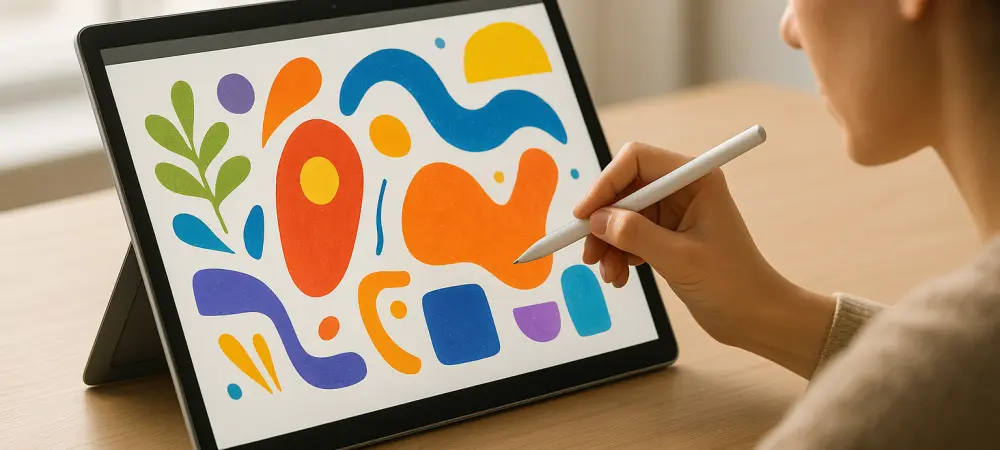
Microsoft has also taken deliberate steps to declutter the user interface by streamlining the search function and removing intrusive promotional content that had become a point of contention. The search interface now prioritizes local files, installed applications, and direct actions over cloud-based suggestions and external advertisements. This change allows users to find what they need quickly, reflecting a return to utility that places the user’s workflow above corporate messaging or auxiliary service promotion. For a professional user, the ability to hit the Windows key and immediately locate a specific document without wading through web results is a vital component of productivity. The interface has been refined to be more “quiet,” reducing the number of notifications and visual “nudges” that compete for the user’s attention. This aesthetic and functional cleanup is a direct response to community feedback, showing a willingness to prioritize the user experience over short-term monetization. By creating a more focused environment, Microsoft is helping users maintain their “flow state,” which is increasingly difficult in an age of constant digital distraction. The streamlined search is not just a cosmetic update but a fundamental improvement in how users navigate their local data and applications. Mobile integration has seen a similar boost, particularly for Android users who can now enjoy resizable windows for mobile applications running directly on the Windows desktop. The ability to resume tasks started on a phone, such as drafting an email or editing a document, directly on a PC creates a fluid workflow that mirrors the tight ecosystems of major competitors. This feature, facilitated by the Phone Link application, allows for the seamless transfer of clipboard data, photos, and even active calls between devices. For the modern professional who often switches between a mobile device and a primary workstation, this connectivity is essential for maintaining productivity throughout the day. Furthermore, new tools like “Ink Canvas” cater to tablet and 2-in-1 users, providing a centralized and highly responsive hub for sketches, handwritten notes, and annotations. This tool utilizes the latest improvements in pen latency to provide a natural writing experience that rivals traditional paper and ink. By investing in these niche but important interaction methods, Microsoft is ensuring that Windows 11 remains a versatile platform capable of meeting the needs of artists, students, and engineers who require more than just a keyboard and mouse. The emphasis is on building bridges between different types of hardware to create a unified and efficient digital workspace.
Specialized Enhancements and Competitive Strategy
Advanced Graphics and Gaming Performance
Gaming remains a cornerstone of the Windows ecosystem, and this overhaul introduces “Advanced Shader Delivery” to further solidify that leading position. This technology optimizes how graphics shaders are processed and cached at the system level, which significantly reduces load times and minimizes in-game “hitch” during asset streaming. By managing these complex graphical tasks more efficiently, the operating system allows the hardware to focus its power on rendering high-fidelity environments and maintaining stable frame rates. A primary example of this technology in action can be seen in high-performance titles like Gears of War: E-Day, where the software-level optimizations ensure that the transition from a loading screen to active gameplay is nearly instantaneous. These technical refinements ensure that Windows 11 can balance background efficiency with the extremely heavy demands of modern rendering engines. For enthusiasts, this means a more consistent experience where the operating system facilitates rather than hinders the performance of the graphics card. It reinforces the idea that the PC is not just a work machine but the premier platform for high-end interactive entertainment, capable of pushing the boundaries of what is possible in digital environments.
These optimizations are part of a broader commitment to ensuring that the PC remains a versatile machine that handles professional tasks during the daylight hours and demanding gaming sessions at night. The operating system now features a more intelligent “Game Mode” that can dynamically reallocate resources based on the specific requirements of the active title. This includes prioritizing network traffic for online multiplayer games and ensuring that background updates or system scans are strictly suppressed during gameplay. Such refinements are essential for maintaining the loyalty of the massive gaming demographic that relies on Windows for its unique combination of power and flexibility. Moreover, the integration of Auto HDR and DirectStorage technologies continues to evolve, providing users with visual fidelity and storage speeds that were previously reserved for high-end dedicated consoles. By bringing these console-like efficiencies to the open architecture of the PC, Microsoft is providing a compelling reason for gamers to stay within the Windows ecosystem. The focus is on creating a low-latency, high-performance environment that can adapt to the needs of both casual players and competitive e-sports professionals, ensuring that every hardware configuration performs at its absolute peak.
Responding to Market Pressure and Feedback
The motivation for these comprehensive changes is rooted in a direct response to user feedback and increasing competitive pressure from the hardware-software integration of Apple. Users had grown weary of an interface that felt cluttered with artificial intelligence “nudges” and unwanted promotional content, prompting Microsoft to scale back certain features and put control back into the hands of the consumer. This pivot demonstrates a significant commitment to listening to the community and refining the user experience based on real-world usage patterns rather than theoretical service models. The company realized that in order to maintain its market share among discerning professionals, it needed to offer a platform that respected the user’s intelligence and time. By allowing for a more customizable taskbar and providing easier ways to disable unwanted features, the operating system has become more of a partner and less of an intrusive presence. This change in philosophy is a direct acknowledgment that the “quality” of an operating system is defined by its ability to stay out of the way while providing the tools necessary for the task at hand. It is a strategic move to restore the reputation of Windows as the world’s most flexible and user-centric computing environment. From a strategic standpoint, optimizing Windows 11 for machines with limited RAM allows Microsoft’s hardware partners to offer highly competitive entry-level laptops that do not feel compromised. By improving software efficiency, these machines can better compete with rivals that traditionally benefit from tighter hardware-software integration and proprietary chipsets. This ensures that the Windows ecosystem remains accessible and performant across a wide range of price points, from budget-friendly educational devices to high-end professional workstations. The initiative is also a defensive measure against the encroachment of mobile-first operating systems that have begun to offer desktop-like functionality. By making Windows 11 faster and more reliable on lower-spec hardware, Microsoft is protecting its dominance in the global PC market. The focus on “Windows quality” acts as a brand promise, reassuring corporate IT departments and individual consumers alike that the platform is stable enough for long-term deployment. This strategic alignment between software performance and market accessibility is crucial for the continued growth of the ecosystem. It ensures that regardless of the hardware choice, the software experience remains consistent, fast, and professional, meeting the high expectations of the modern digital era.
A Renewed Focus on Professional Utility
Ultimately, the overhaul signals a definitive transition from a “feature-first” mentality to a “quality-first” strategy that prioritizes the core needs of the user. By focusing on de-cluttering the interface, achieving cross-platform harmony, and maximizing core efficiency, Microsoft is reinforcing the primary function of the personal computer as a high-performance utility. The consensus among industry analysts is that these updates move the operating system toward a more mature and user-centric version of itself, shedding the experimental bloat of the previous years. This approach is not about making headlines with flashy new gadgets, but about ensuring that the foundation of the digital experience is rock-solid. For the enterprise sector, this means a reduction in help-desk calls related to performance issues and a more predictable environment for deploying critical business applications. For the individual, it means a computer that starts faster, stays awake longer, and responds to commands with a level of precision that was previously lacking. This “return to basics” is actually a sophisticated step forward, utilizing advanced engineering to simplify the user’s interaction with their device.
The success of this initiative will be measured by increased user satisfaction scores and the stabilization of the broader PC market as it moves toward the end of the decade. By delivering a leaner, faster, and more integrated experience, Microsoft is proving that it can pivot its massive platform to meet the evolving demands of a sophisticated user base. Windows 11 is being reshaped into an environment that respects the user’s hardware and time, ensuring its continued relevance in a diverse and highly competitive digital landscape. The current trajectory suggests that the focus on quality will remain a permanent fixture of the development cycle, rather than a one-time correction. As the boundary between mobile and desktop computing continues to blur, the strength of the Windows platform will lie in its ability to offer the power of a workstation with the agility of a mobile device. This overhaul is the first major step in realizing that vision, creating a platform that is as reliable as it is powerful. The emphasis on engineering excellence serves as a clear signal to the industry that Windows intends to remain the central hub of professional and personal computing for years to come. The broad implementation of these system-wide updates successfully demonstrated that software optimization could provide a performance boost equivalent to a generation of hardware advancement. By reclaiming memory and streamlining background tasks, the operating system allowed users to achieve higher productivity levels without the immediate need for expensive equipment upgrades. This strategic pivot toward performance and stability helped stabilize the PC market and provided a clear path forward for future development. Professionals and gamers alike found that their existing machines felt revitalized, leading to a significant increase in user retention and platform loyalty. Moving forward, maintaining this standard of “Windows quality” will involve continuous collaboration with hardware partners and a commitment to refining the interface based on actual workflow data. The lessons learned during this overhaul should serve as a blueprint for upcoming versions, ensuring that performance remains the top priority in the engineering hierarchy. Users can expect further refinements in AI integration that work silently in the background to enhance rather than distract from the primary task. Ultimately, the focus on efficiency established a new baseline for what a modern operating system should deliver in terms of speed, reliability, and cross-platform synergy.