

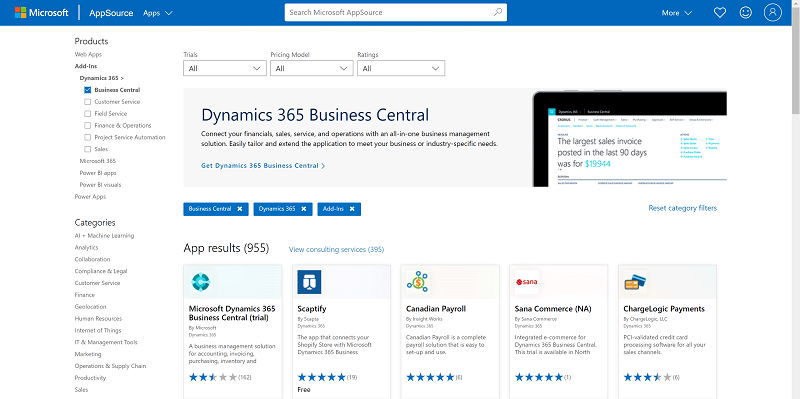
In the fast-paced world of business, efficiency and organization are crucial for success. That’s where Microsoft D365 Business Central comes in. This powerful ERP solution boasts an intuitive design, ensuring that even those unfamiliar with ERPs can navigate with ease. With seamless integration capabilities and a suite of impressive features, Business Central helps businesses streamline operations and make informed decisions. Let’s explore the key highlights of this versatile ERP.
Intuitive Design: Navigating the ERP with Ease
Microsoft D365 Business Central stands out with its user-friendly interface. With a clean and intuitive design, users can easily navigate through various features and functionalities. Whether you are a first-time ERP user or a seasoned professional, the intuitive design ensures a smooth and hassle-free experience, minimizing the learning curve and optimizing productivity.
Seamless Integration: Integration with Office 365 and Power BI
One of the standout features of Microsoft Business Central is its seamless integration with other Microsoft products. By integrating with Office 365, users can effortlessly collaborate on documents, spreadsheets, and presentations, enhancing teamwork and improving efficiency. Additionally, the integration with Power BI empowers businesses to leverage advanced data visualization and analysis capabilities, allowing for better decision-making based on real-time insights.
Scalability: Growing with Your Business without Complexity
As businesses evolve and expand, they require an ERP solution that can scale effortlessly. Microsoft Business Central is designed to grow with your business, ensuring you always have the resources you need without unnecessary complexities. Whether you are a small startup or a large enterprise, Business Central adapts to your changing needs, enabling seamless expansion without disruption.
Data Analysis Tools: Deriving Actionable Insights and Making Informed Decisions
In today’s data-driven world, the ability to derive actionable insights is vital. With its powerful data analysis tools, Microsoft Business Central enables businesses to unlock the potential hidden within their data. By analyzing trends, identifying patterns, and studying customer behavior, businesses can make informed decisions and stay one step ahead of the competition.
Cloud-First Approach: Flexibility, Security, and Accessibility from Anywhere, Anytime
Embracing the cloud-first approach, Microsoft Business Central offers unparalleled flexibility, security, and accessibility. With cloud-based deployment, businesses can access their data and applications from anywhere, anytime, using any device with internet connectivity. This flexibility allows for remote work setups, empowering employees to be productive even when they are on the move. Moreover, with robust security measures in place, including advanced data protection and compliance protocols, Business Central ensures that business-critical information remains secure and private.
Security Measures: Advanced Data Protection and Compliance Protocols
Keeping sensitive business data and information secure is of utmost importance. Microsoft Business Central prioritizes security by implementing advanced data protection measures and compliance protocols. With multiple layers of security, including data encryption, access controls, and secure connections, businesses can have peace of mind knowing that their data is safe from unauthorized access and potential breaches.
Customization: Tailoring the ERP to Business-Specific Needs
Every business is unique, and so are its requirements. Recognizing this, Microsoft Business Central allows businesses to tailor the ERP to their specific needs, ensuring a perfect fit. Whether it’s customizing workflows, creating unique reports, or integrating with third-party applications, Business Central provides the flexibility to adapt the system to match the exact requirements of the business.
Competitive Pricing: Impressive ROI without Compromising Features
Investing in an ERP system requires careful consideration of costs and benefits. Microsoft Dynamics 365 Business Central offers competitive pricing without compromising on features. With its impressive return on investment (ROI), businesses can experience significant cost savings and operational efficiencies. By automating manual processes, reducing errors, and improving productivity, Business Central proves its value proposition in the long run.
Global Support
In today’s global economy, businesses operate across borders, catering to a diverse customer base. Microsoft Business Central recognizes this and supports multiple languages, enabling businesses to operate seamlessly in different regions. Moreover, Business Central complies with regional regulations, ensuring businesses stay compliant while conducting operations internationally.
Support Network: Resolving Issues, Sharing Insights, and Learning Best Practices
Implementing and optimizing an ERP system requires continuous support and learning. Microsoft Business Central provides a vast support network and an active user community. With access to technical resources, online forums, training materials, and user groups, businesses can quickly resolve any issues that may arise, share insights, and learn best practices from industry experts and peers.
Microsoft D365 Business Central is a comprehensive ERP solution that streamlines operations, maximizes productivity, and enables informed decision-making. With its intuitive design, seamless integration with other Microsoft products, scalability, powerful data analysis tools, cloud-first approach, top-notch security measures, customization options, competitive pricing, global support, and active user community, Business Central offers a complete package for businesses aiming to optimize their processes and drive growth in today’s digital age. Embrace the power of Microsoft Business Central and unlock your business’s full potential.