

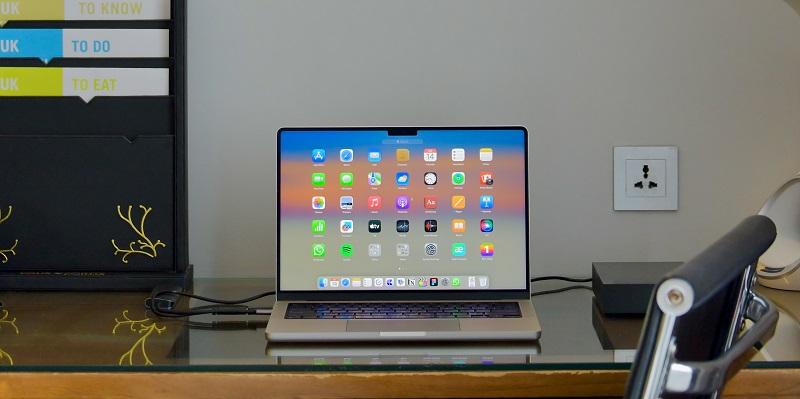
Apple has recently unveiled its latest operating system, macOS Sonoma, promising a refreshed and enriching experience for Mac users. With a host of new features and enhancements, Sonoma marks a significant milestone in the world of Mac. Let’s delve into the details and explore how Apple has transformed the user experience.
Captivating Moving Screensavers
One of the first things that will captivate users is the mesmerizing collection of moving screensavers in macOS Sonoma. These authentic visual journeys transport us to iconic corners of the world, enveloping us in stunning imagery and sparking our wanderlust. Apple has truly gone the extra mile to create an immersive experience that transports us beyond the confines of our workspaces.
Enhanced Widgets
Widgets have long been a staple in the Apple world, but in macOS Sonoma, they reach another level of functionality and integration. These miniature apps seamlessly blend into the background of our desktops, providing us with useful information and quick access to our favorite features. With Sonoma, widgets become interactive, allowing us to effortlessly stay informed, connected, and productive throughout our day.
Dynamic Presenter Overlay
In the realm of video conferencing, Sonoma introduces a game-changing feature called “Presenter Overlay.” This innovative tool allows us to superimpose ourselves onto presentations, injecting a dynamic element into our virtual interactions. With Presenter Overlay, we can engage our audience with a more captivating delivery, enhancing the overall effectiveness of our professional engagements.
Improved Safari browser
Safari, Apple’s renowned web browser, undergoes further improvements in macOS Sonoma. Alongside its lightning-fast performance, Sonoma introduces exciting new features like browsing profiles. Now, we can easily separate work and personal browsing, ensuring privacy and organization within our online activities. Additionally, Sonoma allows users to turn any website into a standalone app, providing a seamless and customizable browsing experience tailored to our needs.
Strengthened privacy features
Privacy has always been a top priority for Apple, and in macOS Sonoma, they have further enhanced user control. Now, we have the ability to decide exactly which photos to share when granting app access. This level of granular control ensures that we are fully in charge of our personal data, giving us peace of mind in an increasingly connected world.
Enhanced accessibility tools
Apple has made significant strides in improving accessibility features in macOS Sonoma. With the introduction of “Personal Voice,” a groundbreaking tool for generating personalized speech, individuals with speech challenges can now express themselves with greater confidence and accuracy. Additionally, “Live Speech” converts spoken words into text in real time, making communication more accessible for users with hearing impairments. These advancements underscore Apple’s commitment to inclusivity and empowerment for all users.
Message updates
In line with the updates seen in iOS 17, Messages in macOS Sonoma has seen some exciting changes. With the inclusion of stickers and improved PDF management, users can now express themselves more creatively and efficiently within the messaging app. Apple continues to prioritize seamless communication and streamlined workflows, ensuring that Messages remain a powerful tool for staying connected.
A reinvention of the workspace
macOS Sonoma is not just an ordinary update; it represents a true reinvention of the Mac workspace. By merging aesthetics, functionality, and security, Sonoma transforms compatible Macs into immersive environments where work and leisure seamlessly coexist. Apple has taken great care to craft an operating system that empowers users to unleash their creativity and productivity without compromising privacy and security.
A transformative experience
macOS Sonoma is a transformative experience that marks a before and after in the world of Mac. With its captivating moving screensavers, enhanced widgets, dynamic Presenter Overlay, and improved Safari browser, Sonoma offers a rich and immersive user experience. Strengthened privacy features, enhanced accessibility tools, and updates to Messages further elevate Sonoma’s appeal. Apple’s relentless dedication to reinventing the Mac workspace has once again set a new standard for technology integration, providing users with a delightful and empowering experience.
In conclusion, macOS Sonoma breathes new life into the Mac ecosystem, empowering users to work, create, and connect like never before. With its innovative features and refined user interface, Sonoma cements Apple’s position as a frontrunner in providing cutting-edge technology experiences. It’s time to embrace macOS Sonoma and embark on an exciting journey into the world of Mac.