

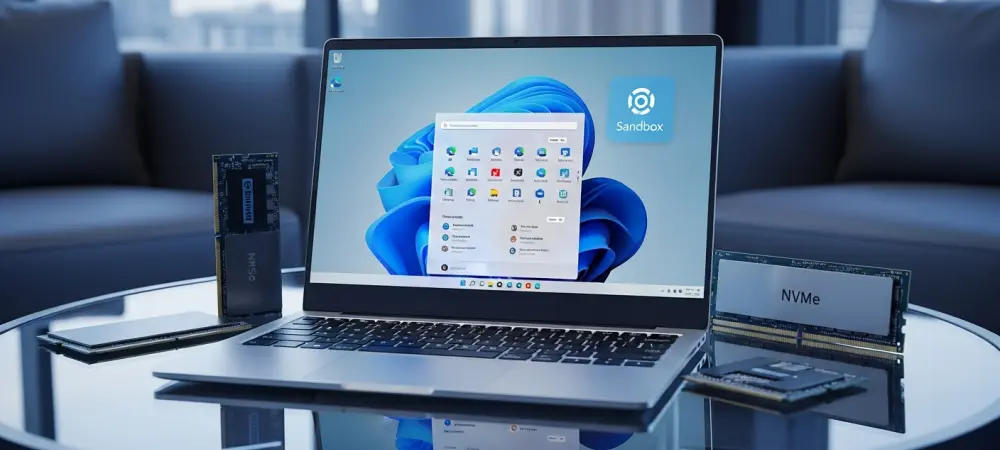
Choosing the right version of a modern operating system has evolved into a strategic decision that influences not only the initial cost of a computer but also the long-term functionality of the digital workspace. For many consumers sitting at a retail kiosk or configuring a high-end laptop online, the distinction between Windows 11 Home and its Pro counterpart often feels like a riddle wrapped in technical jargon. The “Pro” suffix carries a certain prestige, suggesting a level of efficiency or power that might be missing from the standard edition, yet the actual differences are frequently buried in administrative settings that the average person never touches. Navigating this choice requires a clear-eyed assessment of daily habits versus the theoretical capabilities of the software. While the underlying code remains largely consistent across both versions, the specific toggles and permissions enabled in the professional tier cater to a very narrow, high-demand demographic that prioritizes granular control over simplicity.
Universal Design and Feature Parity
Users who find themselves concerned about missing out on the latest aesthetic or navigational improvements will be relieved to learn that the visual core of both versions is identical. From the centered taskbar and the translucent Mica effect to the sophisticated Snap Layouts that organize open windows, every design element remains a constant regardless of the license type. Even the most recent AI integrations, such as the ubiquitous Copilot assistant, function with the same responsiveness and depth on Home as they do on Pro. For the enthusiast who spends their time browsing the web, streaming high-definition media, or managing a digital photo library, the interactive experience offers no deviation. This consistency ensures that the learning curve for a new machine is exactly the same, allowing transitions between work and personal devices to feel seamless. Microsoft has successfully maintained a unified design language that prioritizes accessibility and modern style across the entire ecosystem.
Beyond the visual interface, a persistent myth suggests that opting for the more expensive professional edition somehow unlocks higher frame rates in gaming or faster processing in creative applications. Technical benchmarks repeatedly demonstrate that the kernel architecture is essentially shared, meaning that the speed at which a processor executes code or a graphics card renders a scene is not restricted by the software tier. A gamer playing the latest blockbuster title will find that DirectStorage, Auto HDR, and the Xbox Game Bar function with equal efficiency on both platforms. The hardware itself—the CPU, GPU, and SSD—remains the primary driver of performance, and the operating system acts as a neutral facilitator in both cases. Consequently, purchasing the professional version in hopes of gaining a competitive edge in e-sports or reducing video export times by a few seconds is a misguided strategy. Performance parity is the standard, leaving the decision to hinge entirely on administrative utility.
Financial Implications and Resource Allocation
The economic reality of the operating system market places a roughly sixty-dollar premium on the professional license, which constitutes a notable percentage of a budget-friendly laptop’s total cost. For the majority of users, including university students, telecommuters, and casual hobbyists, this additional expenditure provides zero return on investment because the exclusive features remain inactive or unnecessary. In a scenario where a consumer is building a custom PC or upgrading an existing one, that sixty dollars might be more effectively allocated toward tangible hardware improvements. Investing that capital into a faster NVMe drive, an extra stick of high-frequency RAM, or a more ergonomic mechanical keyboard provides a daily tactile benefit that far outweighs the presence of enterprise-level software hooks. When viewed through the lens of cost-to-benefit ratios, the Home edition emerges as the logical choice for those who value practical hardware performance over theoretical software capabilities. One of the most frequently cited technical differences involves the maximum memory capacity supported by each edition, with Home capping at one hundred twenty-eight gigabytes while Pro scales to a staggering two terabytes. While these numbers look impressive on a comparison chart, they rarely intersect with the reality of consumer computing in the current landscape. Even professional creators working on high-resolution film projects or complex 3D modeling typically find that sixty-four or one hundred twenty-eight gigabytes of RAM is more than sufficient for their heaviest workloads. The two-terabyte ceiling is a specialized feature intended for massive server-side operations, heavy virtualization, or enterprise-grade data processing that requires dozens of simultaneous virtual machines. For anyone outside of those extreme niche environments, the higher memory limit is a phantom benefit that will never be reached during the lifespan of the hardware. The hardware ceiling of the Home version remains robust enough for all but the most extreme outliers.
Specialized Toolsets for Enterprise and Development
The true value proposition for the professional edition lies in its suite of sophisticated security and administrative tools designed for complex networking environments. BitLocker Drive Encryption serves as a primary example, providing full-disk protection that ensures data remains unreadable even if a laptop is physically stolen or the hard drive is removed. While Home users have access to basic device encryption, BitLocker offers more granular control and management options that are critical for those handling sensitive corporate data or legal documents. Similarly, the ability to host a Remote Desktop connection is exclusive to the professional tier, allowing a user to access their powerful desktop workstation from a lightweight tablet or laptop while traveling. For individuals who operate as independent contractors or small business owners, these integrated features replace the need for third-party software subscriptions, providing a centralized and highly secure method for managing remote access and data integrity.
System administrators and software developers find another layer of utility in the inclusion of Hyper-V and the Windows Sandbox environment. These tools allow for the creation of isolated virtual instances where untrusted software can be tested without the risk of contaminating the primary operating system. This level of virtualization is a cornerstone of modern development cycles, enabling testers to simulate different environments or run legacy applications in a secure bubble. Furthermore, the ability to join a computer to a corporate domain or manage it through Azure Active Directory is a non-negotiable requirement for anyone working within a large organizational infrastructure. These features facilitate Zero Trust security models and centralized fleet management, which are essential for maintaining compliance in the modern workplace. If a job description or professional workflow requires interaction with managed networks or deep system-level isolation, the professional license becomes an essential tool rather than an optional luxury.
Strategic Selection: Practical Outcomes for Users
Deciding on the appropriate software tier required a careful analysis of how the computer was actually used throughout the day. For the vast majority of consumers, the standard home edition offered every necessary tool for a modern digital life, ranging from high-end gaming to advanced productivity. The extra features found in the professional version did not improve the speed of the web browser or the quality of a video call, making the additional cost hard to justify for most households. Instead, the focus remained on the core user experience, which Microsoft kept consistent across all devices to ensure that the primary interface was intuitive and accessible. The realization that Pro did not mean better for casual use helped many avoid unnecessary spending during the system configuration process.
The final choice was best made by identifying whether the workflow demanded specific enterprise-grade security protocols or virtualization capabilities. If a user determined that they needed to host remote sessions or manage encrypted drives for professional compliance, they moved forward with the professional edition as a necessary business expense. For those who do not require such specialized tools, the funds were instead redirected toward increasing the physical storage capacity or upgrading the display of the machine. This strategic approach ensured that every dollar spent contributed directly to the actual performance or comfort of the computing experience. By looking past the marketing labels and focusing on the actual technical requirements, consumers successfully tailored their systems to match their specific needs. Ultimately, the decision-making process shifted from following a brand name to performing a functional audit of daily tasks, leading to more efficient and cost-effective technology investments.