

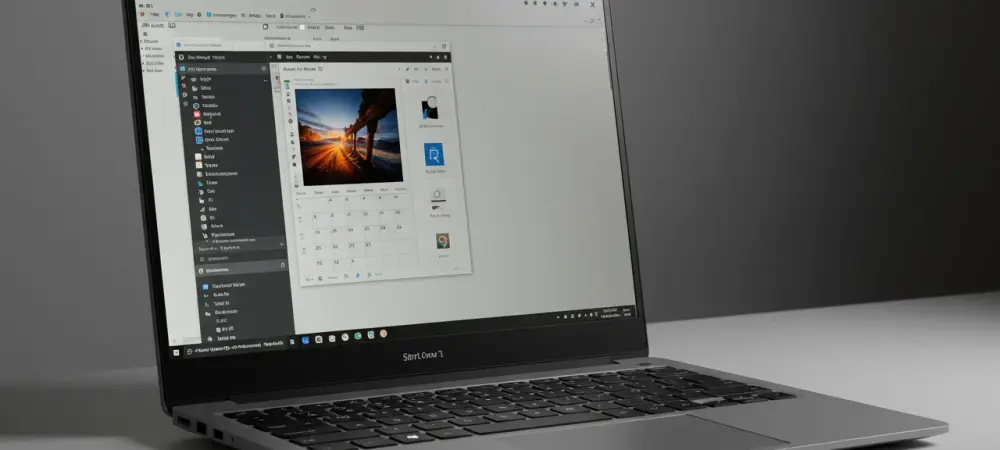
The release of Windows 11 Insider Preview Build 27898 to the Canary Channel marks a significant milestone in Microsoft’s journey to enhance usability, recovery, and accessibility for its users. As users grapple with ever-expanding taskbars populated with innumerable pinned or active apps, this update offers a novel solution: taskbar icon scaling. Instead of dealing with the frustration of cluttered menus, users can now embrace a more orderly desktop, with Windows automatically shrinking icons as necessary. This feature provides the flexibility to choose between automatic scaling when the taskbar fills, permanently keeping icons small, or turning off scaling entirely, which can be managed through taskbar settings. With this enhancement, Microsoft proves its commitment to addressing everyday challenges faced by users, streamlining desktop navigation, and ensuring a seamless experience.
Enhanced Recovery and Security Features
Build 27898 doesn’t just streamline day-to-day usage but also focuses on critical system recovery aspects. A standout addition is the quick machine recovery tool, a pivotal element of the Windows Resiliency Initiative. With the ability to easily connect to the internet through Windows Recovery Environment (WinRE), it retrieves targeted fixes from Windows Update in cases of boot issues. This automation reduces the manual recovery steps previously required from users, offering a more robust solution to system failures. The feature is automatically enabled for those using the operating system at home, while IT administrators benefit from management capabilities via the Intune platform. Beyond recovery, security continues to be a cornerstone in Windows updates. Visual prompts for app permissions now include redesigned privacy dialogs with a screen-dimming effect to ensure user attention on crucial access decisions.
Simultaneously, integration improvements are seen with Microsoft Entra ID sign-ins, which now utilize WebView2 to address compatibility gaps that previously existed. Visual enhancements in File Explorer, characterized by the introduction of dividers between top-level context menu icons, further demonstrate Microsoft’s intent to successfully merge function with form. While aesthetic changes are made, functional aspects have not been overlooked, representing Microsoft’s balanced approach to user interface redesigns.
Accessibility, Energy Efficiency, and Performance Improvements
In the realm of accessibility, this build unveils a series of improvements aimed at inclusivity and personalized experiences. Voice access functionality is advanced by allowing custom words to be added to the dictation dictionary, elevating the recognition of individually important vocabulary. In an era where privacy is paramount, the new Screen Curtain feature offers an innovative solution for Narrator screen reader users by blacking out the display to maintain confidentiality in shared settings, all while retaining content accessibility. This commitment to accessibility ensures that Windows remains a platform for all, catering to varied user needs.
Energy efficiency also saw a boost with the adaptive energy saver preview. This innovative feature automatically manages device settings based on current power states and system load, particularly valuable for those relying on battery-powered devices. Importantly, this does not involve screen dimming, allowing users to preserve visual clarity while enhancing battery life. Performance improvements extend to file handling, enabling better extraction speeds for large archives in formats like .7z or .rar, which is a key addition for users managing substantial data inventories. Such enhancements illustrate Microsoft’s drive toward elevated system efficiency and sustainability, resolving essential user pain points.
Addressing Bugs and Aesthetic Changes
Beyond functionality, aesthetic elements are also part of this release, with noticeable changes like the addition of visual previews in the Windows share window. This provides users the opportunity to tweak compression settings for shared images, ensuring content formatting aligns with specific needs. Moreover, a newly incorporated shortcut lets users launch the Snipping Tool’s text extractor via Win + Shift + T, highlighting Microsoft’s focus on facilitating quick access to frequently used tools. Settings refinements include clearer displays for country or region selection and improved default browser management options, such as setting it for PDFs or pinning to the Start menu. However, it’s important to acknowledge that not all issues have been resolved. Persistent challenges remain, including display distortions in Remote Desktop when used on Arm64 PCs and unintended crashes under Power & Battery settings. Such shortcomings remind users and developers alike of the need for continuous improvement and vigilance in software development. Nonetheless, Microsoft’s regular updates underline its dedication to iterative enhancements driven by user feedback and technological advancements.
Microsoft’s Commitment to Ongoing Development
Build 27898 enhances daily operations while addressing vital system recovery elements. A notable feature is the quick machine recovery tool, a crucial part of the Windows Resiliency Initiative. This tool, through Windows Recovery Environment (WinRE), connects to the internet to fetch specific fixes from Windows Update during boot failures. This streamlined process minimizes the need for manual recovery, offering a more reliable solution to system breakdowns. The feature is automatically activated for home users, while IT administrators can manage it via the Intune platform. Security remains a top priority in Windows updates, with app permission dialogs now featuring enhanced privacy prompts that dim the screen, drawing user focus to important access choices. Improvements extend to Microsoft Entra ID sign-ins, which now use WebView2 to close prior compatibility gaps. The File Explorer also saw visual upgrades, introducing dividers between top-level context menu icons, reflecting Microsoft’s aim to blend functionality with aesthetics. This shows a balanced approach to redesigns, ensuring functional and visual enhancements work hand-in-hand.