

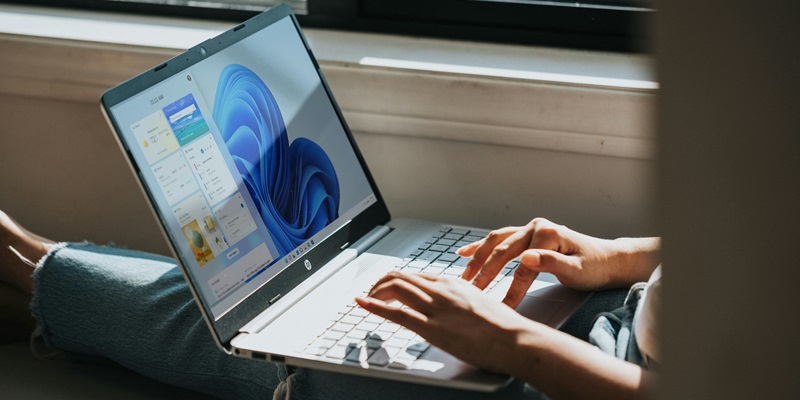
Microsoft has introduced a revamped Start Menu for Windows 11, now available to testers in the Insider program’s Beta channel. This latest update aims to enhance the user experience by unveiling a new layout and incorporating additional features aimed at improving functionality and engagement. Among the notable enhancements is a secondary panel designed to display mobile device connectivity status and battery life, as well as to provide streamlined access to calls, messages, photos, and recent contacts. This overhaul seeks not only to simplify smartphone activity access but also to integrate incoming notifications more effectively into the Windows environment.
Enhanced Mobile Integration
Introducing the Phone Link Feature
A significant highlight of the updated Start Menu is the introduction of the Phone Link feature, which offers varying levels of integration based on the type of mobile device in use. For Android smartphone users, the experience is both flexible and diverse, offering comprehensive connectivity and synchronization options. Users can seamlessly view and manage notifications, text messages, and even transfer files directly from their mobile device to their Windows 11 PC.
However, the Phone Link feature reveals a noticeable disparity in user experience when it comes to iPhone users. Due to Apple’s stringent and conservative policies regarding third-party integrations, the level of functionality and connectivity is somewhat restrained. This limitation poses a challenge for Microsoft in providing a consistent experience across different mobile platforms, particularly when compared to the more open ecosystem of Android devices. Achieving parity in mobile integration remains a critical focus area for Microsoft’s development team.
Secondary Panel for Quick Access
The revamped Start Menu now boasts a secondary panel that enhances the overall functionality by offering quick access to essential smartphone activities. This secondary panel is crafted to display real-time updates on the connectivity status and battery life of the user’s connected mobile device. Additionally, it enables users to swiftly make calls, read and respond to messages, view recent photos, and check recent contacts without the need to switch devices constantly.
By streamlining these functions into the Start Menu, Microsoft aims to elevate user engagement and productivity. This approach minimizes the friction typically associated with juggling multiple devices, thereby fostering a more cohesive and integrated user experience. The seamless blend of mobile and desktop functionalities highlights Microsoft’s commitment to enhancing the Windows 11 ecosystem continuously.
Customization and Productivity
Enhanced Customization Options
Another prominent feature of the revamped Start Menu is the enhanced customization options, which allow users to personalize their interface according to their preferences. Users can adjust the layout to better suit their usage patterns, modify widget appearances, and integrate third-party applications directly into the Start Menu. These customization capabilities are designed to boost both productivity and user satisfaction by offering a tailored experience that aligns with individual needs and workflows.
Moreover, this level of personalization encourages users to engage more deeply with the Start Menu, as it becomes a central hub catering specifically to their requirements. By promoting a more user-centric approach, Microsoft aims to ensure that the Windows 11 Start Menu remains relevant and effective in meeting the diverse needs of its user base.
Challenges of Maintaining Consistency
Despite the numerous advantages, several challenges persist in maintaining a consistent user experience across various devices. The variability in integration, particularly for iPhone users, is a significant drawback that Microsoft needs to address continuously. Apple’s restrictive policies create hurdles that complicate the goal of providing uniform functionality across all mobile platforms. This inconsistency might deter some users from fully embracing the new Start Menu’s offerings.
In addition to addressing these integration issues, Microsoft must also regularly update the Start Menu to ensure compatibility and optimal functionality across different devices. Continuous enhancements and optimizations are necessary to keep pace with the evolving technology landscape and user expectations. As Microsoft continues to refine its offerings, users can expect future updates aimed at further elevating the Windows 11 experience.
Evolution and Continuous Improvement
Microsoft has rolled out a reimagined Start Menu for Windows 11, now available to testers in the Insider program’s Beta channel. This latest iteration aims to elevate the user experience through an updated layout and enhanced functionality. The highlight of this revamp is a secondary panel designed specifically to display mobile device connectivity status and battery life. It also offers streamlined access to essential features such as calls, messages, photos, and recent contacts. This significant update not only simplifies the way users interact with their smartphones through their PC but also aims to better integrate incoming notifications into the Windows ecosystem. Additionally, the new Start Menu layout is designed with user engagement in mind, making it more intuitive and user-friendly. By offering these advanced features and improved integrations, Microsoft is focusing on creating a seamless digital experience that bridges the gap between desktop and mobile use. This thoughtful overhaul is expected to make multitasking simpler and more efficient, catering to both casual users and professionals alike.