

A recent cascade of official warnings from international cybersecurity agencies has cast a harsh spotlight on a security tool millions of people rely on every single day for protection. For years, receiving a text message with a one-time code has been the standard for two-factor authentication (2FA), a supposedly secure layer meant to keep intruders out of your most sensitive accounts. Yet, authorities in both France and the United Kingdom are now publicly urging users to take a simple but unfamiliar step: lock their SIM cards with a PIN.
This sudden focus on a tiny piece of plastic inside your phone raises an immediate and critical question. Why now? The advice reveals a growing concern among security experts about the fundamental vulnerabilities tied to our phone numbers. It suggests that our dependence on SMS for security has created a silent but significant risk. This guide explores the reasons behind this urgent warning, walks through the steps to secure your SIM, and ultimately examines whether this measure is a sufficient defense or merely a temporary fix for a much deeper problem with SMS-based authentication itself.
The Urgent Warning a New Look at an Old Vulnerability
The coordinated advisory from French and UK cybersecurity agencies serves as a modern-day alarm bell, signaling that a long-trusted security method is no longer considered safe. The specific recommendation to enable a SIM PIN is a direct response to a growing number of account takeovers where criminals exploit the phone number as a single point of failure. By issuing this guidance, these organizations are acknowledging that the convenience of SMS 2FA has come at a steep price, leaving the average user exposed to attacks they may not even know are possible.
This official alert forces a necessary reevaluation of personal security practices. For too long, the presence of any 2FA has been seen as “good enough,” but this is a dangerous oversimplification. The warnings compel users to look past the surface-level protection and question the underlying technology. Is a security system that relies on an unencrypted, easily transferable messaging protocol truly secure? The investigation that follows suggests that while protecting your SIM card is a necessary action, it is only the first step in addressing the real threat, which lies in the inherent weaknesses of using SMS for verification.
The SIM Card Your Digital Identitys Weakest Link
To grasp the full scope of the risk, it is essential to understand the modern role of the subscriber identity module, or SIM card. Initially designed simply to connect a device to a specific mobile network, its function has expanded dramatically over the years. Today, your phone number, which is tied directly to your SIM, has become a de facto universal identifier. It is the primary method for password resets, account recovery, and identity verification across a vast array of digital services, from your email and social media to your banking and investment platforms. This evolution has transformed the humble SIM card from a simple network component into a master key for your entire digital life. When a service sends a verification code via SMS, it is not sending it to your phone; it is sending it to your phone number, which is controlled by whatever SIM card is currently associated with it. This distinction is critical because it makes the SIM a high-value prize for attackers. By gaining control of this small piece of plastic, they can intercept the very codes designed to protect you, effectively bypassing a security layer and gaining unauthorized access to your accounts.
Hardening Your First Line of Defense a Guide to SIM Security
While the security of SMS itself is questionable, protecting the physical SIM card is a foundational step that should not be overlooked. The advice from cybersecurity agencies focuses on this measure because it directly counters one specific attack vector: physical theft. If your phone is stolen, an enabled SIM PIN prevents the thief from simply removing the card, inserting it into another device, and immediately starting to receive your calls, messages, and authentication codes.
Implementing this protection is a straightforward process, but it requires careful execution to avoid accidentally locking yourself out. The following sections provide a clear, step-by-step guide for both iPhone and Android users, along with an essential precaution that must be taken before you begin. This initial layer of defense is not a complete solution, but it is a vital part of a comprehensive security strategy.
Step 1 Activating a PIN to Protect Your SIM Card
The primary goal of setting a SIM PIN is to create a security barrier that ties the SIM card to your knowledge, not just your possession of the phone. Once enabled, the PIN will be required whenever the phone is restarted or the SIM is moved to a new device. This ensures that a criminal who has stolen your device cannot use the SIM card to impersonate you and intercept verification codes sent to your phone number.
This simple yet effective security measure adds a crucial layer of protection against a common threat scenario. Without a PIN, a stolen SIM card is an open door to your accounts. With a PIN, it becomes a useless piece of plastic to anyone who does not know the code. The process for enabling it differs slightly between operating systems but is accessible to all users.
For iPhone Users Navigating to Your Security Settings
For those using an iPhone, enabling a SIM PIN is a quick process located within the device’s settings. Start by opening the Settings app and tapping on “Cellular.” In the Cellular menu, you will see an option labeled “SIM PIN.” Tapping this will take you to a screen where you can toggle the feature on.
When you first enable the SIM PIN, you will be prompted to enter your carrier’s default PIN. It is crucial to know this code before proceeding. After successfully entering the default PIN, you will be given the option to change it to a custom code that only you know. Choose a PIN that is strong and memorable but not easily guessable, such as “1234” or your birth year.
For Android Users Locating the SIM Card Lock Feature
On Android devices, the path to the SIM lock setting can vary depending on the phone’s manufacturer and the version of Android it is running. However, the feature is generally found within the security settings. A common path is to open the Settings app, then navigate to “Security” or “Security & privacy.” From there, look for an option like “SIM card lock” or “Set up SIM card lock.”
Much like with an iPhone, you will need to enter the default PIN provided by your mobile carrier to activate the feature. Once the default code is accepted, you can immediately set a new, personalized PIN. Because the location of this setting can differ, using the search bar within the Settings app and typing “SIM” or “SIM lock” is often the fastest way to find it.
Step 2 The Most Important Precaution Before You Proceed
Before you attempt to enable or change your SIM PIN, there is one paramount rule: do not guess the code. Unlike a password for an online account that may allow multiple reset attempts, the security for SIM cards is far less forgiving. Mobile carriers enforce a strict lockout policy that is designed to prevent brute-force attacks, and this system can inadvertently punish legitimate users who make a mistake.
This warning is not a minor detail; it is the most critical part of the process. Failing to heed this advice can lead to the inconvenience of being without service and the hassle of having to deal with your mobile carrier to resolve the issue. Taking a moment to prepare beforehand will ensure the process is smooth and successful.
Critical Warning Three Wrong Guesses Can Permanently Lock Your SIM
Mobile carriers typically allow only three attempts to enter the correct SIM PIN. If you enter the wrong code three times, the SIM card will be locked, and you will no longer be able to connect to the mobile network for calls, texts, or data. At this point, the only way to unlock it is by entering a “PIN Unlocking Key,” or PUK code. The PUK code is a longer, unique code associated with your specific SIM card. If you also enter the PUK code incorrectly too many times (usually ten attempts), the SIM card will be permanently disabled. This is an irreversible security measure. Once a SIM is permanently locked, it becomes completely useless, and your only option is to contact your carrier to obtain and activate a brand-new replacement SIM card, which can be a time-consuming process.
The Safe Method Contact Your Carrier for the Default PIN First
To avoid any risk of locking your SIM card, the safest course of action is to obtain the default PIN directly from your mobile provider before you begin. If you have never set a SIM PIN before, your card has a default code assigned by the carrier, which is often a generic number like “1111” or “1234,” but it can vary.
Do not assume you know the default. Contact your carrier’s customer support through their website, app, or by phone and ask for the default SIM PIN for your account. With the correct code in hand, you can confidently navigate to your phone’s settings, enter the default PIN when prompted, and then immediately change it to a secure, personalized code of your choosing. This simple preliminary step eliminates all guesswork and prevents an accidental lockout.
Why a SIM PIN Is Only a Partial Fix for a Deeper Problem
Implementing a SIM PIN is a commendable and necessary security step that effectively hardens your device against physical theft. It successfully closes a loophole that allows a stolen phone to become a tool for widespread account compromise. However, its protection is limited to that specific scenario. The SIM PIN does nothing to defend against more sophisticated and increasingly common attacks that target the fundamental vulnerabilities of the SMS protocol itself.
These remote attacks do not require the attacker to have physical possession of your phone or your SIM card. Instead, they exploit weaknesses in telecommunication systems and human processes to intercept your messages or take control of your phone number from afar. Therefore, while locking your SIM is a valuable deterrent, it should be viewed as a single layer of a multi-layered defense, not as a complete solution to the problems posed by SMS-based 2FA.
The Real Danger Understanding SIM Swapping Attacks
The most significant threat that a SIM PIN cannot prevent is a SIM-swapping attack. In this type of scam, a criminal does not need to steal your phone; they steal your phone number. The attack relies on social engineering, where the fraudster contacts your mobile carrier’s customer support and impersonates you. They use personal information, often gathered from data breaches or social media, to convince the support agent that they are the legitimate owner of the account and need to transfer the phone number to a new SIM card that the attacker controls. If the deception is successful, the carrier deactivates your SIM card and transfers your phone number to the attacker’s SIM. From that moment on, all your incoming calls and text messages, including 2FA codes, are routed to the criminal’s device. You will only notice when your own phone suddenly loses service. By then, the attacker may have already used the intercepted codes to reset passwords and seize control of your most important accounts.
The Inherent Flaw SMS Messages Are Not Secure
Beyond the threat of SIM-swapping, the technology behind SMS is inherently insecure. Warnings from government bodies like the FBI and the Cybersecurity and Infrastructure Security Agency (CISA) have long highlighted that SMS is not a secure communication channel. Unlike modern messaging apps that use end-to-end encryption, SMS messages are transmitted in plain text over the cellular network.
This lack of encryption makes them susceptible to interception by determined attackers with the right tools and technical knowledge. While this type of interception is more complex than a SIM-swapping scam, it is a known vulnerability within the global telecommunications infrastructure. Relying on an unencrypted, legacy technology to transmit sensitive information like authentication codes is a security practice that is fundamentally flawed and outdated.
Upgrading Your Security Superior Alternatives to SMS 2FA
The growing consensus among cybersecurity professionals is unequivocal: the time has come to migrate away from SMS for two-factor authentication on any account that holds sensitive information. The vulnerabilities associated with phone numbers, from SIM-swapping to direct interception, are too significant to ignore. Fortunately, more secure and reliable authentication methods are widely available and easy to use.
These superior alternatives sever the link between your account security and your vulnerable phone number, grounding your digital identity in methods that you directly control. By moving to these stronger forms of verification, you can protect yourself from the entire class of attacks that exploit the weaknesses of the SMS protocol, ensuring your accounts remain secure even if your phone number is compromised.
The Better Option Using an Authenticator App
A significantly more secure alternative to SMS is an authenticator app. Applications like Google Authenticator, Microsoft Authenticator, or Authy generate time-based one-time passcodes (TOTP) directly on your device. These codes are created by a shared secret key that is established between the app and your online account during setup. The code generation happens entirely offline, meaning it does not rely on the cellular network. Because the codes are generated on your physical device and are not transmitted via text message, this method is completely immune to SIM-swapping and SMS interception attacks. An attacker would need to gain physical control of your unlocked phone and bypass its security to get access to your codes. For this reason, switching all compatible accounts from SMS to an authenticator app is one of the most impactful security upgrades a user can make.
The Gold Standard Embracing Passwordless Passkeys
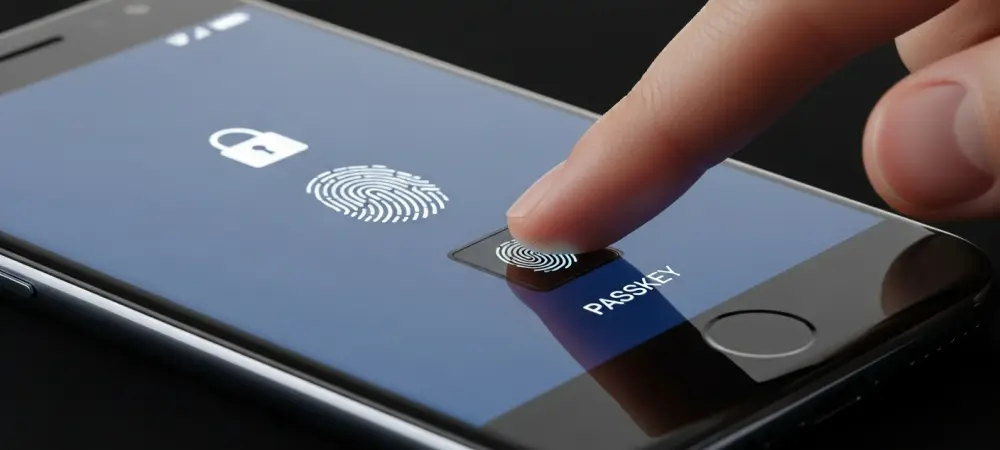
The most advanced and user-friendly authentication method available today is passkeys. Backed by a powerful alliance of tech giants like Apple, Google, and Microsoft, passkeys are designed to replace passwords and traditional 2FA methods entirely. A passkey uses the biometric sensors on your device (such as a fingerprint or facial scan) or a physical hardware key to verify your identity, creating a unique cryptographic key pair for each login. This technology is inherently resistant to phishing because the passkey is bound to the specific website or app it was created for, making it impossible for a user to be tricked into using it on a fake site. The login process is both more secure and more convenient than typing a password and a 2FA code. As more services adopt this standard, passkeys represent the future of digital authentication, offering a truly passwordless and robust defense against account takeovers.
Your Action Plan a Security Checklist for Migrating Off SMS
To translate this guidance into concrete improvements, follow this checklist to systematically enhance the security of your digital accounts. Taking these steps will move you from a vulnerable position of relying on SMS to a fortified one based on modern authentication standards.
- Audit Your Accounts: Begin by reviewing your most critical accounts, such as primary email, financial institutions, and social media platforms. Make a list of which ones are currently using SMS for two-factor authentication or account recovery.
- Implement a SIM PIN: As an immediate protective measure, follow the guide outlined earlier in this article to set a unique PIN for your SIM card. This provides an essential first line of defense against physical theft.
- Switch to an Authenticator App: For every account that supports it, navigate to the security settings and change your 2FA method from SMS to an authenticator app. This is the single most important step for protecting against SIM-swapping.
- Adopt Passkeys Where Available: Check if your key services, especially from major tech providers, now support passkeys. Enabling passkeys provides the highest level of security currently available and simplifies your login experience.
- Remove Your Phone Number: After you have successfully set up an authenticator app or passkey for an account, go back into the security settings. If the service allows it, remove your phone number entirely as a 2FA or recovery option to close the vulnerability completely.
Final Verdict Take Control of Your Account Security Now
The clear warnings from global cybersecurity agencies represented a pivotal moment in consumer security awareness. These advisories were not merely about protecting a SIM card; they signaled that the era of relying on SMS for authentication was definitively over. While locking a SIM with a PIN proved to be a prudent and necessary step to guard against the consequences of physical device theft, it was ultimately shown to be a minor patch on a major, systemic vulnerability. The only effective and lasting strategy that emerged was a proactive migration of all critical accounts to stronger, more modern authentication methods. The analysis made it clear that waiting for an attack to demonstrate the weakness of SMS-based 2FA was a risk not worth taking. The path forward was to take control by switching to authenticator apps or adopting passwordless passkeys, thereby securing one’s digital life on a foundation of technology designed for the threats of today, not the conveniences of the past.