

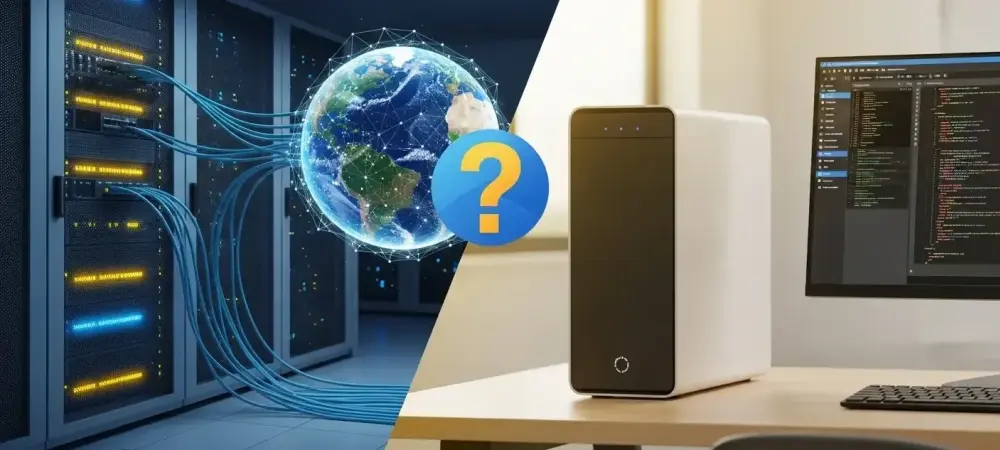
The rapid evolution of artificial intelligence has forced a fundamental rethink of how developers interact with their codebases, and the Model Context Protocol (MCP) now stands at the very center of this transformation. As organizations move beyond simple chatbots toward sophisticated autonomous agents, the bridge between an AI model and a software development lifecycle must be both robust and secure. Microsoft has addressed this need by expanding the Azure DevOps MCP Server ecosystem, moving from experimental local tools to sophisticated, hosted cloud solutions. This shift effectively turns static project data—including pull requests, pipelines, and work items—into a dynamic, agent-accessible infrastructure.
Choosing the right architecture is no longer just a technical preference; it is a strategic decision that impacts enterprise security, deployment speed, and long-term developer overhead. While the local MCP server repository provided the initial spark for this integration, the emergence of the Azure DevOps Remote MCP Server represents a more polished, cloud-native approach. These servers serve as the essential middleware that allows models to “see” and “understand” the context of a project within platforms like Microsoft Foundry or Azure DevOps Services. Understanding the nuances between a self-managed local setup and a Microsoft-hosted remote endpoint is critical for any team aiming to build reliable AI-driven workflows.
Comparative Analysis of Remote and Local Architectures
Deployment, Hosting, and Maintenance
The infrastructure requirements for these two versions differ significantly in terms of where the “heavy lifting” occurs. A local MCP server requires execution on individual machines or within a team’s specific local environment, meaning every developer or administrator is responsible for their own instance. This decentralized approach can lead to version drift and inconsistent performance across a large team. In contrast, the Remote MCP Server operates as a fully hosted service provided by Microsoft. By utilizing streamable HTTP transport, it eliminates the need for any local installation or manual binary management, allowing users to connect their AI agents via a simple, unified URL.
Maintenance burdens shift accordingly when moving from local to cloud-hosted environments. With the local version, the responsibility for security patches, performance tuning, and updates falls squarely on the shoulders of the user. However, the Microsoft-hosted server shifts this management responsibility entirely to the cloud provider. As Microsoft prepares to eventually archive local repositories in favor of the remote version, the message is clear: the hosted model is designed for those who want to spend their time building agents rather than managing the plumbing that connects them.
Security, Identity, and Governance
Authentication represents perhaps the most stark contrast between the two architectures. The Remote MCP Server is built to leverage Microsoft Entra for deep, native integration with an organization’s existing identity rules and conditional access policies. This allows for a seamless inheritance of the enterprise security posture, ensuring that an AI agent cannot bypass the permissions already established for human users. Local servers, meanwhile, often rely on manual token management or Personal Access Tokens (PATs). This manual approach lacks the automated, top-down governance that characterizes modern enterprise-grade cloud services.
Governance in the remote version is further refined through specialized “agentic” security features designed specifically for autonomous behavior. For instance, the X-MCP-Readonly header serves as a hard safety rail, forcing a read-only state that prevents an agent from accidentally deleting work items or modifying critical code. Additionally, the X-MCP-Toolsets header allows administrators to implement granular scoping, granting an agent access to “Work Item Tracking” while strictly blocking it from “Repos” or “Pipelines.” These native headers provide a level of oversight that is difficult to replicate in a local environment without building significant custom middleware.
Connectivity, Integration, and Compatibility
Compatibility with external AI clients is a major factor for teams using a diverse toolchain. Both the remote and local versions aim to support popular environments like Visual Studio Code, Claude Desktop, and GitHub Copilot, but the ease of connection varies. The Remote MCP Server is designed to be the backbone of Microsoft Foundry, enabling developers to create internal workflow agents that query real-time project context without the friction of local setup. This allows for a more “plug-and-play” experience when building agents that need to summarize sprint statuses or analyze pipeline reliability across different LLMs.
However, the local server maintains a specific advantage in the realm of on-premises infrastructure. Currently, the Remote MCP Server is optimized for Azure DevOps Services in the cloud, leaving those on the on-premises Azure DevOps Server without a direct hosted path. For these organizations, the local server remains the primary and most viable solution, as the necessary API endpoints for a remote connection are not yet available in self-hosted DevOps environments. This creates a clear divide: the remote server is the future for cloud-first organizations, while the local server remains the workhorse for legacy or high-security on-premises setups.
Practical Challenges and Considerations for Adoption
Adopting the Remote MCP Server is not without its hurdles, particularly during its public preview phase. One significant point of friction involves the manual dynamic OAuth client registration required for non-Microsoft clients. While connecting Visual Studio is straightforward, using platforms like ChatGPT or Claude Code currently demands a more involved setup process within Microsoft Entra. This technical overhead can temporarily stall the adoption of hosted workflows for teams that rely heavily on third-party AI interfaces.
There is also a strategic migration path to consider as Microsoft moves toward general availability. The eventual archiving of local MCP repositories means that teams currently relying on custom local workflows must begin planning for a transition to hosted endpoints. This transition can be complicated for organizations with highly customized local environments that do not yet align with the cloud preview’s standardized offerings. Furthermore, the “read-only” default of many remote tools, while safe, requires a shift in how teams perceive AI autonomy, moving from a model of “action” to one of “informed oversight.”
Strategic Recommendations for Choosing an MCP Solution
The decision between a remote or local MCP server ultimately hinged on the specific scale and security requirements of the development team. For enterprise organizations that prioritized centralized governance and scalability, the Azure DevOps Remote MCP Server became the clear choice. By integrating with Microsoft Entra and Microsoft Foundry, these teams successfully reduced the friction of deploying AI agents across large departments while maintaining a rigid security boundary that local installations simply could not match. Smaller teams or those operating in highly restricted on-premises environments found it more practical to remain on the local MCP server. This allowed for greater manual control and provided a bridge for those using older versions of Azure DevOps Server where cloud-hosted APIs were unavailable. For these specialized use cases, the local repository offered the flexibility needed to build custom, air-gapped integrations that the public cloud preview did not yet support.
Ultimately, the choice depended on whether a team valued “agentic infrastructure” and hosted ease-of-use over the granular, manual control of local execution. As the ecosystem matured, the transition toward hosted models became the industry standard for those seeking to automate complex software lifecycles safely. Organizations were encouraged to audit their current DevOps hosting and identity management before committing to a path, ensuring their chosen MCP architecture aligned with their long-term digital transformation goals.