
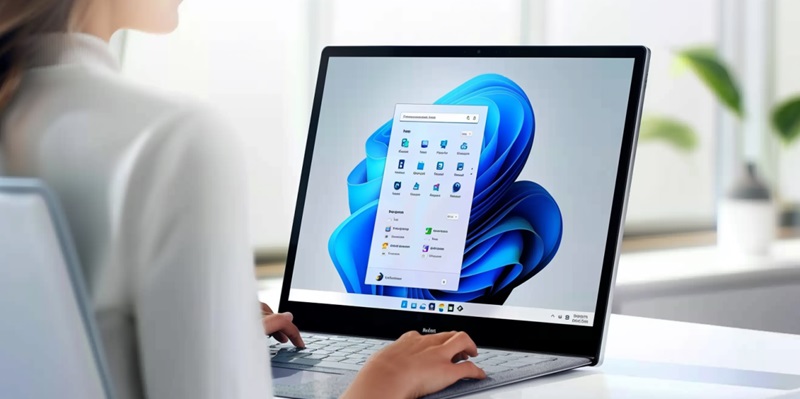
Is Microsoft Recalling Windows 11 24H2 Over Privacy Fears?

In the ever-evolving world of operating systems, privacy often takes center stage, a fact Microsoft knows all too well. Recently, the tech giant put the brakes on the deployment of Windows 11 version 24H2 to the Release Preview Channel. This decision came hot on the heels of the introduction—and subsequent outcry—over the new Recall feature, which raised alarm bells among privacy-conscious users. Microsoft’s initial attempts to mitigate concerns largely fell flat, even though they asserted Recall was an opt-in feature. Ultimately, they chose to retract the build quietly, a stark contrast to the earlier, more public discussions surrounding the feature’s debut.

A Response to User Feedback?

The retreat from the public eye is rare for a company that typically prides itself on transparency. The only nod to the retraction of the build was a discreet edit to the release notes, implying that the removal was a reactive measure. This move, coupled with user privacy concerns, paints a picture of a company that’s receptive to feedback and determined to avoid any misstep that could dent its reputation. Yet whispers suggest additional, undisclosed reasons for the pullback, related to a multitude of issues with the build—a startling revelation given its near-completion status.

Implications for Future Rollouts

In the dynamic landscape of operating systems, privacy is often at the forefront of both users’ and developers’ priorities. Microsoft, acutely aware of this, paused the release of Windows 11 version 24H2 to their Release Preview Channel, a move that came shortly after they faced backlash concerning their new Recall function. This feature sparked concerns among those vigilant about their privacy rights. Microsoft tried to allay fears by noting that Recall was optional, but their explanations didn’t resonate with the wary public. Eventually, recognizing the controversy, Microsoft discreetly withdrew the update—a move that stood in stark contrast to the fanfare that initially accompanied the feature’s introduction. This balancing act between innovation and user privacy continues to challenge tech companies, reflecting a broader debate on how much control users should have over their digital environments.

Explore more

How Is Workday Using AI to Shift From Copilots to Autopilots?

The global corporate landscape is currently witnessing a fundamental transition in how digital systems govern the daily operations of multi-billion-dollar enterprises through autonomous intelligence. At the heart of this transformation is the deliberate shift from “copilots”—assistants that require constant human prompting—to “autopilots” that are capable of executing complex workflows independently. This strategic evolution, particularly evident in the 2026 market environment,

AI Adoption in ERP Systems Sparks Tension With Security Teams

Successful integration of new technology depends on establishing proven controls and maintaining transparency between business units and security departments. This fundamental principle is currently being tested as the rapid collision between autonomous enterprise software and traditional risk management creates a visible fault line in modern corporate architecture. Currently, the landscape of corporate operations is undergoing a fundamental transformation as Enterprise

How to Apply for WDRA Deputy Director HR Recruitment 2026?

Applicants must ensure their current department forwards the necessary documentation to the Assistant Director of Human Resources at the Siri Institutional Area. This specific recruitment drive by the Warehousing Development and Regulatory Authority arrives at a time when the strategic management of human capital has become a cornerstone for maintaining national logistics standards. As the regulatory framework for warehousing undergoes

Is Linux Mint Now a Better Desktop Choice Than Ubuntu?

Linux Mint’s Software Manager maintains a firm stance on user autonomy by blocking the Snap format by default while providing seamless access to traditional packages and Flatpak applications. This ideological separation highlights the broader divergence currently occurring in the Linux world throughout 2026, where the definition of a user-friendly operating system is being fundamentally re-evaluated. While Ubuntu was historically the

How to Quickly Sign PDF Documents Using Your Mac’s Preview App

Mac owners can use their trackpads or even an iPhone screen as a high-precision input device for generating clean signatures on electronic forms. In an era where digital agility is paramount, the reliance on traditional paper-based workflows has become a relic of the past, yet many professionals still struggle with the perceived complexities of electronic document authorization. While various specialized