

The landscape of desktop computing has reached a critical juncture where the demand for specialized, high-performance environments often clashes with the limitations of aging software architectures. While established players in the open-source community have spent decades refining their interfaces, System76 made the daring decision to rewrite the rules by introducing an entirely new desktop environment known as COSMIC. This transition marked a departure from the traditional reliance on modified existing frameworks, signaling a new era of self-reliance for operating system developers. By building a desktop from the ground up, the team sought to eliminate the technical debt associated with older codebases while simultaneously addressing the evolving needs of both professional developers and casual users. This strategic pivot was not merely about aesthetic changes but represented a fundamental shift in how hardware and software should interact to provide a cohesive, reliable, and exceptionally fast user experience.
Architecting System Stability: The Impact of Rust and Wayland
At the core of this technological evolution lies the decision to utilize the Rust programming language, which has become a cornerstone of modern, secure software development. Unlike traditional languages that often struggle with memory management errors, Rust provides a robust framework that virtually eliminates common bugs like buffer overflows and segmentation faults. This choice ensures that the desktop environment remains stable even under heavy workloads, providing a level of reliability that is often difficult to achieve when patching older systems. Furthermore, by moving away from the GNOME ecosystem, the developers gained the freedom to implement specialized features and deep optimizations that were previously impossible due to upstream restrictions. This independence allowed for a more agile development cycle where new ideas could be tested and deployed without waiting for approval from external governing bodies, fostering a culture of innovation that is tailored specifically to the needs of their user base.
The integration of the Wayland display protocol further solidifies this commitment to a modern foundation, replacing the venerable but increasingly insecure X11 system. Wayland offers a more streamlined approach to graphics rendering, resulting in smoother animations and a more responsive interface that takes full advantage of modern graphics hardware. Beyond performance, Wayland significantly enhances security by isolating applications from one another, preventing malicious software from capturing keystrokes or snooping on other active windows. While the strict security model of Wayland initially posed challenges for certain features like screen sharing and global hotkeys, the development team worked diligently to create standardized bridges that maintain safety without sacrificing functionality. This focus on a secure-by-default architecture ensures that the platform is ready for the rigors of modern computing, where privacy and data integrity are paramount for both individual users and large-scale corporate deployments.
Practical Deployment: Installation and Hardware Standards
Successfully deploying this new interface requires an understanding of its specific hardware requirements, as the system is designed to leverage the capabilities of contemporary machines. While it is technically possible to run the environment on older hardware with at least 4GB of RAM, the experience is vastly improved when paired with a dedicated graphics processor and modern multi-core CPUs. Users who attempt to test the system within a virtual machine may encounter limitations in performance, as the desktop shell is highly optimized for direct hardware access to ensure fluid interactions. This emphasis on modern specifications is a deliberate choice intended to future-proof the operating system, ensuring that it remains snappy and effective as software demands continue to increase over the coming years. By prioritizing direct hardware acceleration, the environment avoids the lag and stuttering that often plague desktops that rely heavily on software-based rendering or legacy driver support.
The onboarding process has been carefully crafted to accommodate individuals transitioning from various backgrounds, offering a high degree of familiarity through diverse layout presets. Upon the initial boot, users are presented with a series of configuration options that allow them to emulate the interface styles of other popular operating systems, such as a traditional taskbar or a more modern application dock. This level of customization is handled through a streamlined setup wizard that makes it easy for newcomers to feel at home without needing to dive deep into complex configuration files. Moreover, the system provides a comprehensive set of settings that allow for granular control over every aspect of the desktop appearance and behavior. By offering these familiar touchpoints, the platform lowers the barrier to entry for those curious about open-source alternatives, proving that a powerful and technically advanced environment can also be approachable and easy to navigate for the average person.
The Visual Paradigm: Symmetry in Design and Application
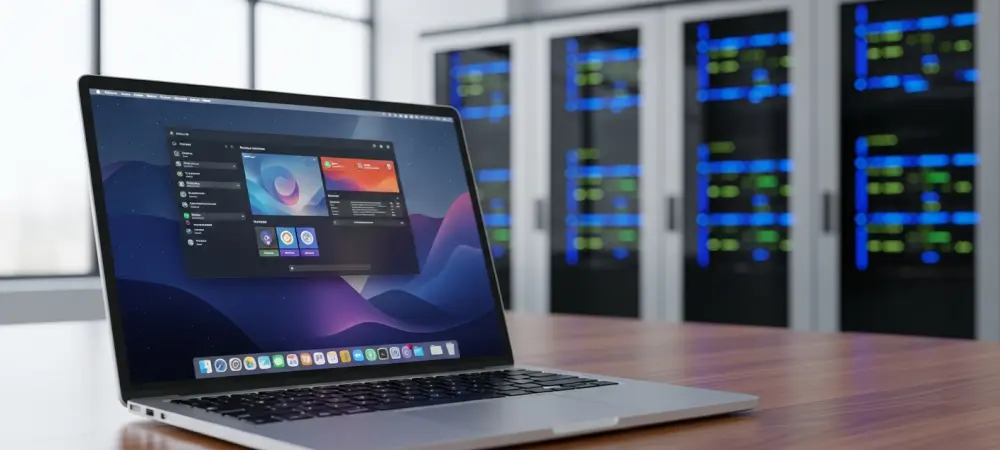
Aesthetically, the desktop presents a refined and professional appearance that distinguishes it from more cluttered or utilitarian environments. The design language focuses on clean lines, a sophisticated dark theme, and high-contrast elements that improve readability and reduce eye strain during long working sessions. While the project is relatively young and might occasionally exhibit minor visual inconsistencies or panel refresh issues, these are quickly being addressed through a rapid update cycle that prioritizes user feedback. The overall feel is one of a premium, cohesive product that rivals the visual polish of major commercial operating systems. This attention to detail extends beyond just the desktop shell, influencing how notifications are displayed, how menus are structured, and how window decorations are handled. The result is a workspace that feels intentional and integrated, providing a calm and focused environment that allows the user to concentrate on their tasks rather than fighting with the interface. To complement this visual identity, the developers have introduced a custom suite of native applications that share the same design DNA as the main desktop environment. These tools, including a file manager, a text editor, and a highly configurable terminal emulator, are built using the same toolkit as the shell itself, ensuring a uniform look and feel across the entire system. Because these applications are developed in-house, they feature consistent keyboard shortcuts and interaction patterns, which greatly reduces the cognitive load on the user. For instance, the file manager is optimized for both mouse and keyboard navigation, while the terminal offers advanced performance features that cater to the needs of system administrators and developers. This holistic approach to software design ensures that the operating system feels like a single, well-thought-out tool rather than a collection of disparate programs, creating a sense of continuity that is often missing in other fragmented software ecosystems.
Operational Efficiency: Tiling Workflows and Market Dynamics
One of the most impactful features for power users is the integrated auto-tiling functionality, which fundamentally changes how people manage their screen real estate. Instead of manually resizing and positioning windows, the system can automatically arrange them into a non-overlapping grid that maximizes the use of every available pixel. This is particularly beneficial for professionals who need to reference multiple documents, code editors, and terminal windows simultaneously, as it eliminates the time wasted on window management. The tiling system is highly flexible, allowing users to easily toggle it on or off or customize how windows are distributed based on their specific needs. By bridging the gap between traditional floating window managers and specialized tiling environments, the platform offers a unique middle ground that satisfies both casual users who prefer simplicity and experts who demand maximum efficiency. This focus on workflow optimization demonstrates a deep understanding of how modern professionals use their computers. By building upon the established Ubuntu infrastructure, the platform gains access to one of the largest software repositories in the world while providing a much more modern user experience. This strategic decision allows users to enjoy the stability and vast hardware support of a mature base while benefiting from the cutting-edge features of a bespoke desktop environment. It positions the project as a formidable competitor in the market, offering a compelling alternative for those who want the freedom of open source without the complexity often associated with it. As the project continues to mature, it is increasingly seen as a viable choice for high-end workstations and professional environments where performance and reliability are critical. The combination of a secure, Rust-based core and an intuitive, user-centric design makes it a strong contender for the title of the premier Linux desktop experience. This evolution reflects a broader trend toward more integrated and specialized distributions that prioritize the user journey above all else.
Looking Backward: The Successful Evolution of Modern Desktops
The development of this environment showcased how a hardware-focused company could successfully transition into a major software architect. Organizations that adopted the platform realized significant gains in developer productivity due to the reduced overhead of window management. The decision to prioritize memory safety proved to be a masterstroke, as it lowered long-term maintenance costs and increased user trust. Moving forward, stakeholders engaged with the ecosystem by contributing to the growing library of Rust-based tools. This proactive involvement ensured that the platform did not just exist as a static product but evolved into a living ecosystem. Users found that by embracing these modern protocols, they could bypass the security vulnerabilities of previous decades. The project provided a clear roadmap for others to follow by demonstrating that independence from traditional upstream sources was not only possible but beneficial for rapid innovation. Future considerations now involve expanding this architecture into even more diverse hardware categories and use cases.