
Is Apple’s macOS Calculator App Getting a Major Overhaul?

As a tool that many of us use on a daily basis, whether for quick arithmetic or more complex calculations, the macOS Calculator is set for a significant update. This will be music to the ears of many who have often considered Apple’s Calculator as a fairly static component in the larger, more dynamic macOS feature set. The tech giant plans to unveil this new version at its renowned Worldwide Developers’ Conference, an event that has continuously served as a platform for groundbreaking releases.

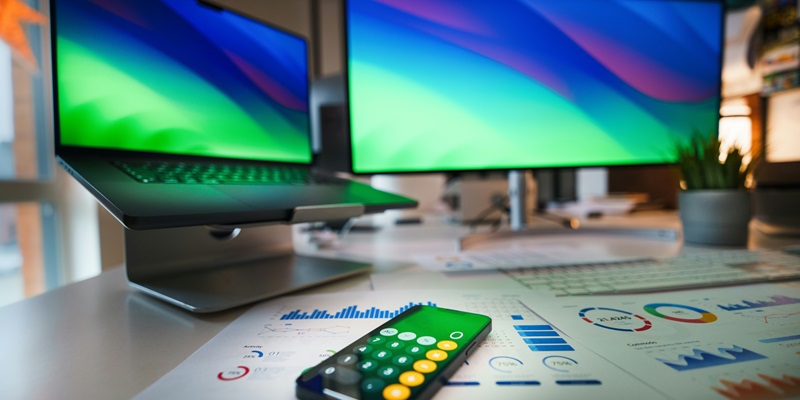
The upgraded Calculator will boast a revamped aesthetic. Users can expect round number buttons that break away from the current square design, bringing it more in line with the sleek, modern look prevalent in the latest software trends. Moreover, Apple is attentive to practicality with an adaptation to the size of the Calc’s window—a much-requested feature. As users expand or minimize the window, the calculator’s keys will adjust proportionally, making it adaptable to different user needs and screen sizes.

Functional Improvements and Integrations

Apple’s macOS 15 upgrade brings a game-changing feature to its Calculator app—a calculation history, enhancing the user experience by offering an easy way to track past calculations, a boon for those requiring meticulous record-keeping across various domains. Additionally, the integration with the Notes app simplifies workflow, allowing seamless saving of calculations, which enhances data referencing and organization.

A major addition is the in-app currency converter, streamlining what used to be a more convoluted process and marking a step toward a more cohesive user interface. These updates underscore Apple’s commitment to improving the practicality and enjoyment derived from their software offerings. With these improvements, Apple continues to refine the inherent simplicity of their products while introducing new levels of convenience, thus reinforcing its standing in the technological domain.

Explore more

How Is Workday Using AI to Shift From Copilots to Autopilots?

The global corporate landscape is currently witnessing a fundamental transition in how digital systems govern the daily operations of multi-billion-dollar enterprises through autonomous intelligence. At the heart of this transformation is the deliberate shift from “copilots”—assistants that require constant human prompting—to “autopilots” that are capable of executing complex workflows independently. This strategic evolution, particularly evident in the 2026 market environment,

AI Adoption in ERP Systems Sparks Tension With Security Teams

Successful integration of new technology depends on establishing proven controls and maintaining transparency between business units and security departments. This fundamental principle is currently being tested as the rapid collision between autonomous enterprise software and traditional risk management creates a visible fault line in modern corporate architecture. Currently, the landscape of corporate operations is undergoing a fundamental transformation as Enterprise

How to Apply for WDRA Deputy Director HR Recruitment 2026?

Applicants must ensure their current department forwards the necessary documentation to the Assistant Director of Human Resources at the Siri Institutional Area. This specific recruitment drive by the Warehousing Development and Regulatory Authority arrives at a time when the strategic management of human capital has become a cornerstone for maintaining national logistics standards. As the regulatory framework for warehousing undergoes

Is Linux Mint Now a Better Desktop Choice Than Ubuntu?

Linux Mint’s Software Manager maintains a firm stance on user autonomy by blocking the Snap format by default while providing seamless access to traditional packages and Flatpak applications. This ideological separation highlights the broader divergence currently occurring in the Linux world throughout 2026, where the definition of a user-friendly operating system is being fundamentally re-evaluated. While Ubuntu was historically the

How to Quickly Sign PDF Documents Using Your Mac’s Preview App

Mac owners can use their trackpads or even an iPhone screen as a high-precision input device for generating clean signatures on electronic forms. In an era where digital agility is paramount, the reliance on traditional paper-based workflows has become a relic of the past, yet many professionals still struggle with the perceived complexities of electronic document authorization. While various specialized