

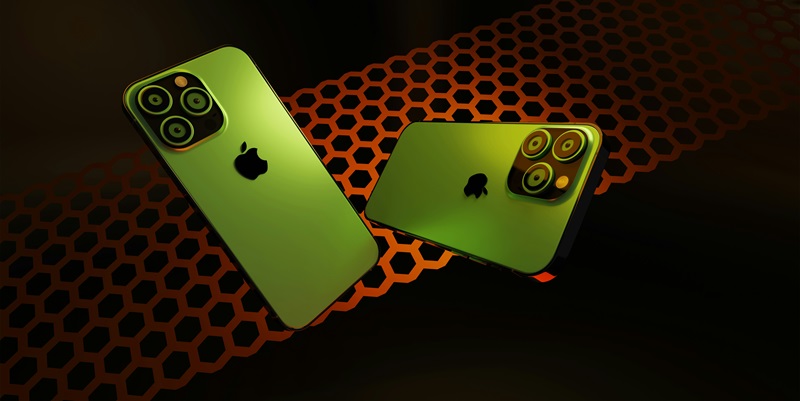
The highly anticipated launch of the Apple iPhone 16 series has brought with it the introduction of Apple Intelligence, an innovative suite of features integrated with iOS 18. Designed to enhance daily tasks, Apple Intelligence focuses on usability and productivity, aiming to revolutionize the way smartphones are used. Among the novel features introduced are AI-supported writing tools for grammar checks, summaries, and rewriting, which significantly streamline communication. The Clean Up in Photos tool, reminiscent of Google’s Magic Eraser, simplifies photo editing by removing unwanted elements. Additionally, Notification Summaries leverage AI to generate concise overviews of notifications, proving beneficial for users with packed schedules. Focus Mode further curates the importance of notifications, allowing less significant alerts to be muted. Other features like Genmoji and Image Wand cater to creativity, enabling personalized emoji creation and transforming pencil marks into aesthetically pleasing images, appealing to both artists and casual users alike.
Innovative Features Enhancing Usability and Productivity
One of the standout features of Apple Intelligence is the AI-supported writing tools that are integrated with iOS 18. These tools include grammar checks, summaries, and rewriting capabilities, offering users a more efficient way to handle written communication on their devices. By automating these tasks, Apple Intelligence helps users save time and effort, allowing them to focus on more important matters. The tools are designed to work seamlessly with existing apps, providing suggestions and corrections in real-time, which can be particularly useful for professionals and students alike. Another innovative addition is the Clean Up in Photos tool, which simplifies the photo editing process. This feature, similar to Google’s Magic Eraser, allows users to easily remove unwanted elements from their pictures. By harnessing the power of AI, the tool can identify and erase objects or people that detract from the overall image quality, offering users a quick and effective way to enhance their photos without the need for advanced editing skills.
Moreover, the Notification Summaries feature addresses the common issue of notification overload by using AI to generate concise overviews of alerts. This feature benefits users with busy schedules, as it helps them quickly assess the importance of incoming notifications without having to go through each one individually. Paired with the Focus Mode, which mutes less significant alerts, these tools work together to ensure that users are not constantly interrupted by their devices. Instead, they can maintain their concentration on tasks at hand, thereby boosting productivity. Genmoji and Image Wand are two more creative features introduced with Apple Intelligence. Genmoji allows users to create personalized emojis, adding a unique touch to their digital communication. Meanwhile, Image Wand is designed for artists and casual users, converting simple pencil marks into visually appealing images. These tools highlight Apple’s commitment to fostering creativity, demonstrating that the company is not solely focused on productivity enhancements but also aims to provide users with enjoyable and engaging experiences.
Missing Features and Future Updates
However, it is worth noting that several promised features are missing from this initial release of Apple Intelligence. Significant upgrades for Siri, for instance, have been postponed until iOS 18.4, which hinders the virtual assistant’s full capabilities. This delay means that users will have to wait a bit longer before they can experience the enhanced functionalities that were originally anticipated. Another anticipated feature, the Image Playground, which would generate images from textual descriptions, has also been delayed. This feature holds significant potential for creativity, particularly for users who enjoy experimenting with visual content. The integration of On-Screen Awareness, expected to make Siri more intuitive by incorporating it on-screen, will come in future updates, either iOS 18.3 or 18.4. This staggered release of features may seem disappointing to some, but it reflects Apple’s strategic decision to ensure all functionalities are rigorously tested before they are made widely available.
Furthermore, the current rollout of Apple Intelligence is limited to the United States. Support for additional languages, including Chinese, French, and Spanish, is planned for the future, indicating that the company is taking a cautious approach to its international expansion. Apple likely aims to refine and perfect the new features before introducing them to a global audience. This cautious approach helps prevent the types of issues that competitors such as Microsoft and Google have faced when rushing feature releases. By staggering the deployment of new functionalities, Apple ensures that users receive a smooth and seamless experience by the time all features are available. Users in the United States can look forward to a phased introduction of updates, with improvements and new capabilities rolling out over time. This deliberate approach emphasizes quality and reliability, promising substantial enhancements to the overall user experience as new updates are incrementally released. This cautious rollout has highlighted Apple’s commitment to delivering a superior product, even at the cost of delaying certain features.
Conclusion
The much-awaited release of the Apple iPhone 16 series brings with it the new Apple Intelligence, a groundbreaking set of features paired with iOS 18. This suite is designed to boost efficiency and usability, fundamentally altering smartphone use. Notable innovations include AI-powered writing aids that handle grammar checks, provide summaries, and assist with rewriting, making communication more efficient. A standout is the Clean Up in Photos tool, similar to Google’s Magic Eraser, which simplifies photo editing by erasing unwanted elements. Notification Summaries use AI to create brief overviews of notifications, a boon for busy users. Focus Mode curates notifications, allowing only important alerts through and muting less crucial ones. For creative users, features like Genmoji and Image Wand allow the creation of personalized emojis and the transformation of pencil sketches into polished images, attracting both professional artists and casual users. These features collectively aim to reimagine smartphone productivity and creativity.