

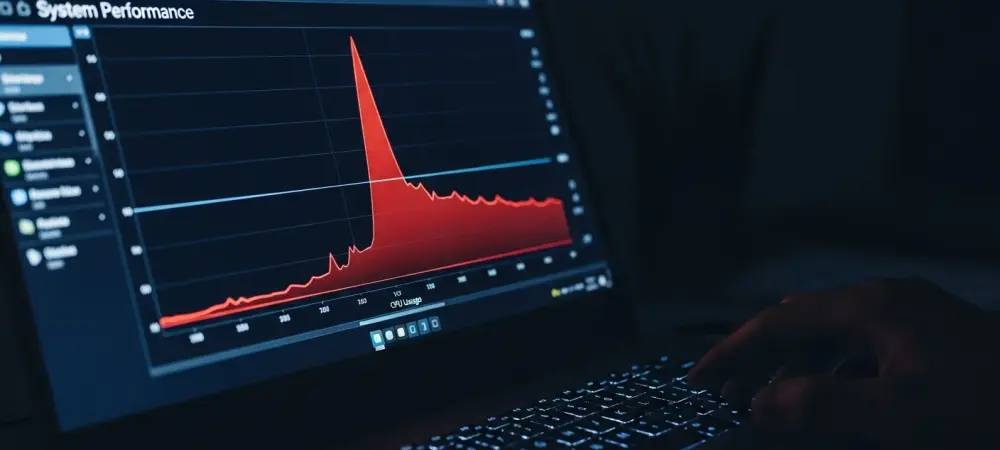
The familiar whir of a computer’s fan working overtime and the frustrating delay between a click and a response might not be signs of aging hardware, but the direct result of a recent, mandatory software patch. For many Windows 11 users, a noticeable drop in performance has become an unwelcome reality following their system’s latest automated update, leaving them to wonder if the software intended to help is actually causing harm.
That Lag You’re Feeling Isn’t in Your Head
If your once-reliable PC has started to struggle with everyday tasks shortly after installing the latest Windows 11 patch, the experience is far from unique. Across various online forums and communities, users have reported a distinct and sudden sluggishness affecting their systems. This isn’t a case of malware or impending hardware failure; instead, evidence points directly toward an official update from Microsoft as the source of this new performance bottleneck.
The issue manifests as a general lack of responsiveness, from slow application launches to inexplicable spikes in system resource usage. This post-update slowdown turns a routine security measure into a frustrating user experience, transforming a machine that was performing perfectly one day into one that feels significantly less capable the next. The core of the problem lies not in what the update fixes, but in an unannounced change it makes to system processes.
The Double-Edged Sword of Automatic Updates
In the modern computing landscape, automatic updates are a critical line of defense. They deliver essential security patches that protect against emerging threats and provide stability fixes that keep the operating system running smoothly. Disabling them is widely considered a significant security risk, forcing users to accept them as a necessary component of digital safety.
However, this mandatory process creates a dilemma when an update’s side effects are detrimental. While designed to improve the system, seemingly minor changes within these patches can have a major, negative impact on performance. The very mechanism designed to protect and enhance a PC can become the reason for its degraded responsiveness, placing users in a difficult position where system security and daily usability are suddenly at odds.
Identifying the Resource Hog in Update KB5072033
A detailed analysis of a recent Windows 11 update, KB5072033, reveals a significant and controversial change to the operating system’s startup process. The central issue is Microsoft’s decision to reconfigure the AppX Deployment Service (Appxsvc), making it an automatic startup item. This service, related to Microsoft Store apps, now launches and runs in the background from the moment a user logs in.
The primary concern is that Appxsvc is widely reported to be a resource-intensive service. Numerous users have documented instances of the service causing high CPU and memory usage, which leads directly to system slowdowns. While this may not be immediately noticeable on high-end, powerful computers, it poses a significant problem for users with lower-specification or older hardware. For these individuals, the constant background activity of Appxsvc can create a tangible and persistent negative impact on their system’s responsiveness.
Questioning the “Why” Behind Microsoft’s Quiet Change
The lack of transparency surrounding this modification has amplified user frustration. Microsoft added the information about the Appxsvc change to the update’s release notes only after its initial publication, meaning the first wave of users installed it without any knowledge of this significant alteration to their system’s startup behavior.
Microsoft’s official justification for the change is to “improve reliability in some isolated scenarios.” This vague rationale has drawn criticism, as it fails to explain why a system-wide, resource-intensive change affecting every user was implemented to address what the company itself describes as an “isolated” issue. This decision forces a performance penalty on the entire user base to solve a problem that seemingly impacts only a small fraction, a trade-off many find questionable.
Beyond the Slowdown Other Urgent Changes
While the performance degradation is the most immediate concern, the KB5072033 changelog contains other critical information. It includes an important warning that Secure Boot certificates are set to expire in June 2026. This is not a distant problem; if this update or subsequent ones are not applied, devices could be prevented from booting altogether once the deadline passes, making proactive updates essential.
The update also introduces several less critical but notable changes. Microsoft has implemented a simplified and standardized title format for Windows updates, aiming to enhance readability by removing overly technical jargon. Furthermore, an altered servicing schedule for December 2025 has been confirmed, with no non-security preview update planned for that month due to the holiday season.
The rollout of this update left many users with a clear choice between security and performance, highlighting a growing tension in the world of automated system maintenance. The incident served as a powerful reminder that even official updates can have unintended consequences, and it underscored the need for greater transparency from software developers about the changes being deployed to millions of personal computers. For the affected users, the path forward involved either accepting a slower system or taking manual steps to mitigate the update’s impact, a situation that challenged the “set it and forget it” nature of modern software maintenance.