

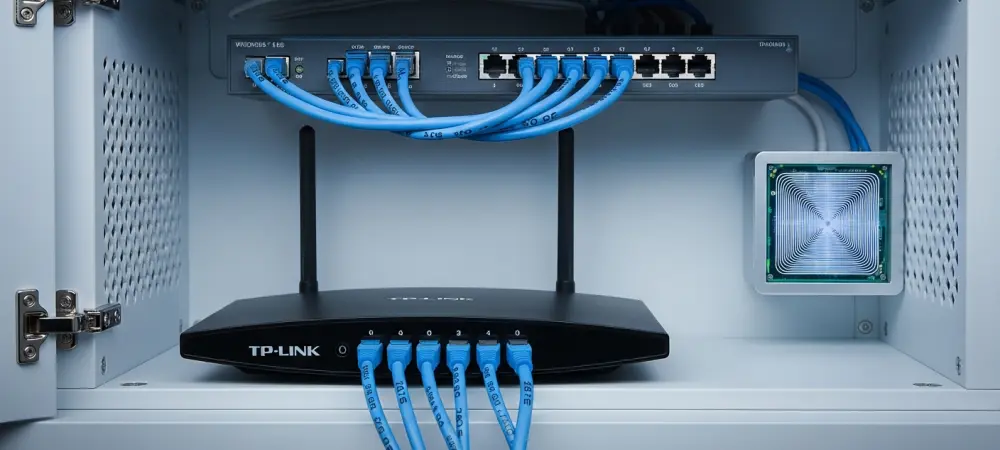
The digital landscape of 2026 demands near-perfect uptime, as residential networks now function as critical infrastructure for remote work, smart homes, and high-fidelity entertainment streams. When a TP-Link router begins to underperform, the disruptions ripple through an entire household, causing productivity losses and frustration during peak usage hours. Understanding the mechanics of these networking devices is essential for maintaining a seamless digital life, especially when minor software glitches or hardware misconfigurations manifest as major connectivity hurdles. Many users assume that hardware failure is the culprit behind every dropped signal, yet most issues stem from manageable environmental factors or outdated configurations that can be corrected without professional intervention. By adopting a methodical approach to troubleshooting, owners can restore their network stability and ensure that their high-speed internet subscription is not being throttled by local equipment. This guide explores the most frequent challenges and provides the technical steps to rectify them.
1. Addressing Slow or Unreliable Connections
To begin the troubleshooting process for a slow or unstable connection, it is necessary to eliminate the internet service provider as a potential source of the problem. Many users spend significant time adjusting router settings only to discover later that a local outage or scheduled maintenance was the true cause of the disruption. Contacting the provider’s support line or checking their official service status map can provide immediate clarity on whether the issue is internal or external. If the provider confirms that the line signal reaching the modem is healthy, the focus shifts to the internal router environment. Often, a simple discrepancy in the signal delivery can be traced back to the coaxial or fiber optic entry point, which may require a professional technician to investigate. However, if the external service is verified as stable, the user can proceed with confidence that the resolution lies within the TP-Link hardware settings or its immediate surroundings. This initial step prevents unnecessary configuration changes that could further complicate the network. Once the external service is confirmed, adjusting the internal router settings can yield significant improvements in speed and reliability. Accessing the web-based management interface or the dedicated mobile application allows for the manual selection of Wi-Fi channels, which reduces interference from neighboring networks in crowded areas. For instance, switching from an automated selection to a less congested channel on the 5GHz band can drastically decrease latency during high-bandwidth activities. Additionally, modifying the Domain Name System settings to use reputable public servers, such as those provided by Google at 8.8.8.8, often results in faster website loading times compared to default provider servers. Maintenance also plays a critical role, as installing the most current firmware is vital for ensuring the router operates on the most stable version of its operating system. Manufacturers frequently release these updates to address known performance bugs and optimize data packet handling. Regular checks for software updates ensure that the hardware remains compatible with modern web standards.
2. Managing Network Traffic Congestion
Managing network traffic congestion requires a strategic approach to how devices interact with the wireless spectrum. In a modern home filled with dozens of connected gadgets, the airwaves often become saturated, leading to packet collisions and slowed response times. The most effective way to alleviate this pressure is to transition high-demand devices, such as gaming consoles, 8K televisions, and desktop workstations, to physical Ethernet connections. By plugging these devices directly into the router’s LAN ports, the wireless bandwidth is reserved for truly mobile devices like smartphones and tablets. Furthermore, an audit of the household’s electronics often reveals several gadgets that remain connected despite being idle. Powering down or disconnecting older smart home accessories or tablets that are not in active use prevents them from performing background syncs that silently hog bandwidth. This reduction in the total number of active wireless clients allows the router’s processor to focus its resources on active tasks, resulting in a more responsive experience. For households where physical cabling is not feasible or where the sheer volume of devices exceeds the capacity of a single router, deploying a mesh network system serves as a robust solution. A traditional single-point router can struggle to manage the overhead required to maintain multiple simultaneous high-speed connections across different rooms. By integrating compatible TP-Link OneMesh or Deco units, the workload is distributed across several nodes, which facilitates more efficient data routing and reduces the strain on the primary gateway. These systems utilize sophisticated algorithms to steer devices toward the most appropriate node and frequency band, effectively preventing any single point from becoming a bottleneck. This architectural shift in the home network environment not only improves speeds but also enhances the overall stability of the connection during peak usage periods. Investing in this technology ensures that the network can scale alongside the increasing demands of modern digital life, providing a foundation for emerging applications and connected home ecosystems.
3. Fixing Limited Signal Range and Dead Zones
Fixing limited signal range and dead zones often begins with a fundamental reevaluation of the router’s physical placement within the architectural layout of the home. Many users relegate their networking hardware to inconspicuous corners, cabinets, or basements, unaware that these locations significantly impede radio frequency propagation. To achieve optimal coverage, the device should be situated in a central, elevated position, away from thick concrete walls, large mirrors, and metal appliances that reflect or absorb wireless signals. Elevating the router onto a shelf or mounting it on a wall helps the signal clear common obstacles like heavy furniture or floor-level clutter. Furthermore, maintaining a clear line of sight between the router and the most frequently used areas of the home can reduce signal attenuation. If the router’s antennas are adjustable, orienting them in different directions can help broaden the vertical and horizontal reach of the broadcast. These physical adjustments are often the most cost-effective way to eliminate dead zones without hardware purchases.
In larger properties or homes with complex layouts where placement alone is insufficient, adding signal-boosting hardware becomes a necessary intervention. Range extenders can be utilized to fill small gaps in coverage by receiving the existing signal and rebroadcasting it to adjacent areas. However, for more substantial distances or rooms separated by heavy structural materials, powerline adapters offer a more reliable alternative by utilizing the home’s existing electrical wiring to transmit data. This method bypasses the wireless interference that often plagues traditional extenders. For a more seamless experience, upgrading to a full mesh Wi-Fi system provides comprehensive home coverage with a single network name, allowing devices to transition between nodes without losing the connection. These hardware solutions are designed to work in tandem with the primary router to create a unified and robust wireless environment. By selecting the appropriate tool for the specific architectural challenge, homeowners can ensure that high-speed internet access is available in every corner of their living space consistently.
4. Strengthening Network Security
Strengthening network security is a foundational requirement for any digital environment in 2026, as the sophistication of unauthorized access attempts continues to rise. Immediately after the initial setup of a TP-Link router, it is imperative to establish a unique and complex password for the Wi-Fi network to deter intruders. Using a combination of alphanumeric characters and symbols prevents brute-force attacks that often succeed against default or simplistic credentials. Beyond the password, concealing the network identity by hiding the Service Set Identifier can provide an additional layer of obscurity. When the SSID is hidden, the network does not appear in the list of available connections for strangers searching for nearby Wi-Fi, requiring guests to manually enter the name and password. This practice makes the network a less visible target for casual hackers or neighbors looking to piggyback on the connection. While security enthusiasts debate this measure, it serves as a valuable component of a broader defense strategy that prioritizes privacy and control over the home. Further enhancing security involves deactivating certain convenient but potentially vulnerable features, such as Universal Plug and Play. While UPnP allows devices to automatically discover and communicate with each other on the network, it can inadvertently open backdoors that malware might exploit to bypass the firewall. Disabling this feature requires manual port forwarding for specific applications, but it significantly hardens the router against external threats. Concurrently, maintaining the integrity of the network depends on keeping security patches current through regular firmware updates. Manufacturers frequently release these patches to close newly discovered vulnerabilities and protect the hardware from the latest digital threats. Neglecting these updates leaves the router exposed to exploits that could compromise personal data or allow unauthorized remote management. By combining proactive configuration changes with consistent software maintenance, users can create a secure digital fortress that protects all connected devices from the ever-evolving landscape of complex cyber threats.
5. Resolving the Need for Constant Restarts
Resolving the need for constant restarts often requires a transition from reactive troubleshooting to a more proactive investigation of the home’s infrastructure. If a router requires frequent power cycles to maintain performance, the issue may not reside within the device itself but in the external wiring or power supply. Having a professional technician inspect the coaxial or Ethernet cables entering the home can rule out hardware failures caused by environmental degradation or poor installation. Frayed wires or corroded connectors can cause intermittent signal drops that mimic a router malfunction. Additionally, the power adapter itself can sometimes fail, providing inconsistent voltage that causes the internal hardware to hang or reset unexpectedly. Testing the device with a compatible power source or in a different location can help isolate these variables. If the infrastructure is sound but the problem persists, seeking expert support from the manufacturer’s customer service department is the logical next step for advanced diagnostics. To manage minor system hangs without manual intervention, automating restarts with a smart plug can be a highly effective temporary solution. By scheduling a daily power cycle during the early morning hours, the router can clear its internal cache and refresh its connection to the service provider automatically. This process prevents the gradual accumulation of minor software errors that often lead to performance degradation over several days of continuous operation. While this does not fix an underlying hardware flaw, it significantly improves the user experience by ensuring the system is fresh each morning. However, if the necessity for restarts increases in frequency despite these measures, it often indicates that the hardware is nearing the end of its functional lifespan. In such cases, considering the purchase of a new, more modern router becomes the most practical path forward. Modern devices are designed with more robust cooling and better memory management, which reduces the likelihood of the freezes that plagued older generations of networking hardware.
Implementing Sustainable Network Management
In the previous sections, the primary technical hurdles associated with modern routing equipment were analyzed and addressed through specific, actionable methodologies. The investigation into signal stability and security revealed that most performance bottlenecks were resolved by optimizing internal settings and physical placement rather than through costly hardware replacements. It was observed that maintaining current firmware and securing the network against unauthorized access created a more resilient environment for all connected devices. Furthermore, the transition to physical connections and mesh architectures successfully mitigated the congestion issues that typically disrupted high-bandwidth activities. By following these structured troubleshooting steps, users restored their connectivity and enhanced the overall efficiency of their digital infrastructure. Looking ahead, the focus should remain on consistent monitoring and proactive maintenance to prevent the recurrence of these issues. Adopting a routine of periodic software checks and environmental audits ensured that the home network remained a reliable foundation for technology.