

The persistent belief that a central processing unit somehow loses its inherent computational velocity over several years of operation often sparks heated debates within the global technology community, yet the underlying reality is far more nuanced than a simple decline in raw horsepower. While a laptop or desktop computer may undeniably feel more sluggish after five or six years of daily use, this phenomenon is rarely caused by the silicon chip physically slowing down its internal clock speed to a lower frequency. Instead, what users observe is a complex interplay between evolving software demands and the microscopic, gradual degradation of semiconductor materials that operate at the edge of physical possibility. Modern integrated circuits are marvels of precision engineering, designed with deliberate safety buffers to ensure they remain stable even as the electrical stresses of billions of switching cycles take their toll. Understanding the distinction between perceived slowdown and actual hardware fatigue is essential for anyone looking to maximize the longevity of their hardware in an era where replacement cycles are extending and sustainability is becoming a primary concern for consumers and enterprises alike. This exploration clarifies how physics, software, and environmental factors combine to influence the long-term performance and reliability of the processors that power our digital lives.
External Influences on Perceived Speed
Environmental Factors: The Impact of Thermal Throttling
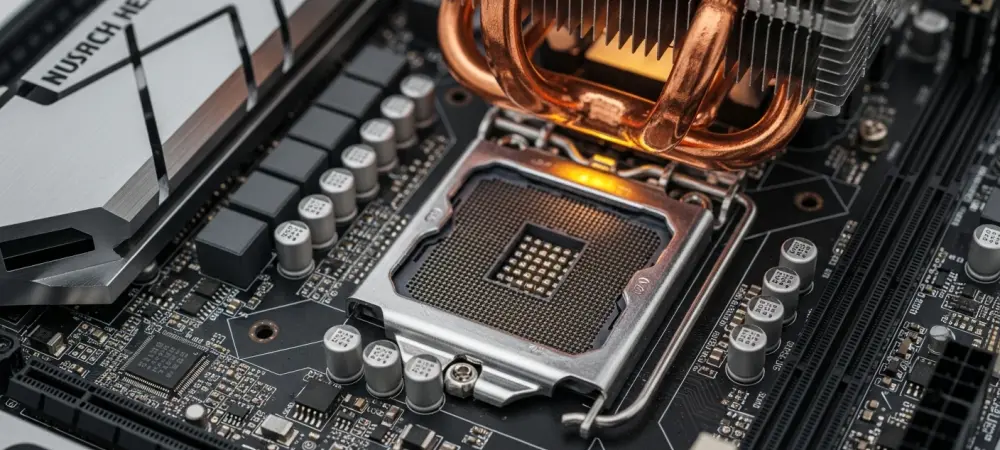
A primary reason why older computers appear to lose their original snappiness is not a failure of the silicon itself, but rather a decline in the efficiency of the cooling ecosystem surrounding the chip. Over years of operation, cooling fans accumulate dust that restricts airflow, and the thermal interface material—commonly known as thermal paste—between the processor and the heatsink begins to dry out and crack. These physical changes increase the thermal resistance of the system, making it much harder for heat to escape the processor die. When a CPU or GPU reaches its maximum safe operating temperature, built-in safeguards known as thermal throttling mechanisms engage immediately to protect the hardware from permanent damage. This process forces the chip to lower its operating voltage and clock speed, leading to a visible drop in performance during intensive tasks like high-definition video editing or complex data processing. Consequently, the user experiences a slower computer, even though the processor is technically capable of reaching its original speeds if it were simply kept at a lower temperature through proper maintenance and cleaning of the internal components. Maintaining a clean internal environment is often the single most effective way to restore a system to its factory-level performance metrics without needing to replace any core hardware components. Most modern processors are designed to operate within a specific thermal envelope, and when that envelope is breached, the reduction in clock cycles is a survival tactic rather than a sign of hardware failure. Beyond dust accumulation, the ambient temperature of the room and the overall case airflow also play significant roles in how frequently a chip must throttle its performance. If a workstation is kept in a poorly ventilated area, the heat soak can eventually lead to a permanent state of reduced frequency during heavy workloads. By replacing old thermal paste with high-performance modern compounds and ensuring that air filters are clear of debris, users can often eliminate the most common cause of perceived processor aging. This simple maintenance routine demonstrates that what many assume to be “worn-out silicon” is frequently just a hardware safety feature doing exactly what it was engineered to do in sub-optimal conditions.
Software Evolution: The Illusion of Hardware Fatigue
Beyond the physical state of the hardware, the relentless march of software development creates a performance gap that can easily be mistaken for silicon degradation. Operating systems like Windows or macOS consistently evolve, adding background processes, security features, and telemetry services that consume a larger portion of the available system resources than previous versions. Even a clean installation of a modern operating system in 2026 requires significantly more memory and processing overhead than its counterparts from only a few years ago. Web browsers have also become notorious for their resource consumption, with complex scripts and heavy media content demanding more from the CPU than ever before. When an older processor attempts to run this modern code, it may struggle to keep up with the real-time demands, creating a laggy experience. The hardware has not physically slowed down; rather, the “weight” of the tasks it is being asked to perform has increased substantially, making the original specifications feel inadequate for contemporary digital life.
This software-driven slowdown is further compounded by the optimization strategies employed by developers who prioritize the capabilities of the latest hardware architectures. New instruction sets and architectural improvements in recent processors allow modern applications to perform complex calculations more efficiently, but older chips lack these features and must use more cycles to achieve the same results. As developers move away from optimizing for older instruction sets, the relative performance of legacy hardware continues to drop in comparison to modern standards. Furthermore, the accumulation of “software rot”—consisting of redundant registry entries, fragmented file systems, and unnecessary startup applications—can bog down an otherwise healthy system over several years. This creates a cumulative effect where the user perceives a loss of hardware capability, when in reality, the processor is simply being outpaced by the shifting baseline of modern software complexity. Reinstalling the operating system or moving to lighter software alternatives often proves that the silicon remains as fast as it was on the day it was manufactured.
The Engineering Safeguards of Modern Silicon
Stability Margins: The Invisible Safety Net of Binning
The manufacturing process of semiconductors is inherently imperfect, leading to slight variations in the quality and performance capabilities of chips produced on the same silicon wafer. To account for this, manufacturers employ a process called “binning,” where each chip is tested and rated for a specific clock speed and voltage that it can reliably maintain under a wide variety of conditions. Crucially, engineers do not set these factory specifications at the absolute limit of the chip’s capability; they build in a significant stability margin, or “guardband,” to ensure long-term reliability. If a processor is sold with a rated boost clock of 5.2 GHz, the silicon itself is often capable of running at 5.3 or 5.4 GHz during its first few months of life. This extra headroom acts as an insurance policy against the natural, microscopic wear that occurs as electrons move through the circuit over several years. As the silicon slowly ages, this safety buffer absorbs the minor changes in electrical characteristics, allowing the chip to continue hitting its advertised speeds without the user ever noticing a decline. This engineered overhead is why the vast majority of computer users will never experience a direct loss of clock speed throughout the functional life of their devices. The stability margin is designed to last at least seven to ten years under standard operating conditions, which typically exceeds the useful lifespan of the computer before it becomes technologically obsolete. During the binning process, manufacturers simulate years of heavy use through accelerated aging tests to determine where these safety margins should be set. By establishing a conservative baseline for voltage and frequency, they ensure that even a “worst-case” chip from the edge of a wafer will remain stable as its transistors gradually become slightly less efficient. For the average consumer, this means that the processor remains a constant in an ever-changing system environment. While other components like hard drives or batteries might show clear signs of wear, the CPU remains protected by a layer of engineering foresight that prioritizes consistent performance over theoretical maximums that could compromise the chip’s longevity.
Voltage Curves: The Dynamic Balancing Act of Power
Modern processors are not static components that run at a single voltage; instead, they utilize sophisticated telemetry and power management controllers to adjust their electrical intake thousands of times per second. This relationship is defined by a voltage-frequency curve, which dictates exactly how much power is required for the chip to reach a certain speed. As silicon ages, the electrical properties of the transistors undergo subtle shifts, often requiring a slightly higher voltage to switch at the same speed they did when new. In a stock, non-overclocked system, the processor’s internal firmware is usually programmed to handle these minor shifts automatically. If the chip detects that it is nearing a point of instability at a specific frequency, it can request more voltage from the motherboard’s voltage regulator modules to maintain its performance targets. This dynamic adjustment is part of the “intelligence” of modern silicon, allowing hardware to adapt to its own physical state over time while maintaining the illusion of perfect consistency.
However, this balancing act has its limits, as higher voltage inherently generates more heat and places more stress on the microscopic components of the chip. This creates a feedback loop where the processor might eventually consume slightly more power to maintain the same performance levels it achieved years earlier. While this doesn’t result in a slower clock speed, it can lead to higher operating temperatures, which then triggers the thermal throttling issues previously discussed. In extremely rare cases, if a chip has aged significantly and can no longer maintain its target frequency even with increased voltage, the system will not simply run slower; it will become unstable. The dynamic nature of modern power delivery is designed to prevent this for as long as possible, keeping the processor within its functional parameters through clever firmware management. This sophisticated interaction between the silicon, the firmware, and the power delivery system ensures that the hardware remains a reliable foundation for the computer, even as the microscopic world of the processor undergoes inevitable physical changes.
The Physics of Degradation
Transistor Decay: The Mechanisms of NBTI and HCI
At the atomic level, the degradation of a processor is driven by specific electrochemical processes that occur every time a transistor switches between an “on” and “off” state. One of the most significant mechanisms is Negative-Bias Temperature Instability, or NBTI, which primarily affects the p-channel metal-oxide-semiconductor transistors that make up a large portion of the chip’s logic. Over time, the stress of the electric field causes hydrogen atoms to break away from the interface between the silicon and the gate oxide, creating “traps” that interfere with the flow of current. This increases the threshold voltage required to turn the transistor on, making it switch more slowly than it did when the device was new. As millions of these transistors begin to require more time to complete their switching cycles, the total time required for a signal to propagate through a logic gate increases. While the stability margins mentioned earlier are designed to account for this, NBTI is a relentless process that represents the true physical aging of the silicon substrate. Another critical factor in transistor wear is Hot-Carrier Injection, or HCI, which occurs when high-energy electrons—often referred to as “hot” carriers—gain enough kinetic energy to physically embed themselves into the gate dielectric layer. This unwanted injection of charge alters the electrical properties of the transistor, leading to a permanent shift in its switching characteristics and reducing its overall efficiency. HCI is particularly prevalent in modern chips with extremely small process nodes, where the distances between components are measured in mere nanometers and the electric fields are incredibly intense. As more electrons become trapped in the insulating layers, the transistor becomes “leaky,” consuming more power and generating more heat even when it is not actively switching. Together, NBTI and HCI represent a slow erosion of the processor’s internal efficiency, a microscopic battle between the demands of high-speed computation and the physical integrity of the materials used to build the world’s most complex machines.
Interconnect Wear: The Impact of Electromigration and Resistance
While the transistors are the primary focus of silicon aging, the microscopic copper or cobalt wiring that connects them—known as interconnects—is also subject to physical decay. The most prominent issue in these metal layers is electromigration, a process where the momentum of flowing electrons physically displaces the metal atoms over time. Imagine a powerful river slowly carving a canyon; similarly, a high-density current can create “voids” in the wiring where metal has been pushed away, or “hillocks” where it has accumulated. Voids increase the electrical resistance of the wire, making it harder for signals to travel across the chip, while hillocks can grow large enough to touch adjacent wires and cause catastrophic short circuits. As the resistance in these interconnects grows, the timing of the entire processor is affected because electrical signals take a fraction of a nanosecond longer to reach their destination. This can disrupt the precise synchronization required for high-speed logic, potentially leading to errors if the signal arrives outside of its expected time window.
The severity of electromigration is heavily influenced by both the density of the current and the temperature at which the processor operates. High-performance chips that draw significant amounts of power are more susceptible to this type of wear, especially if they are frequently pushed to their thermal limits. Modern semiconductor manufacturing uses advanced barrier layers and alloying techniques to minimize the movement of metal atoms, but no current technology can completely eliminate the effects of physics. As interconnects degrade, the chip may require more voltage to overcome the increased resistance, which in turn generates more heat and further accelerates the electromigration process. This metallurgical decay is a major reason why long-term reliability is such a focus for chip designers, particularly in data center environments where processors are expected to run at high utilization for years without interruption. It highlights that the aging of a processor is not just an electrical phenomenon, but a physical restructuring of the chip’s internal architecture at a level invisible to the naked eye.
Recognizing Hardware Instability
Behavioral Shifts: The Reality of the Stability Cliff
Unlike a traditional mechanical engine that might gradually lose horsepower and struggle to climb a hill as it ages, a digital processor operates on the rigid principles of binary logic. Because a processor is essentially a massive collection of synchronized timers, it will continue to function at its full rated speed as long as every signal arrives at its destination within the allotted clock cycle. However, once silicon degradation reaches a point where a signal is delayed by even a tiny fraction of a second, the chip doesn’t just “slow down”—it fails to complete the calculation correctly. This leads to what engineers call a “stability cliff,” where the processor remains 100% functional until it suddenly becomes unreliable. The most common manifestation of this is a system crash or a “Blue Screen of Death” during a demanding task. The hardware is still attempting to run at 5.0 GHz, but because the internal transistors or interconnects have worn down, the logic can no longer keep up with that frequency, resulting in data corruption or a full system halt.
Users should be aware that frequent, unexplained application crashes can be a sign that a processor is starting to lose its original stability margin. If a computer that was once perfectly stable begins to fail during video rendering, file compression, or gaming, it may be that the silicon has aged to the point where the factory voltage is no longer sufficient to maintain the factory clock speed. In these scenarios, the performance hasn’t decreased in terms of megahertz, but the “quality” of that performance has compromised the usability of the machine. This is a distinct departure from the perceived slowdown caused by software bloat, as hardware instability is often unpredictable and occurs even on a fresh installation of the operating system. Recognizing that digital aging manifests as instability rather than a gradual reduction in speed is crucial for diagnosing whether a system’s problems are rooted in the silicon or in the software environment. It shifts the focus from “how fast is my chip” to “how reliable is my chip” under its current operating parameters.
Diagnostic Indicators: Identifying WHEA Errors and Artifacts
When a processor begins to suffer from the effects of physical aging, the operating system and the hardware itself often leave behind a trail of diagnostic evidence. In modern Windows environments, for example, the Windows Hardware Error Architecture (WHEA) is designed to capture and log internal processor errors that don’t immediately cause a system crash. A “WHEA Uncorrectable Error” or a series of “Corrected Machine Check” entries in the system logs are strong indicators that the CPU has detected a timing failure or a parity error in its internal caches. These errors suggest that the silicon is struggling to maintain its logic integrity, often due to the degradation of the voltage-frequency relationship. For a Graphics Processing Unit (GPU), silicon aging may manifest as visual artifacts—strange geometric shapes, flickering pixels, or “sparkles” that appear on the screen during a game. These artifacts occur when the GPU’s memory or logic units fail to process a frame correctly due to transistor fatigue, providing a visual representation of the hardware’s internal decay. Monitoring these errors provides a more objective way to assess hardware health than simply relying on a subjective “feeling” of speed. Advanced users can utilize specialized software tools to monitor for these hardware-level errors during stress tests, which can reveal if a chip is nearing its stability limit. In contrast, a system that is merely “slow” but produces no hardware errors is almost certainly suffering from software-related bottlenecks or thermal throttling rather than actual silicon fatigue. Distinguishing between these two states allows for more effective troubleshooting, as thermal issues can be fixed with better cooling, whereas true silicon degradation may require reducing the clock speed or increasing the voltage to restore stability. By paying attention to these technical “warning lights,” users can make informed decisions about whether their hardware is truly reaching the end of its reliable service life.
Risks of Extreme Performance
Overclocking Impact: Spending Future Stability Today
The practice of overclocking—manually increasing a processor’s clock speed and voltage beyond factory specifications—is essentially a trade-off between immediate performance gains and the long-term health of the silicon. While many enthusiasts enjoy the extra power, overclocking significantly accelerates the chemical and electrical processes of aging, such as electromigration and gate oxide breakdown. High voltage is particularly damaging; as the electrical pressure across the microscopic transistors increases, the rate at which hydrogen atoms are displaced (NBTI) and electrons are injected into the dielectric (HCI) grows exponentially. A processor that might have lasted fifteen years at factory settings could potentially start showing signs of instability in just two or three years if subjected to extreme voltages. This is why overclockers often find that a system that was perfectly stable when first configured requires a “voltage bump” a year later to remain functional at the same speed—a clear sign that the silicon has physically degraded.
This accelerated aging process is often referred to as “spending tomorrow’s safety margin today,” as the user is consuming the guardbands that manufacturers built in for a decade of use. While modern motherboards and cooling solutions make it easier than ever to push hardware to its limits, they cannot bypass the fundamental laws of physics that govern semiconductor longevity. Even with high-end water cooling, the internal temperatures of the transistor gates can remain high enough to facilitate rapid degradation if the voltage is too aggressive. For those who prioritize the longevity of their hardware, understanding the “safe” limits of voltage for a specific architecture is paramount. Most modern chips have a very narrow window of safe operation, and exceeding that window can lead to a premature “stability cliff” that renders the chip useless for high-performance tasks long before it should have reached the end of its life. The allure of higher benchmarks must always be balanced against the reality that every millivolt of extra power contributes to the eventual wear and tear of the processor’s atomic structure.
Industry Examples: Lessons from Vmin Shift Instability
Recent history in the semiconductor industry has provided stark examples of how pushing silicon to its absolute limits can result in widespread hardware failures. In several high-profile instances, certain high-end desktop processors were found to suffer from what engineers identified as “Vmin Shift Instability.” Because these chips were engineered to reach record-breaking boost frequencies out of the box, they required exceptionally high voltages that pushed the limits of what the silicon could handle. In some units, the physical aging occurred so rapidly that the minimum voltage required for stability (Vmin) shifted upward by a significant margin within just a few months of use. Users who were running their systems at completely stock settings began to experience frequent crashes during specific workloads, such as data decompression or complex shader compilation in modern games. This phenomenon demonstrated that even factory-certified settings can lead to premature aging if the balance between performance and electrical stress is too thin.
The resolution for these types of industry-wide issues often involves microcode updates that adjust the processor’s power management algorithms to be more conservative. By capping maximum voltages and refining the boost behavior, manufacturers can slow down the rate of degradation, though this sometimes comes at the cost of a slight reduction in peak performance. These events serve as a cautionary tale for both manufacturers and consumers about the physical realities of modern chip design. As transistors get smaller and more densely packed, the margin for error becomes incredibly slim, and the electrical stresses become more difficult to manage. For the end user, these failures highlight the importance of keeping motherboard BIOS and firmware updated, as these updates often contain critical protections against accelerated silicon aging. It also underscores that modern hardware is a finely tuned instrument; pushing it too hard, whether by design or by user intervention, can have immediate and lasting consequences on the physical integrity of the silicon die.
Maintaining System Health
Practical Strategies for Chip Preservation
Ensuring that a processor remains stable and performant throughout its intended lifespan requires a proactive approach to managing the two primary catalysts of silicon aging: heat and excessive voltage. Utilizing a high-quality cooling solution—whether it be a large air cooler or an efficient liquid cooling loop—is the most effective way to slow down the microscopic chemical reactions that lead to transistor decay. Lowering the operating temperature of the chip directly reduces the rate of NBTI and electromigration, effectively stretching the built-in stability margins. Furthermore, many hardware enthusiasts have turned to “undervolting” as a way to preserve their hardware without sacrificing performance. This involves manually finding the lowest possible voltage at which a chip can maintain its factory clock speeds. By reducing the electrical pressure on the transistors, undervolting lowers temperatures and significantly decreases the wear on the gate oxides, often resulting in a system that runs quieter, cooler, and longer than it would at factory-default voltage settings.
In addition to thermal and electrical management, regular physical maintenance of the computer system is vital for long-term reliability. Dust acts as an insulator, trapping heat against the motherboard and power delivery components, which can lead to localized “hot spots” that accelerate aging in specific areas of the processor or its supporting circuitry. Periodically cleaning air intake filters and using compressed air to clear heatsinks ensures that the cooling system operates at its peak efficiency. It is also wise to check for thermal paste degradation every few years, particularly in high-performance workstations that are subjected to heavy thermal cycling. By maintaining an optimal environment, users can ensure that their silicon remains within the safe operating parameters intended by the engineers. These practical steps do not just prevent the “perceived” slowdown of thermal throttling; they actively protect the atomic-scale components of the CPU from the stresses that lead to permanent hardware fatigue and instability.
Longevity Strategies: Navigating the Lifecycle of Silicon
The reality of silicon aging in 2026 is that most processors will remain computationally identical for their entire functional lives if they are treated with care and kept within reasonable environmental limits. It is important to debunk the myth that a chip is a “wearing part” like a car tire that inevitably loses grip over time; rather, a processor is more like a high-precision timepiece that will keep perfect time until its internal mechanisms finally succumb to stress. For the vast majority of users, the decision to upgrade a computer will be driven by the desire for new features, better power efficiency, or the need to run more demanding modern software, rather than the failure of the original silicon. However, for those who intend to keep a single system for a decade or more, being mindful of the chip’s health can prevent the “stability cliff” that would otherwise force an unplanned replacement. Staying informed about microcode updates and using reliable power supplies with clean voltage delivery are