

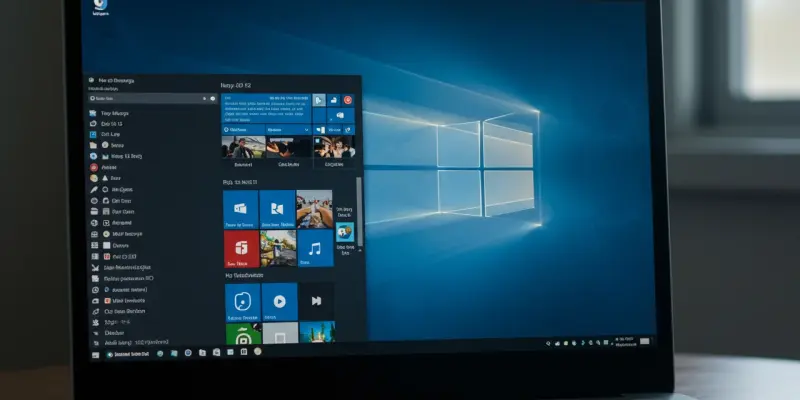
The changing landscape of technology continually demands thorough exploration, especially regarding the evolution of computing systems such as Windows 11. With technological enhancements driving user expectations, updates like KB5058499 take center stage by integrating artificial intelligence to enrich user experience and productivity. This latest update introduces refinements poised to reshape daily computing tasks, making interactions more intuitive and efficient than ever before. By embedding AI into system functionality, this update not only promises technical advancements but reaffirms Microsoft’s commitment to steering innovation. At the heart of KB5058499 are features designed to streamline operations, highlighting Microsoft’s proactive engagement with intelligent design principles. As the tech sphere leans heavily on machine learning algorithms and automated processes, this update showcases how systematic augmentation can redefine user journeys across platforms.
Integration of AI Features
A pivotal change underscored by the KB5058499 update is evident in the enhancement of Click To Do functionality through AI-driven capabilities. This amalgamation begins with the introduction of Ask Copilot within the Click To Do framework. This dynamic feature allows users to send highlighted text or images directly to Microsoft Copilot for immediate processing, thus elevating user interaction. The inherent adaptability of Copilot ensures tasks ranging from summarizing text to crafting comprehensive lists occur dynamically, especially on AMD- and Intel™-driven PCs. More significantly, Click To Do’s reach now extends to users within the European Economic Area (EEA), accommodating languages such as English, Spanish, and French. This transformation stands testament to Windows 11’s ambition of harnessing artificial intelligence to enhance efficiency.
Furthermore, the update pushes boundaries by allowing users to personalize pen-based interaction shortcuts by integrating Click To Do. By embedding this feature into the pen menu, the update enables users to replace traditional app shortcuts seamlessly, prioritizing diverse user needs. Whether it is summarizing a paragraph or activating intelligent text actions, the update is geared towards redefining how AI influences everyday digital interactions. A notable addition in this context includes the introduction of the Win + C keyboard shortcut, allowing users to customize their interaction with Copilot, further complementing the update’s versatile functionality.
Cross-Device Capabilities
Beyond the intelligent text features, a significant development presented in this update is the cross-device resume functionality, specifically tailored for OneDrive users. This innovation facilitates seamless transitions when working across devices, notably when dealing with OneDrive files. Imagine being able to continue editing a document from a mobile device onto a Windows 11 PC with sheer ease; this is the reality the update provides. Users receive notifications prompting them to resume editing recently accessed files, thereby maintaining uninterrupted workflow continuity, eliminating complex processes or unnecessary delays. The update empowers users to harness this feature for a cohesive work environment, reinforcing the advantages of interconnected, device-spanning functionality.
While the scope of this update does not encompass security patches, its preview nature serves as a testament to Microsoft’s ongoing pursuit of sophisticated feature integration. The diverse functionalities showcased highlight an intent to augment user experience by eliminating barriers traditionally associated with technology transitions. Cross-device resume highlights Microsoft’s commitment to efficient, user-friendly innovation designed with practical usability at its core. By streamlining accessibility to OneDrive files, the update lays groundwork towards advanced, aligned user experiences across devices, signaling a forward-thinking stride in digital operation optimization.
Prospects of AI-Driven Updates
The KB5058499 update prominently enhances Click To Do functionality by incorporating AI-driven capabilities. Central to this update is the deployment of Ask Copilot within Click To Do, empowering users to send highlighted text or images to Microsoft Copilot for immediate processing. This feature enriches user interaction by dynamically adapting tasks such as text summarization and list generation, particularly on AMD and Intel™ PCs. Notably, the expanded reach now includes the European Economic Area (EEA), offering language support in English, Spanish, and French. This evolution reflects Windows 11’s strategy to leverage AI for improved efficiency.
Additionally, the update introduces personalization of pen-based interaction shortcuts via Click To Do. Users can seamlessly replace standard app shortcuts by incorporating this feature into the pen menu. The aim is to redefine AI’s impact on daily digital tasks, from summarizing to activating intelligent text actions. A key addition is the Win + C keyboard shortcut, allowing customization of Copilot interaction, thus enhancing the update’s diverse functionality.