

Dominic Jainy is a seasoned IT professional with a deep specialization in the intersection of artificial intelligence, blockchain, and enterprise system architecture. With a career dedicated to exploring how emerging technologies can be harnessed to secure and optimize industrial workflows, he brings a wealth of practical knowledge to the table regarding the evolution of the Windows ecosystem. In this conversation, we explore the nuances of the April 2026 Patch Tuesday release, discussing the shift toward transparent remote desktop protocols, the refinement of Secure Boot mechanisms, and the silent evolution of on-device AI components that are redefining modern computing.
Malicious .rdp files now face stricter scrutiny with connection settings toggled off by default and new security warnings. How does this transparency shift the burden of defense for end-users, and what specific steps should IT departments take to train staff on interpreting these new prompts?
This update represents a fundamental shift in user agency because it moves away from “invisible” background configurations to an explicit opt-in model for Remote Desktop connections. By toggling all connection settings off by default and forcing a one-time security warning when a file is first opened, Microsoft is effectively making the user the final gatekeeper against phishing attempts. To manage this, IT departments should first update their internal documentation to include visual screenshots of these new prompts so staff can recognize the legitimate OS warnings versus fake browser pop-ups. Training sessions must emphasize that if a user opens a file and sees a long list of unexpectedly enabled settings, they should immediately report the incident rather than blindly clicking through. Finally, administrators should establish a protocol where any unusual .rdp prompt behavior is logged via the help desk to track potential targeted phishing campaigns across the organization.
Secure Boot certificate management now utilizes high-confidence device targeting and integration with the Windows Security app. Given previous issues with accidental BitLocker recovery triggers, how can administrators verify their Group Policy configurations to ensure these certificate rollouts don’t lead to widespread lockout events?
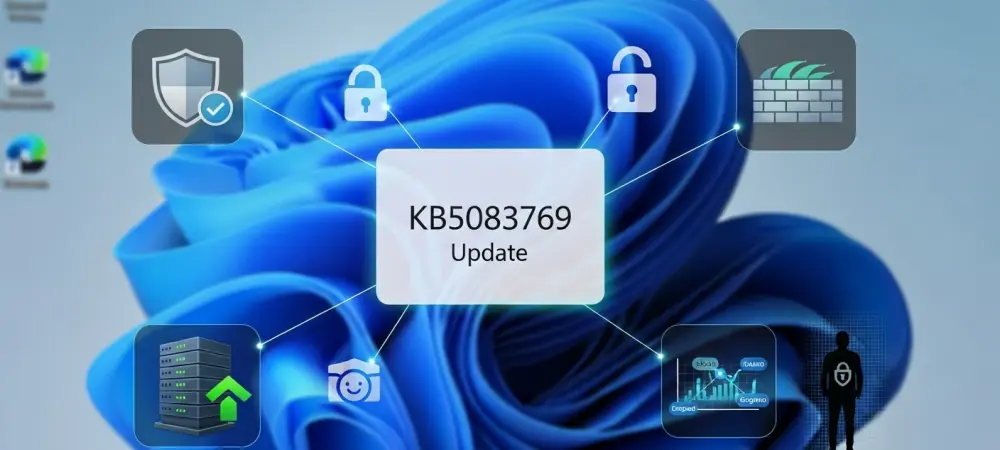
The introduction of high-confidence device targeting is a direct response to the friction caused by previous updates, ensuring that new certificates are only pushed once a device proves it can handle the signal without failure. Administrators can now monitor this status directly within the Windows Security app, but the real work happens in the Group Policy Management Console where they must audit their BitLocker settings before deployment. Specifically, you need to check for any unrecommended configurations—such as non-standard PCR (Platform Configuration Register) bindings—that might conflict with the new Secure Boot signatures. I’ve seen environments where a single misaligned policy caused hundreds of machines to stall at the recovery screen, so it is vital to test the KB5083769 update on a small pilot group first. By verifying that the “Allow Secure Boot for integrity validation” policy is correctly aligned with the hardware, you can prevent the dreaded scenario of a global lockout.
Performance improvements in SMB compression over QUIC aim to reduce file request timeouts and enhance reliability. What metrics should network engineers monitor to validate these efficiency gains, and how do these changes impact the stability of data transfers across diverse enterprise environments?
Network engineers should focus their monitoring on file request completion rates and the specific frequency of SMB session timeouts, which this update aims to drastically reduce. You’ll want to look at the “Average Request/Response Latency” metrics in your performance monitors to see if the compression overhead is being offset by more consistent packet delivery over the QUIC protocol. In diverse environments where branch offices might have high-latency links, these changes act as a stabilizer, ensuring that large data transfers don’t simply drop off when the network fluctuates. By smoothing out these interactions, the system provides a much more dependable experience for users accessing remote file shares, effectively turning a previously finicky process into a “set it and forget it” background task.
Technical failures during the “Keep my files” reset process have disrupted system maintenance workflows recently. Can you walk us through the troubleshooting process for resolving these reset errors and explain how the latest servicing stack updates facilitate a more resilient framework for future OS deployments?
The troubleshooting process for these reset errors began with identifying a bug introduced by the March 2026 Hotpatch, which effectively broke the logic used when users chose “Remove everything” or “Keep my files.” To resolve this, the KB5083769 update replaces the faulty components, but if a device is still stuck, an admin might need to manually trigger the update via the Microsoft Update Catalog or WSUS to bypass the corrupted reset path. This is where the Servicing Stack Update, version 26100.8247, becomes the unsung hero; it hardens the code responsible for installing updates, ensuring the “plumbing” of the OS is robust enough to handle the next package. By strengthening this underlying framework, Microsoft ensures that future deployments are less likely to encounter the same circular dependency errors that plagued the March release.
Core AI components like semantic analysis and content extraction have moved to version 1.2603.377.0. How are these background updates altering the way Windows handles local image searches, and what are the privacy implications of increasingly sophisticated on-device content extraction models?
The jump to version 1.2603.377.0 for components like Semantic Analysis and the Settings Model means that Windows is becoming much more adept at understanding the context of your local data without needing the cloud. For local image searches, this translates to more granular results where the OS can identify specific objects or text within pictures using on-device Content Extraction. From a privacy perspective, this is a double-edged sword: while keeping the processing local prevents sensitive data from leaving the machine, the sheer sophistication of these models means the OS is “reading” and “indexing” your life in greater detail than ever before. It creates a highly personalized and efficient user experience, but it also means that the local security of the device—and the integrity of the user’s profile—is now the primary defense for a massive amount of extracted personal metadata.
What is your forecast for Windows 11 system security?
I believe we are moving toward a “Zero Trust” architecture that lives directly within the local hardware and OS kernel. As we see with the latest updates to Secure Boot and the isolation of .rdp settings, Microsoft is clearly moving away from passive security toward an active, transparent model where the system assumes every connection and every file is a potential threat until proven otherwise. In the coming years, expect to see AI play a dual role: it will be used to detect anomalies in user behavior in real-time on-device, but it will also require us to be more vigilant about the “metadata footprints” we leave behind as these content extraction models become more powerful. The future of Windows security isn’t just about bigger walls; it’s about having a system that is constantly questioning, verifying, and providing the user with the clarity needed to make safe decisions in a complex digital landscape.