

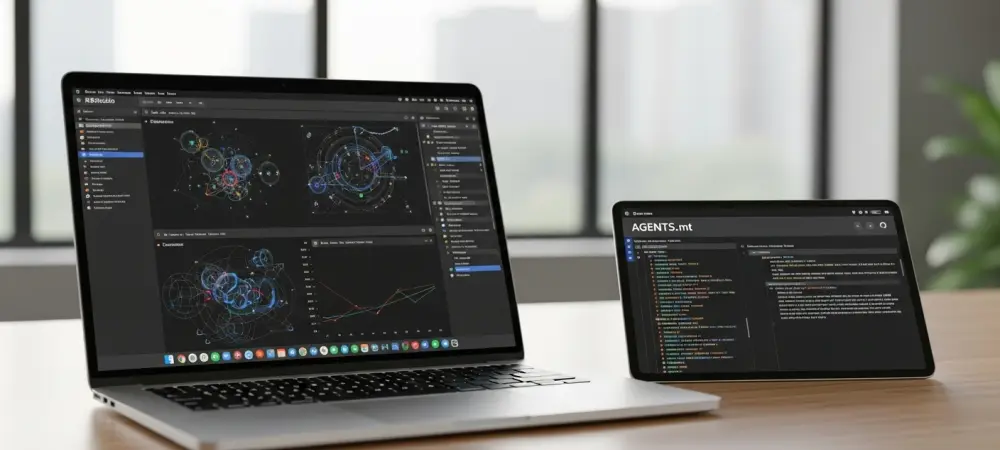
The rapid evolution of generative artificial intelligence has fundamentally altered the landscape of statistical programming, yet many R users still find themselves battling inconsistent code quality when using standard web-based chatbots. While these general-purpose tools are impressive, they often lack the specialized context required for complex data science workflows, frequently hallucinating defunct package arguments or suggesting outdated syntax. Moving beyond basic conversational interfaces toward dedicated coding agents represents the next logical step for professionals seeking precision and efficiency in their R development. These agents are not merely wrappers for large language models; they are sophisticated environments that interact directly with the file system, execute terminal commands, and maintain a stateful understanding of an entire codebase. By shifting the interaction from a simple question-and-answer format to a collaborative engineering partnership, developers can harness the full potential of modern AI. The following strategies provide a comprehensive framework for optimizing this relationship, ensuring that the generated R code is not only functional but also adheres to the highest standards of modern software engineering and data analysis practices.
1. Utilize a Dedicated Programming Agent
The transition from using a generic web chatbot to employing a dedicated programming agent is perhaps the most significant upgrade a developer can make in 2026. General-purpose interfaces like those found on consumer AI websites are designed for broad versatility, which often comes at the expense of specialized coding features such as terminal access and integrated development environment (IDE) support. In contrast, agents like Claude Code, OpenAI’s Codex derivatives, and Posit Assistant are engineered specifically for the nuances of software construction. These tools possess the capability to read multiple files simultaneously, understand the relationship between different scripts in a project, and even run the code to verify its output before presenting it to the user. This level of autonomy allows the agent to handle complex refactoring tasks and large-scale architectural changes that would be impossible to manage through a standard chat box. For R users, this means the agent can grasp the flow of data from ingestion through cleaning to final visualization. Posit Assistant, in particular, offers a unique advantage for the R community because it was built from the ground up with a deep understanding of the R and Python data science ecosystems. Unlike general-source agents that may prioritize popular web development languages, Posit Assistant is pre-configured with knowledge about R package development, Shiny application structures, and the Tidyverse. It integrates seamlessly into the RStudio and Positron environments, allowing it to inspect objects currently held in the R environment memory. This context is invaluable for debugging, as the agent can see the actual structure of a dataframe or the specific error messages generated by the console. For organizations where data privacy is paramount, these dedicated agents often provide more robust options for local execution or secure connections, ensuring that sensitive data analysis remains within the approved infrastructure while still benefiting from advanced machine learning assistance.
2. Configure Instructional Files Like CLAUDE.md or AGENTS.md
A common frustration among AI users is the need to repeatedly explain specific preferences, such as the desire for a particular indentation style or the requirement to use certain libraries. To solve this, modern coding agents are designed to look for specific markdown files, such as CLAUDE.md or AGENTS.md, whenever a new session is initiated within a directory. These files serve as a persistent memory layer, providing the agent with a detailed roadmap of the project’s technical requirements and the developer’s personal coding philosophy. By documenting these rules once, the user ensures that every piece of code generated by the agent adheres to established standards without manual intervention. This approach is particularly effective for R projects where a team might have a strict policy on using base R versus the Tidyverse, or where specific documentation formats like Roxygen2 are mandatory for all functions.
The creation of these instructional files can be automated by the agents themselves through initialization commands that scan the existing codebase to infer style and structure. Once generated, these files can be manually refined to include nuanced instructions, such as how to handle environmental variables or which specific testing frameworks, like testthat, should be utilized for unit tests. Developers often find it beneficial to maintain both a global instruction file in their home directory for general preferences and a local version within each specific project repository for task-specific constraints. This hierarchical setup allows for a high degree of flexibility; for instance, a global rule might specify that all scripts must include a header with a license statement, while a project-specific rule might dictate that all data visualizations must use a custom corporate ggplot2 theme. This eliminates the “cold start” problem where an AI agent lacks the specific context of the work.
3. Leverage Specific Agent Skills
While persistent markdown files are excellent for background information and general rules, specific tasks often require a more dynamic approach known as agent skills. Skills are essentially specialized, trigger-based workflows that an agent can load only when they are relevant to the task at hand, which keeps the immediate context window clean and focused. For an R developer, a skill might involve a multi-step procedure for deploying a Shiny app to a server or a complex checklist for preparing a package for CRAN submission. Instead of overwhelming the agent with these details in every prompt, the skill is only activated when the developer asks for that specific outcome. This modular architecture allows the AI to function with the precision of a specialist rather than the broad but sometimes shallow knowledge of a generalist, resulting in higher-quality outputs for technical R tasks.
The power of skills lies in their ability to handle complexity that exceeds the capacity of a single prompt. For example, a “Shiny Development” skill could include instructions on reactivity optimization, accessibility standards for UI components, and the proper way to modularize server logic. When the agent detects a request related to Shiny, it loads this body of knowledge and applies it to the current project. Anthropic and other major AI providers have open-sourced standards for these skills, allowing the community to share and iterate on them. This collective intelligence means that a developer can download a community-vetted skill for R package documentation and immediately have an agent that writes Roxygen comments like an expert. This not only saves time but also serves as an educational tool, as the agent can explain the reasoning behind its specialized actions based on the instructions contained within the skill file.
4. Review and Customize Any Downloaded Skills
Downloading pre-written skills from a community repository is an excellent starting point, but the highest levels of productivity are reached when these tools are tailored to fit specific organizational needs. Not every R developer wants the same libraries or the same approach to data manipulation; some may swear by the speed of data.table for massive datasets, while others prefer the readability and pipe-based syntax of the Tidyverse. Because skills are typically stored as editable markdown or JSON files, they are easy to modify. A developer can open a downloaded “Data Cleaning” skill and specifically instruct the agent to favor certain functions or to avoid specific legacy packages. This customization ensures that the AI does not just write “correct” R code in a vacuum, but writes the specific flavor of R code that the developer expects and knows how to maintain.
Furthermore, the process of customizing these skills allows a developer to bake in security protocols and corporate compliance measures directly into the AI’s workflow. If a company has a policy against using certain third-party APIs or requires specific data anonymization steps before analysis, these can be codified within the agent’s skills. This level of control transforms the AI from a simple code generator into a sophisticated compliance and quality assurance tool. Periodically reviewing and updating these skills is essential to keep up with the fast-moving R ecosystem, where new packages and more efficient methods are frequently introduced. By treating AI skills as living documentation, developers ensure that their automated assistant remains at the cutting edge of best practices, reflecting the most recent advancements in the language and the specific evolution of their own coding style.
5. Integrate the btw R Package and Its MCP Server
One of the most innovative developments for R users in 2026 is the Model Context Protocol (MCP), which provides a standardized way for AI agents to connect with local tools and data. The btw R package is a critical bridge in this ecosystem, allowing an AI agent to interface directly with the local R environment through an MCP server. Traditionally, an AI agent only knows what it was trained on, which might be several months or even years out of date. By using btw, the agent gains the ability to look up documentation for the exact versions of the packages installed on the user’s machine. It can check the help files, see the arguments for a function in a niche package, and even inspect the structure of local datasets. This drastically reduces the likelihood of the AI suggesting functions that have been deprecated or arguments that do not exist in the current library version.
Integrating btw into the workflow also enables the agent to perform more complex environmental tasks, such as checking for missing dependencies or suggesting version upgrades to resolve known bugs. When the agent has a live link to the R session, it can provide much more accurate debugging advice because it isn’t guessing about the state of the environment. For instance, if a script fails because of a specific data type mismatch, the agent can use the MCP connection to run str() on the offending object and identify the exact cause of the error. This real-time feedback loop between the LLM and the local R console creates a highly efficient development environment where the AI acts more like a pair-programmer who is looking at the same screen as the developer. This significantly raises the ceiling for what can be accomplished with AI assistance in complex, data-heavy R projects.
6. Enable Planning Mode for Your Development Tasks
A frequent mistake when working with AI coding agents is jumping directly into code generation without first establishing a solid architectural plan. Most advanced agents now offer a dedicated planning mode, often accessed through a /plan command, which forces the model to think through the logic of a task before writing a single line of code. During this phase, the agent outlines the proposed file structure, identifies potential roadblocks, and describes the data flow. For R developers, this is particularly useful when building complex simulations or large-scale data pipelines where the order of operations is critical. By reviewing the plan first, the user can catch fundamental logic errors or suggest a better library for a specific task, preventing the agent from wasting time and tokens on an incorrect implementation that would later require extensive debugging.
The planning phase also serves as a collaborative brainstorming session that can reveal more efficient ways to solve a problem. For example, a developer might ask the agent to plan a method for parallelizing a heavy statistical computation. The agent might propose several options, such as using the future or parallel packages, and explain the pros and cons of each for the specific operating system and hardware being used. Once the developer approves a plan, the agent uses that roadmap as a strict guide for the subsequent execution phase. This structured approach ensures that the resulting code is cohesive and follows a logical design pattern. It also makes it much easier to document the project later, as the initial plan can be converted into a technical summary or a README file, providing a clear explanation of why certain architectural choices were made during the development process.
7. Ensure the Agent Retains Information From Past Errors
In the course of any development project, bugs are inevitable, and the process of fixing them provides valuable insights that should not be lost once the session ends. A common issue with AI is that it may “forget” a hard-won fix from a previous day and suggest the same buggy code later in the project. To prevent this, developers should instruct their agents to maintain a “lessons learned” or “development log” file. Whenever a particularly tricky bug is resolved or a specific workaround is implemented to handle a quirk in an R package, the agent should record this in the project’s documentation. This serves as a specialized knowledge base that the agent reads at the start of every session, ensuring that it builds upon past successes rather than repeating old mistakes.
This practice of documented learning is especially helpful when working with R packages that are undergoing rapid development or have undocumented behavior. If the agent and the developer discover that a specific version of a spatial data package requires a non-standard environment setting to function correctly, that information is captured and stored. Over time, this file becomes a tailored guide for the specific project, reflecting the unique challenges encountered and the solutions that were proven to work. It also becomes an invaluable resource for human collaborators who might join the project later, as they can quickly scan the log to understand the technical hurdles the team has already cleared. By treating every error as a learning opportunity for both the human and the AI, the development process becomes increasingly streamlined and the code quality consistently improves.
8. Task the Agent With Generating Tests and Reviewing Code
One of the most effective ways to ensure the reliability of AI-generated R code is to use the agent itself as a rigorous quality assurance officer. Once a function or script is written, the agent should be tasked with generating a comprehensive suite of unit tests using a framework like testthat. Writing tests is often a tedious task for human developers, but AI agents excel at identifying edge cases and creating the necessary test data to exercise every branch of a function’s logic. By requiring that all new code comes with passing tests, the developer creates a safety net that catches errors early in the development cycle. This is particularly important in data science, where a silent logical error in a data transformation can lead to incorrect analytical conclusions without ever triggering a traditional software crash. In addition to writing tests, the agent should be asked to perform a formal code review of its own work or code written by the human developer. This involves checking for performance bottlenecks, ensuring adherence to the project’s style guide, and looking for potential security vulnerabilities. An agent can be instructed to look specifically for common R pitfalls, such as the use of growing vectors in loops or the failure to close database connections. By providing a fresh set of “eyes” on the code, the agent helps maintain a high standard of craftsmanship. This iterative process of generation, testing, and review creates a virtuous cycle of improvement. While the human developer remains the final arbiter of what code is merged, the agent handles the heavy lifting of validation, allowing the professional to focus on high-level strategy and complex problem-solving.
9. Maintain Effective General Prompting Practices
Despite the advanced capabilities of 2026-era coding agents, the quality of the output remains heavily dependent on the clarity and structure of the user’s instructions. Effective prompting is not about being overly polite but about being extremely specific and providing the necessary context. Developers should avoid large, “kitchen sink” prompts that ask the agent to build an entire complex application in one go. Instead, the most successful approach involves breaking the project down into small, manageable tasks that can be completed and verified individually. For an R project, this might mean first asking the agent to write a script for data ingestion, verifying that it works, and then moving on to data cleaning, and finally to statistical modeling. This incremental progress makes it much easier to identify where things went wrong if a bug is introduced.
Another critical aspect of prompting is managing the context window effectively. Even with the massive context limits available in 2026, performance and reasoning can degrade as the conversation grows too long or becomes cluttered with irrelevant information. Periodically “resetting” the conversation or summarizing the current state can help the agent stay focused on the immediate task. Providing concrete examples of the input data and the expected output is also one of the best ways to ensure accuracy. If the agent can see a sample of the dataframe it is supposed to process, it is far less likely to make incorrect assumptions about column names or data types. By combining these general best practices with the specialized R-focused strategies, developers can create a highly productive and low-friction workflow that maximizes the return on their AI investment.
10. Benefit From Using Open-Source Large Language Models
As the landscape of artificial intelligence continues to expand, the availability of high-quality open-source and open-weight models has become a game-changer for R developers. Models like Google’s Gemma or Meta’s Llama series, when run through local tools such as Ollama, offer a compelling alternative to proprietary APIs. This is particularly relevant for those working with sensitive data that cannot be sent to a third-party cloud provider due to regulatory or privacy concerns. While these models might be smaller than the flagship versions of Claude or GPT, they are often surprisingly capable at handling standard R coding tasks, especially when paired with a well-configured agent and a robust set of instructional files. Using local models also eliminates concerns about API costs and token limits, allowing for more extensive experimentation and longer development sessions.
Furthermore, the open-source ecosystem allows for a level of transparency and reproducibility that is often missing from proprietary “black box” systems. In a research environment, being able to specify the exact model and version used to assist in writing an analysis script adds a layer of scientific rigor to the process. Many developers find that using a local model for routine tasks like code formatting, documentation, and simple unit testing is more than sufficient, reserving more expensive and powerful cloud-based models for complex architectural planning or difficult debugging sessions. This hybrid approach optimizes both cost and performance. As open-source models continue to improve in their understanding of specialized languages like R, the barrier to entry for sophisticated AI-assisted development will only continue to fall, democratizing these powerful tools for data scientists and researchers around the world.
Establishing a Future-Ready Workflow for R Development
The successful integration of AI coding agents into the R development lifecycle required a fundamental shift in how professionals approached their craft. Data scientists who embraced these tools early realized that the key to high-quality code lay not in the AI’s autonomous power alone, but in the precision of the context and instructions provided by the human operator. By moving away from generic chatbots and toward specialized agents like Posit Assistant and Claude Code, developers established a more robust and reliable foundation for their work. They discovered that setting up persistent knowledge files and modular skills transformed the AI from a simple assistant into a deeply knowledgeable partner that understood their specific coding style and organizational requirements. This transition was marked by a significant reduction in repetitive tasks and an increase in the overall architectural integrity of their statistical projects.
Looking back at the progress made, the adoption of specialized protocols like MCP and the use of R-centric packages like btw provided the necessary bridge between abstract machine learning models and the concrete reality of local environments. These technologies allowed agents to write code based on real-world documentation and actual data structures rather than outdated training sets. Furthermore, the practice of enabling planning modes and maintaining “lessons learned” files ensured that the collaborative process became more efficient over time, preventing the recurrence of known errors and fostering a culture of continuous improvement. As the community moved toward 2026, the combination of powerful cloud-based agents and versatile open-source models gave R users an unprecedented toolkit for solving complex data challenges with speed and accuracy. The future of R development has been permanently shaped by these strategic optimizations, leading to a more productive and innovative landscape for statistical computing.