

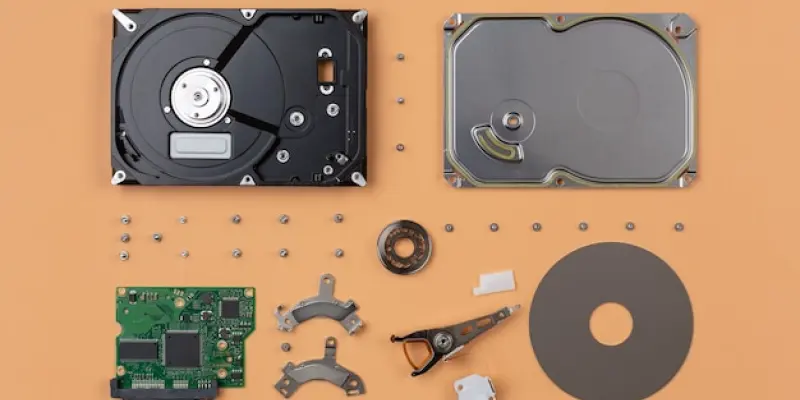
Understanding the age of your hard drive or SSD is crucial for predicting its longevity and planning for data management. Both hard disk drives (HDDs) and solid-state drives (SSDs) have limited lifespans, which can be impacted by usage, maintenance, and environmental factors. HDDs typically last between three to five years, while SSDs may have different longevity based on their wear-leveling technology. Early identification of an aging drive can help in preventing data loss and ensuring effective system performance. There are several methods to determine the approximate age of your hard drive or SSD, which involve inspecting the manufacturer’s label, analyzing S.M.A.R.T. data, and checking the warranty status.
Check the Manufacturer’s Label
One of the simplest methods to determine the age of your hard drive is by checking the manufacturer’s label. Most hard drives come with a label that contains critical information, including the brand, model, serial number, and manufacturing date. This date provides a reliable estimate of when the drive was produced. To access this information, it may be necessary to open up your computer.
First, shut down your PC and disconnect it from the power source. Using a screwdriver, open the case if you have a desktop computer. For laptops, usually removing the back panel or hard drive compartment cover is required. Once the hard drive is visible, locate the manufacturer’s label on the top of the drive. Read the manufacturing date and subtract it from the current year to determine the drive’s age.
In some instances, the label may not explicitly state the manufacturing date. If this is the case, use the serial number to look up the production date on the manufacturer’s website. By entering the serial number in the search or warranty check tool, you can obtain information about when the drive was manufactured.
Check the Drive’s S.M.A.R.T. Data
Self-Monitoring, Analysis, and Reporting Technology (S.M.A.R.T.) is an inherent feature in most modern hard drives and SSDs. This technology helps monitor various attributes of the drive’s health and performance, providing an estimate of its potential failures. One crucial S.M.A.R.T. attribute is Power-On Hours (POH), which indicates the total number of hours the drive has been operational. This data can be useful in estimating the drive’s age.
To access and analyze S.M.A.R.T. data, use third-party tools like CrystalDiskInfo. Begin by downloading and installing CrystalDiskInfo on your computer. Once the software is launched, it will display S.M.A.R.T. data for all detected drives, including Power-On Hours. Divide the total hours by 24 to approximate the number of days or years the drive has been in use. This method provides a good estimate of the drive’s operational age, although it may not account for periods when the drive was powered off.
S.M.A.R.T. data can offer additional insights into the drive’s overall health and performance, including attributes like reallocated sectors and the drive’s temperature. Regular monitoring of these parameters can help predict any impending failures and maintain optimum system functioning.
Check Warranty Status on Manufacturer’s Website
If the drive is relatively new, checking the warranty status on the manufacturer’s website can also provide insights into its age. The warranty start date typically corresponds closely with the manufacturing date, making it a useful indicator. Many manufacturers offer an online tool to check the warranty status by entering the serial number.
To obtain the serial number of the hard drive, you can either check the manufacturer’s label directly on the drive or use a command-line tool. Execute the following command in the Command Prompt: wmic diskdrive get model, serialnumber. This command displays the serial number and model of the drive. Then, visit the manufacturer’s website, find the warranty check tool, and enter the serial number. If the drive is still under warranty, the tool will show the warranty’s start date, indicating the approximate manufacturing date. For out-of-warranty drives, the tool can still display the original warranty period, helping you estimate the drive’s age.
Understanding the warranty status is not just beneficial for determining the drive’s age. It also informs you about potential support and replacement options in case the drive malfunctions.
Assessing Hard Drive Lifespan
While determining the age of a hard drive provides an understanding of its past usage, it is also essential to gauge its remaining lifespan. Various factors influence a hard drive’s longevity, including usage patterns, environmental conditions, and maintenance practices. Hard drives tend to offer a lifespan of three to five years, but certain conditions can extend or shorten this period.
To assess the lifespan of a hard drive, consider using third-party tools that analyze S.M.A.R.T. data. Attributes such as Power-On Hours, reallocated sectors, and read/write error rates provide critical indicators of a drive’s health. Although S.M.A.R.T. data can estimate remaining lifespan, it does not account for periods when the drive was powered off or inactive.
Determining the Age of an SSD
Understanding how old your hard drive or SSD is essential for predicting its lifespan and planning data management. Both HDDs and SSDs have limited lifespans influenced by their usage, maintenance, and environmental conditions. Generally, HDDs tend to last between three to five years. SSDs, on the other hand, may vary in lifespan depending on their wear-leveling technology. Recognizing when your drive is aging early on is key to preventing data loss and ensuring your system performs effectively.
To ascertain the approximate age of your hard drive or SSD, you can use several methods. One approach involves inspecting the manufacturer’s label for the production date. Another method includes analyzing S.M.A.R.T. data, which can provide insights into the drive’s health. Additionally, checking the warranty status can offer clues about the age of the drive. By employing these methods, you can better prepare for future data management needs and avoid unexpected drive failures, helping maintain the stability and reliability of your systems.