

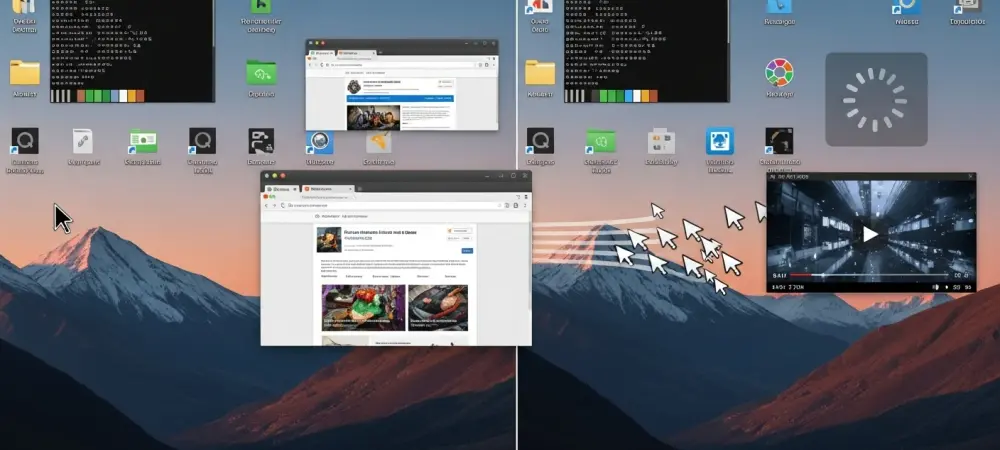
Remote desktop protocols have long been the Achilles’ heel of Linux administration, frequently plagued by high latency and broken sessions that disrupt professional workflows. Apache Guacamole emerges as a sophisticated solution to these persistent challenges by providing a clientless, browser-based gateway that centralizes remote access. By translating standard protocols like RDP, VNC, and SSH into a streamlined stream delivered via HTML5, this platform eliminates the need for specialized client software while offering robust security and optimization tools. Transitioning to this architecture allows administrators to consolidate their remote management into a single, encrypted entry point, effectively solving the performance issues that have historically hindered Linux remote desktop usability. Moreover, the shift toward centralized management ensures that all sessions are authenticated through a unified interface, simplifying the oversight of diverse hardware environments without compromising speed.
Phase 1: Establishing the Core Host Environment
The foundation of a high-performance remote access hub begins with the deployment of a dedicated virtual environment specifically tailored to handle the computational demands of protocol translation. A clean installation of Ubuntu 24.04 LTS serves as an ideal baseline for this project, providing a stable and long-term supported platform for the various services that comprise the Apache Guacamole stack. To ensure smooth operation without bottlenecks, the host should be allocated at least 2 virtual CPUs and 4GB of system memory, which provides enough overhead to manage multiple concurrent graphical sessions. Storage requirements remain relatively modest, with 20GB of disk space being sufficient for the operating system and the necessary Docker volumes. Once the virtual machine is provisioned, the initial setup involves updating the system repositories and installing critical dependencies such as ca-certificates and curl. These tools are essential for establishing secure communication with external software repositories and ensuring that subsequent package downloads are verified against trusted certificate authorities. Proper resource allocation at this stage prevents the common issue of resource exhaustion, which is often mistaken for network lag but is actually a symptom of an undersized host trying to keep up with real-time graphical rendering.
Building upon the base operating system, the next critical step is the integration of a containerized architecture to manage the complexity of the Guacamole service layers. This process requires the installation of the official Docker engine, which offers a more robust and frequently updated environment than the default packages found in standard Linux repositories. The procedure begins by creating a dedicated keyring directory and downloading the official Docker GPG signing key to authorize the software source. After the repository is added to the system’s software list, the core components—including the Docker engine, the command-line interface, and the containerd runtime—must be installed. A significant detail that often catches administrators off guard is the requirement for the integrated docker-compose-plugin, which replaces the older standalone versions of the tool. By utilizing a containerized approach, the entire stack remains isolated from the host operating system, making it easier to manage updates and maintain a clean environment that is free from conflicting software libraries or legacy dependencies.
Phase 2: Deploying and Configuring the Service Stack
Once the container environment is fully operational, the configuration of the Guacamole service stack defines how the different components interact to deliver a seamless remote desktop experience. The architecture relies on three primary containers: PostgreSQL for storing user credentials and connection metadata, guacd for handling the heavy lifting of RDP and SSH protocols, and the Guacamole web app itself. The initial challenge in this phase is the preparation of the database schema, which requires a specific initialization script generated directly from the Guacamole image. This script must be executed within the PostgreSQL container to set up the tables and indices necessary for the application to function correctly. Security is further enhanced during this stage by binding the Guacamole web service specifically to the local host address, preventing direct external access to the internal web port. This ensures that all traffic must pass through a controlled gateway rather than being exposed directly on the host’s public IP address, which is a common vulnerability in less sophisticated remote access configurations.
The actual launch of the service stack is managed through a structured compose file that dictates the restart policies, network links, and environment variables for each container. This file serves as the blueprint for the entire hub, ensuring that the guacd daemon is always available to translate graphical data into the format required by the browser. A critical advantage of this setup is the ability to define private internal networks within Docker, allowing the three containers to communicate with one another without exposing their internal traffic to the broader host network. Once the docker compose up -d command is executed, the system brings all services online in a background state, creating a resilient infrastructure that can automatically recover from unexpected reboots. The performance benefits of this architecture become apparent immediately, as the localized communication between the web app and the protocol daemon reduces internal latency. By carefully managing the interaction between these services, the administrator creates a foundation that is capable of delivering high-frame-rate desktop environments over standard web protocols, effectively bridging the gap between local and remote user experiences.
Phase 3: Securing the Gateway with a Proxy
Integrating a reverse proxy is the definitive step in transforming a local application into a secure, professional-grade remote access gateway. Nginx is the preferred choice for this role, acting as a highly efficient entry point that manages all incoming web requests before they reach the Guacamole container. By installing Nginx on the host server, the administrator can implement advanced traffic management features and provide a unified URL for all remote connections. The configuration of a dedicated site profile within Nginx allows for the precise routing of traffic from standard web ports to the internal Guacamole port, effectively masking the complexity of the Docker environment from the end user. This setup not only improves the overall aesthetics of the connection by using a clean domain name but also provides a critical layer of abstraction that protects the application logic from direct exposure to the public internet. The reverse proxy serves as the first line of defense, capable of filtering requests and providing detailed logging for every connection attempt, which is essential for maintaining a secure and auditable infrastructure in any professional setting.
Security is further fortified through the implementation of industry-standard encryption, which ensures that all data transmitted between the client browser and the server remains confidential. Utilizing Certbot and the Let’s Encrypt certificate authority, a valid TLS certificate can be obtained and automatically renewed, enabling HTTPS communication across the entire platform. This process involves a verification challenge that confirms ownership of the domain before issuing the cryptographic keys used to secure the connection. Once the certificate is installed, Nginx is configured to redirect all insecure HTTP traffic on port 80 to the encrypted HTTPS service on port 443. This move is non-negotiable for remote desktop applications, as it protects sensitive user credentials and the graphical data of the remote session from interception by malicious actors. With encryption in place and the proxy correctly routing traffic, the system achieves a state of “legitimacy” where users can access their desktops from any modern browser with the same level of security expected from banking or corporate cloud services. The final verification of these settings ensures that the Nginx service is reloaded without errors, finalizing the public-facing portion of the remote access hub.
Phase 4: Hardening the Network Perimeter
A robust security posture requires more than just encryption; it demands a strict “least privilege” approach to network traffic. This means that while the Guacamole server is accessible over the internet via HTTPS, the individual Linux machines sitting behind it must remain completely hidden from public view. The firewall strategy involves two distinct layers: the external router or hardware firewall and the internal host-based firewalls on each individual machine. At the network edge, only three specific ports should remain open on the gateway server: Port 80 for SSL certificate validation, Port 443 for the encrypted web interface, and Port 22 for secure administrative access to the host itself. All other ports, including the standard RDP port 3389 and the VNC port 5900, must be explicitly blocked at the router level. This configuration ensures that an attacker scanning the public IP address will find no direct path to the remote desktop services, forcing all traffic to pass through the authenticated Guacamole gateway where it can be monitored and controlled.
The internal hardening process is equally important and involves configuring the Uncomplicated Firewall (UFW) on every target Linux desktop within the network. Instead of allowing universal access to remote desktop services, each machine is configured to accept incoming connections only from the specific internal IP address of the Guacamole server. By executing commands to permit traffic from the gateway’s IP while denying everything else, the administrator creates a highly restricted environment where the desktops only “talk” to the authorized proxy. Furthermore, for those utilizing Docker’s internal networking, it is necessary to identify the specific subnet used by the Guacamole containers and allow that subnet through the firewall to ensure the guacd daemon can reach its targets. This granular control over internal traffic prevents lateral movement within the network, meaning that even if one machine were compromised, the others remain protected behind their individual firewall rules. Closing all direct remote access ports on the router and relying solely on the Guacamole bridge effectively neutralizes the risks associated with automated brute-force attacks on common service ports.
Phase 5: Integrating and Optimizing Remote Machines
With the security infrastructure in place, the final phase focuses on the functional integration and performance tuning of the remote machines within the Guacamole administrative interface. Adding a new connection involves more than just entering an IP address; it requires careful selection of the protocol and the adjustment of specific parameters to ensure the best possible user experience. In the admin panel, each Linux box is defined with its hostname and the appropriate credentials, but the real magic happens in the advanced settings. Modern Guacamole implementations allow for “Auto-adjust” resolution and “Active Display” resizing, which ensure that the remote desktop dynamically scales to fit the user’s browser window regardless of the device being used. This eliminates the frustrating “black borders” or scroll bars that often plague traditional remote desktop clients. By configuring these settings once in the central dashboard, every subsequent session is automatically optimized, providing a level of convenience that standalone RDP clients simply cannot match.
To truly eliminate the lag that historically defined Linux remote desktop experiences, the connection profiles must be tuned to minimize visual overhead. This is achieved by disabling resource-intensive features that add little value to productivity but consume significant bandwidth and processing power. Settings such as desktop composition, menu animations, and complex font smoothing should be turned off in the connection profile to prioritize responsiveness over aesthetic flourishes. Conversely, enabling features like bitmap caching and theming can actually improve performance by reducing the amount of graphical data that needs to be retransmitted for every frame. When these optimizations are combined, the result is a highly responsive desktop environment that feels nearly local, even when accessed over a standard internet connection. The ability to launch multiple sessions in separate browser tabs and manage them from a single interface transforms the administrative workflow, allowing for seamless transitions between different servers without the need to manage multiple windows or re-authenticate for every session.
Strategic Implementation: Future Considerations for 2026
The transition to a browser-based remote access hub represented a significant evolution in how network infrastructure was managed as the industry moved into 2026. By centralizing all remote desktop and terminal services into a single, hardened gateway, administrators successfully addressed the dual challenges of performance degradation and security vulnerabilities. This architecture proved that the perceived lag in Linux remote desktops was often a result of poor protocol management and unoptimized network paths rather than a deficiency in the operating system itself. The implementation of Apache Guacamole provided a scalable solution that grew with the needs of the environment, allowing for the addition of new machines and protocols without increasing the complexity of the external security footprint. The reliance on standard web technologies ensured that the system remained compatible with a wide range of client devices, from high-end workstations to mobile tablets, without requiring the installation of specialized software on the end-user side.
Moving forward from 2026, the focus for those who have implemented this setup should shift toward the continuous monitoring and auditing of the remote access hub. Utilizing the built-in logging features of both Nginx and Guacamole allows for a proactive approach to security, where unusual connection patterns can be identified and mitigated before they become a threat. Additionally, the actionable next step for any mature deployment is the exploration of multi-factor authentication (MFA) within the Guacamole interface to add yet another layer of defense. As remote work and decentralized server management continue to be the standard, the efficiency gained from a lag-free, browser-based environment remains a critical competitive advantage. The work performed during the initial setup phase was a strategic investment that simplified administrative tasks and provided a secure, high-performance window into the entire Linux infrastructure, proving that the right architectural choices can overcome even the most persistent technical limitations.