

A startling vulnerability report from Google’s elite Project Zero cybersecurity team has raised a significant alarm for the global community of WhatsApp users on the Android platform. This critical alert details a sophisticated zero-click flaw, a type of cyberattack that requires no interaction from the victim, making it exceptionally dangerous. The exploit leverages the app’s default media handling settings to compromise a device, posing a severe risk to user privacy and data security. This guide will unpack the attack’s mechanism, outline immediate protective actions every user should take, and recommend long-term security habits to maintain digital safety.
A Critical Security Alert for Millions
The warning issued by Google’s threat hunters highlights a vulnerability that could affect millions, if not billions, of Android users who rely on WhatsApp for daily communication. At its core, the flaw allows a potential attacker to execute a malicious action simply by sending a specifically crafted media file to a group containing the target. The zero-click nature of this exploit means that a device can be compromised without the user ever opening the message or downloading the file manually, exploiting the app’s convenient but risky automatic download feature.
Navigating this threat requires a clear understanding of both the danger and the solution. The immediate risk involves the potential for unauthorized access to personal information, device storage, and the installation of malware. Therefore, this article will focus on providing a clear roadmap for users to secure their accounts. By walking through the attack method, detailing the immediate steps for mitigation, and advocating for better long-term security hygiene, users can transform this alert from a source of anxiety into an opportunity for empowerment.
Understanding the Threat: How the Attack Works and Its Impact
Addressing this security flaw is of paramount importance for the protection of personal data and the overall integrity of one’s digital life. The attack vector is deceptively simple: an attacker creates a WhatsApp group, adds the target and one of the target’s known contacts, and then sends a malicious media file. If the victim’s app is configured to automatically download media, the file is saved to the device, triggering the exploit and opening a significant attack surface without any further user action.
The potential consequences of such a breach are severe. A successful exploit could lead to the installation of spyware designed to steal sensitive information like banking credentials, passwords, and private messages. Furthermore, an attacker could gain unauthorized access to the device’s storage, exposing personal photos, documents, and other confidential files. The benefits of taking immediate action are therefore substantial, offering not only enhanced security against this specific threat but also providing a lasting peace of mind that comes from a more resilient digital posture.
Protecting Your Device: Immediate Steps to Mitigate the Risk
Fortifying your device against this vulnerability does not require technical expertise; it involves implementing a few essential security measures that are readily available within the WhatsApp application. Each recommendation provided below is a clear, actionable step designed to directly counter the threat identified by Google’s researchers. By making these simple adjustments, any user can immediately and significantly reduce their exposure to this and similar future exploits.
Disable Automatic Media Downloads
The single most effective defense against this specific zero-click exploit is to turn off the automatic download feature for all media types within WhatsApp. To do this, navigate to Settings, then select Storage and Data. Under the Media auto-download section, you will see options for “When using mobile data,” “When connected on Wi-Fi,” and “When roaming.” Tap on each one and uncheck all boxes for photos, audio, videos, and documents, then tap OK.
This crucial change shifts the control over what gets saved to your device from the application back to you. Instead of files being downloaded silently in the background, they will now appear as blurred previews in your chats, requiring you to manually tap to download them. This interruption is the key to breaking the attack chain, as the malicious file is never automatically written to your device’s storage where it can execute its payload.
Breaking the Attack Chain: How This Setting Thwarts the Exploit
The entire attack hinges on the malicious media file being automatically saved to the device’s general storage, a space outside the more secure sandbox of the messaging app itself. Once the file is on the device, it can exploit system-level vulnerabilities to install malware or compromise data. This process is seamless and invisible to the user, which is what makes a zero-click attack so insidious. By disabling automatic downloads, you introduce a critical manual checkpoint into this process. The exploit is effectively neutralized because the malicious file remains within the WhatsApp chat interface, unable to execute. This simple setting forces you to consciously decide whether to download a file, giving you a vital opportunity to consider the sender and the context. If you do not recognize the group or the file seems suspicious, you can simply ignore it, preventing the attack from ever getting started.
Review and Enhance Your Privacy Settings
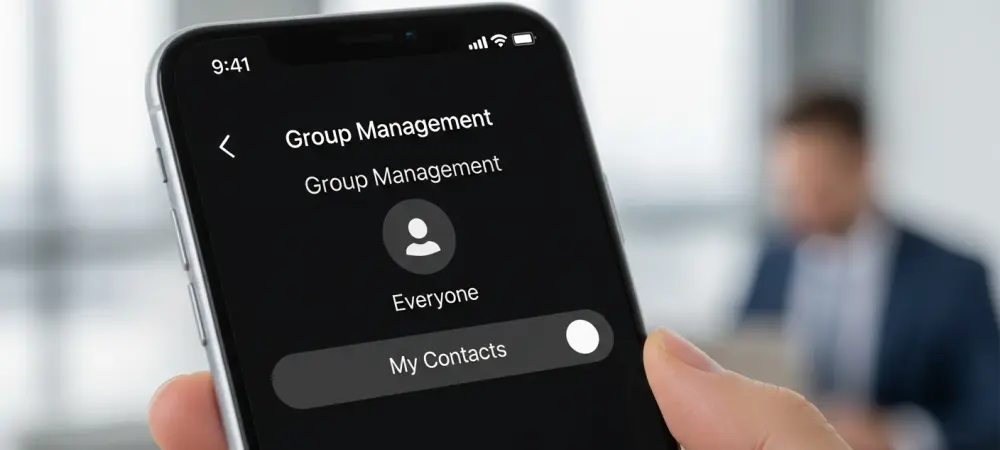
Another powerful layer of defense involves controlling who can add you to WhatsApp groups in the first place. Attackers rely on their ability to place a target into a new, malicious group to deliver the exploit. You can prevent this by restricting group invitations. In WhatsApp, go to Settings, then Privacy, and select Groups. Change the setting from “Everyone” to “My Contacts.”
This adjustment ensures that only people already saved in your phone’s address book can add you directly to a group. If someone not in your contacts tries to add you, you will instead receive a private invitation to join the group, which you can review and either accept or decline. This setting acts as a gatekeeper, preventing unknown or potentially malicious actors from pulling you into a compromising situation without your consent.
A Proactive Defense: Limiting Your Attack Surface
Consider a real-world scenario: an attacker has identified a target but is not among their saved contacts. With the group privacy setting restricted to “My Contacts,” the attacker’s plan is immediately thwarted. They cannot unilaterally add the target to their malicious group to send the exploit file. Their only option is to send an invitation, which would likely appear suspicious and be ignored by a cautious user. This proactive privacy setting serves as a crucial first line of defense against targeted social engineering attacks. It shrinks your potential attack surface by limiting unsolicited interactions, making it significantly harder for adversaries to initiate their attack. By curating who can bring you into new conversations, you build a digital barrier that stops many threats before they can even present themselves, strengthening your overall security posture.
Final Verdict: A Necessary Wake-Up Call for All Users
While Meta confirmed it was actively working on a comprehensive fix, this incident served as a critical reminder that users must not remain passive about their own digital security. The responsibility for protecting personal data is a shared one, and waiting for a patch is not a sufficient strategy. Users who took proactive steps to secure their accounts immediately placed themselves in a much stronger defensive position against this and other potential threats.
The security settings discussed—disabling automatic media downloads and restricting group invitations—were more than just temporary workarounds. They represented fundamental best practices that all WhatsApp users on Android should have adopted as their new default. Implementing these simple yet powerful changes significantly fortified a user’s defenses, demonstrating that a few thoughtful adjustments could make all the difference in safeguarding one’s digital life from an ever-evolving landscape of cyber threats.