

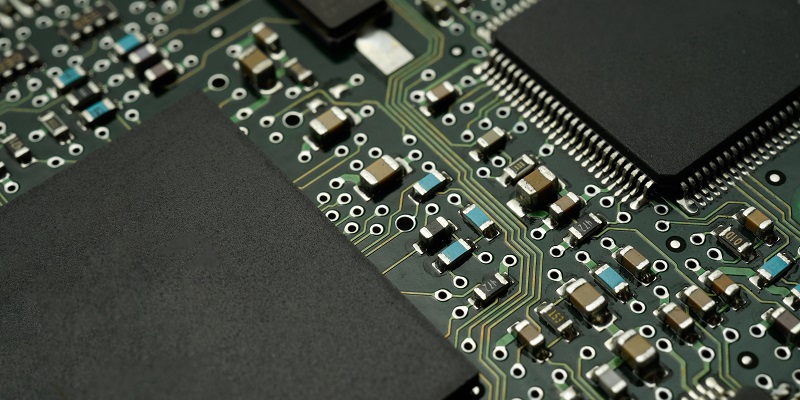
Embedded Multi-Media Card (eMMC) is a type of fixed storage that provides permanent and reliable storage solutions for portable devices such as mobile phones, tablets, and budget laptops. The eMMC serves as an internal memory of these devices and is usually soldered onto the motherboard. In this article, we will discuss the advantages of eMMC storage, the non-volatile storage technology used in eMMC, a comparison with Solid-State Drives (SSDs), and other important aspects that could guide potential users of these devices in their decision making.
Advantages of eMMC storage in portable devices
One of the critical advantages of using eMMC storage in portable devices is its built-in controller. The controller manages all read and write operations, thereby freeing up the Central Processing Unit (CPU) to focus on other tasks. This speeds up the performance of portable devices and provides faster access to data. Moreover, eMMC storage is power-efficient, which means that it can save and store data even without an electrical power supply. This efficient power consumption makes it an ideal storage solution for portable devices whose sources of power are limited, such as mobile phones and tablets.
Non-Volatile Storage Technology Used in eMMC
Embedded Multi-Media Cards use non-volatile storage technology known as NAND (NOT-AND) flash memory. NAND flash memory is a type of non-volatile memory that allows data to be stored even when there is no electrical power supply. This type of memory is preferred in eMMC storage because of its low power consumption, high storage capacity, and long data retention time. The use of NAND flash memory in eMMC storage has improved the performance and reliability of portable devices.
Components of Embedded Multi-Media Cards
Embedded Multi-Media Cards consist of three primary components: the MMC interface, the NAND flash memory, and the NAND flash controller. The MMC interface allows the card to communicate with the portable device’s motherboard and transfer data. The NAND flash memory is responsible for storing the data while the NAND flash controller controls all data read and write operations.
Comparison with Solid-State Drives (SSDs)
Solid-State Drives (SSDs) are also popular storage devices for portable devices. They use non-volatile memory technology, such as NAND flash memory, to store data. One of the critical differences between Embedded Multi-Media Cards (eMMC) and Solid-State Drives is that SSDs are faster than eMMC storage. While the current version of eMMC can transfer data at speeds up to 400 megabytes per second, some SSDs can transfer data at speeds up to 6 gigabytes per second. Additionally, Solid-State Drives tend to have larger storage capacities than eMMC storage.
What is the transfer speed of the current version of eMMC?
The current version of eMMC 5.1 can transfer data at speeds up to 400 megabytes per second. Although this transfer speed is slower than that of SSDs, it is sufficient for most everyday computing tasks, such as browsing the internet, sending emails, and using basic office applications.
Durability and Wear-out Concerns of eMMC Storage in Low-Cost Laptops
Low-cost laptops with only eMMC memory for storage may not have the advanced firmware necessary to manage Program/Erase (P/E) cycles. This concern can lead to quicker wear-out of the eMMC storage compared to the NAND chips in Solid-State Drives. Additionally, the limited storage capacity of eMMC storage may limit the lifespan of the device, as the storage capacity cannot be expanded.
Typical use cases for eMMC storage
Embedded Multi-Media Cards are primarily used in smartphones, tablets, and low-cost laptops. They are particularly useful in portable devices that require limited power consumption and small form factors. For budget-conscious individuals, eMMC storage is an ideal solution to access everyday computing tasks at an affordable price.
Considerations When Choosing Between eMMC and SSD Storage
When choosing between devices with eMMC storage and solid-state drives, businesses or users should be mindful of their storage capacity requirements because solid-state drives offer readily replaceable storage capacity. If the user anticipates needing more storage space than the device offers, opting for an SSD may be more suitable. SSDs are also faster and more durable than eMMC storage, making them ideal for users who require faster access to large files or who work in more challenging environments.
In conclusion, Embedded Multi-Media Cards serve as a reliable and cost-effective storage solution for portable devices such as mobile phones, tablets, and low-cost laptops. Despite their limited storage capacity, eMMC storage is ideal for everyday computing tasks that require minimal power. Solid-State Drives, on the other hand, offer better performance and durability but come at a higher price point. For budget-conscious students and school districts, low-cost laptops with eMMC storage provide an affordable alternative that will meet their basic computing needs.