

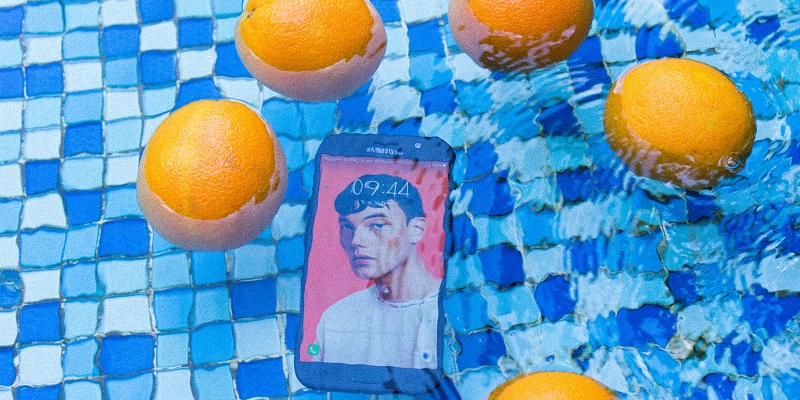
In today’s world, where we heavily rely on our smartphones, it is crucial to understand their capabilities when it comes to water resistance. Not all phones are designed to withstand contact with water, and even those that claim water resistance have varying levels of protection. To make an informed decision and protect our phones from potential damage, it is essential to delve into the details. This article aims to shed light on water resistance ratings, specifically IP67, IP68, and IPX8, explore the water resistance features of the iPhone 14 Pro and the Galaxy S23 Ultra, and offer best practices for handling water-sensitive devices.
Understanding Water Resistance Ratings
When shopping for a new phone, you may have encountered terms like “water-resistant” and IP ratings. IP, or Ingress Protection, ratings determine a device’s ability to withstand dust and water intrusion. The commonly referenced IP ratings are IP67, IP68, and IPX8. These ratings assure varying levels of protection against dust and water.
Water Resistance Features of the iPhone 14 Pro
The iPhone 14 Pro boasts an impressive IP68 rating. This means it is well-protected against dust and can withstand being submerged in water. However, it is crucial to recognize that an IP68 rating does not imply unrestricted water usage. It is advisable to exercise caution and not immerse the iPhone 14 Pro beyond its recommended depths.
Water Resistance Features of the Galaxy S23 Ultra
Similar to the iPhone 14 Pro, the Galaxy S23 Ultra also carries an IP68 rating, suggesting robust protection against dust and water. Samsung’s flagship device provides users with peace of mind in wet environments, but it is essential to avoid extended or deep submersion. The standard for an IP68 rating is that a device must be able to withstand being submerged in at least 1 meter of water for 30 minutes. This test ensures a certain level of water resistance, but it does not guarantee complete protection in all water-related scenarios. Understanding this standard helps set realistic expectations for device performance.
Importance of Checking Detailed Specifications
While IP ratings provide a general idea of a phone’s water resistance capabilities, it is crucial to review the fine print and understand the precise extent of protection offered. Some phones may have additional features, such as reinforced seals or enhanced water resistance for specific scenarios. Familiarizing yourself with the specifics ensures that you can take appropriate precautions when near water.
Limitations of Water Resistance Claims
Don’t let a high IP rating lull you into a false sense of security. Phones with IP68 ratings are subjected to controlled lab tests, but real-world conditions can differ significantly. Factors such as water pressure, temperature, and the condition of seals can affect a device’s actual water resistance capabilities. Manufacturers often advise against prolonged water exposure or submerging the device in chemically treated or saltwater environments.
Risks of Moving the Phone in Water
Moving your phone while it is in water increases the water pressure it experiences. Even if your phone has good water resistance, unnecessary movement may compromise its protection. Pressurized water can find its way through microscopic openings, potentially causing irreparable damage. To ensure your phone’s safety, avoid unnecessary movement while it is submerged.
Using Water Resistance as a Backup
Water resistance should be treated as a backup in case of emergencies, rather than an invitation to recklessly expose your phone to water. Accidents can happen, and the water resistance feature provides a protective buffer, but it is always best to keep your phone away from water whenever possible.
Phones Without Water Resistance Features
If your phone does not mention water resistance, it is safest to assume it has none. Without an IP rating, the device is unlikely to withstand water exposure. In such cases, exercise extra caution around liquids and protect your phone with a waterproof case if needed.
Understanding a phone’s water resistance capabilities is crucial for safeguarding our devices from potential damage. While the IP68 rating signifies robust protection against dust and water, it is essential to read the fine print and practice caution when handling water-sensitive devices. Treat water resistance as an added layer of protection rather than an invitation to immerse your phone fully. By adhering to best practices and taking necessary precautions, you can extend the longevity and functionality of your smartphone in any environment.