

The long-standing binary competition between the minimalist aesthetic of GNOME and the extensive customizability of KDE Plasma has finally met a formidable challenger in the form of the COSMIC desktop environment. This newly matured platform represents a significant departure from the traditional Linux desktop paradigms that have dominated the landscape for the past decade, offering a cohesive and modern user experience. By avoiding the common pitfalls of fragmented design and performance bottlenecks, it establishes a third way for professional users who require both elegance and efficiency. The shift toward this environment indicates a growing desire among tech enthusiasts and developers for a workspace that does not force a choice between simplicity and power. As the ecosystem continues to expand, the initial curiosity surrounding its release has transformed into a serious discussion about the future of open-source interfaces, setting a new standard for what a community-driven project can achieve when backed by corporate engineering resources.
A Unified Vision: The Philosophy of Modern Interactivity
The architectural philosophy behind this new environment prioritizes a distraction-free workflow that diverges from the full-screen interruptions common in legacy interfaces. Instead of presenting the user with an intrusive application launcher that obscures the entire screen, the system utilizes a compact and highly efficient overlay designed to maintain focus on the active task. This approach acknowledges the reality of modern multitasking, where users frequently need to reference data from one window while launching another. By keeping the desktop background and active applications partially visible, the interface reduces the cognitive jarring that occurs when a user is suddenly thrust into a different visual mode. This emphasis on continuity ensures that the operating system feels like a supportive tool rather than a barrier to productivity, catering specifically to individuals who manage complex, data-heavy projects throughout their workday.
Beyond the immediate visual benefits of a non-intrusive interface, the environment focuses on a high degree of modularity that allows for extensive personalization without sacrificing stability. Every component of the desktop is designed to work in harmony, preventing the disjointed feeling that often arises when users attempt to customize traditional Linux environments. This modularity is not just about moving panels or changing icons; it extends to the very way the desktop handles user input and system notifications. The result is a fluid experience where animations are crisp, and the system response time remains remarkably low, even under heavy load. Such attention to detail addresses a long-standing criticism of alternative desktops, where the addition of features often leads to a noticeable degradation in performance. By starting from a clean slate, the development team has managed to build a foundation that supports sophisticated features while remaining exceptionally lightweight.
Workflow Optimization: The Mechanics of Window Organization
Effective window management stands as a cornerstone of this new desktop experience, particularly through its innovative implementation of a stacking system. This feature allows users to group disparate applications—such as a web browser, a terminal emulator, and a text editor—into a single, tabbed container that functions as a unified workspace. Unlike the standard method of minimizing and maximizing individual windows, stacking provides a way to organize tasks by project rather than by application type. This spatial awareness mirrors the way professionals actually work, where multiple tools are required simultaneously to complete a specific objective. By integrating this functionality directly into the core of the desktop environment, the system eliminates the need for third-party extensions that are often prone to breaking during system updates. This native support ensures that the multitasking logic is consistent across the entire operating system.
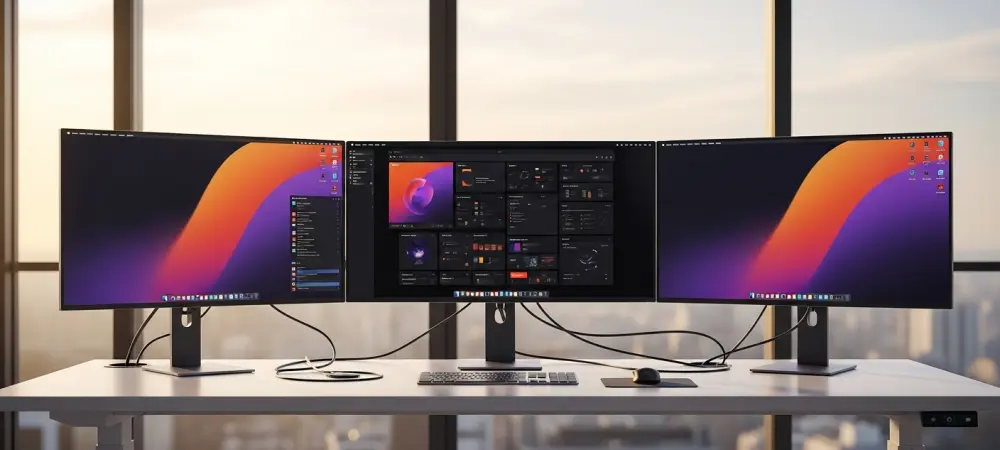
The benefits of this organizational logic become even more apparent when considering the transition between different hardware configurations, such as moving from a laptop screen to a multi-monitor setup. The environment handles these transitions with a level of grace that has historically been difficult to find in the open-source world, maintaining the integrity of stacked windows and tiled layouts. Instead of scattering windows randomly across newly connected displays, the system intelligently remembers the user’s preferred arrangements and adapts the workspace to fit the available screen real estate. This level of environmental intelligence reduces the time spent rearranging windows and allows the user to get back to work immediately. By automating the more tedious aspects of window management, the desktop empowers users to maintain their “flow state,” which is crucial for high-level creative and technical tasks in a fast-paced digital economy.
Technical Superiority: The Rust Programming Advantage
At the most fundamental level, the decision to build the entire desktop environment using the Rust programming language provides a massive advantage in terms of security and performance. Rust is renowned for its memory safety features, which virtually eliminate entire classes of bugs, such as buffer overflows and memory leaks, that frequently plague software written in C or C++. For the end user, this translates into a desktop that is significantly less likely to crash or hang during critical operations. Because the language offers the performance of a low-level language without the associated risks, the interface remains snappy and responsive even when running on older or less powerful hardware. This technical foundation is not merely a developer-centric benefit; it directly impacts the reliability of the system, making it a viable choice for mission-critical workstations where downtime is not an option. The institutional support from a dedicated hardware manufacturer further bolsters the technical stability of the platform, ensuring a tight integration between the software and the underlying components. Since the developers have a direct incentive to ensure the desktop runs flawlessly on their own line of computers, the testing and quality assurance processes are far more rigorous than those of typical community projects. This relationship creates a feedback loop where hardware limitations are addressed through software optimization, and software features are designed to take full advantage of modern processor and graphics capabilities. The result is an environment that feels tailor-made for the hardware it inhabits, providing a level of “out-of-the-box” polish that rivals proprietary operating systems. This professional-grade engineering approach positions the desktop as a serious contender in the enterprise and education sectors, where stability is the highest priority.
Aesthetic Harmony: A New Standard for Visual Design
Achieving a consistent visual identity across a wide range of applications has always been a challenge for Linux distributions, but this new environment solves the problem with a unified styling system. By applying custom color schemes and design elements to applications built on different frameworks, such as GTK and Qt, the desktop creates a seamless appearance that feels intentional and high-end. This means that a legacy utility and a cutting-edge productivity app will share the same button styles, font weights, and spacing, contributing to a professional atmosphere. This level of visual cohesion is often what separates an enthusiast project from a world-class operating system. The styling engine is capable of making real-time adjustments, allowing users to switch between light and dark modes or change accent colors across the entire system without needing to restart their session or manually edit configuration files.
Modern design flourishes, such as Gaussian blur and varying levels of transparency, are used throughout the interface to provide depth and visual hierarchy. These effects, often referred to as “frosted glass” aesthetics, are not just for show; they help the user distinguish between active windows and background tasks by providing subtle visual cues. The use of these advanced rendering techniques signals that the environment is fully utilizing modern graphics APIs, moving away from the flat and sometimes static appearance of older desktop designs. This breathable and lively interface makes the digital workspace feel more inviting and less cluttered, which can have a positive impact on user morale during long hours of computer use. By prioritizing these sophisticated design principles, the platform proves that an open-source environment can match and even exceed the visual standards set by the most popular commercial alternatives on the market.
Strategic Evolution: Future Directions for Desktop Innovation
The current trajectory of this desktop environment suggests that the gap between it and more established rivals is closing at an unprecedented rate as new features are integrated. While legacy systems like KDE and GNOME benefit from years of development, they also carry the weight of technical debt and aging design philosophies that can hinder rapid innovation. In contrast, this new platform was built with modern hardware and contemporary user needs in mind from day one, allowing it to bypass many of the architectural limitations faced by its predecessors. As more developers begin to contribute to the ecosystem, the availability of native applications and specialized tools is expected to grow, further solidifying its position as a primary choice for professional Linux users. The focus remains on refining the existing feature set while exploring new ways to enhance the intersection of human and computer interaction.
The implementation of this environment represented a significant milestone in the diversification of the open-source landscape, providing a viable path forward for users who were dissatisfied with the existing status quo. It demonstrated that a focused, well-funded project could successfully challenge the dominance of long-standing giants by prioritizing both technical excellence and user-centric design. Moving forward, the community was encouraged to explore how memory-safe languages could be applied to other critical system components, potentially sparking a wider revolution in software development. For those seeking a stable and modern computing experience, the transition to this environment offered a glimpse into a future where performance and beauty were no longer mutually exclusive. The continued success of the platform depended on its ability to maintain this balance while scaling to meet the demands of an increasingly global and diverse user base. Past developments showed that the era of stagnant desktop design had finally ended.