

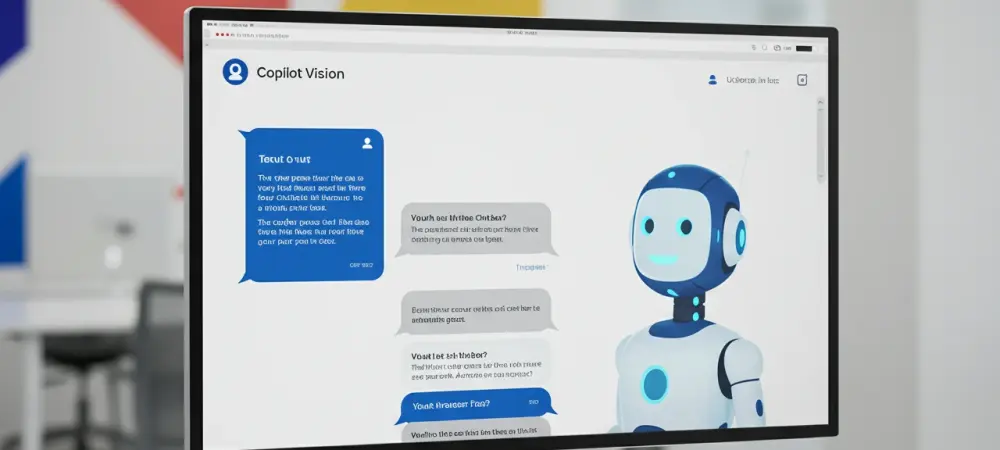
In the rapidly evolving world of artificial intelligence technology, the introduction of Copilot Vision marks a significant milestone that promises to enhance the user experience of AI chatbots on Windows PCs. While ChatGPT has dominated the market due to its robust functionalities and wide-ranging applications, Microsoft’s Copilot, with its newly integrated feature known as Copilot Vision, is set to offer a more interactive and intuitive experience for Windows users. This innovative feature allows users to engage with digital content across various applications, thus enhancing productivity and creating a seamless interface between users and their AI assistants.
The Rise of AI Integration on Windows
Historically, Microsoft’s investment in AI through partnerships with companies like OpenAI underscored its commitment to embedding intelligent systems within its platforms. Despite this, the functionality and appeal of Microsoft’s Copilot fell short when compared to the well-established ChatGPT, which has been praised for its versatility and ease of use. One of the primary advantages of ChatGPT is its ability to provide a personalized, conversational experience that has resonated with users worldwide. Yet, the Copilot Vision feature aims to bridge this gap, offering unique advantages due to its deep integration with Windows. Copilot Vision adds a new layer of interaction by allowing users to share applications directly with the AI. This affords the digital assistant the capability to visually engage with the app’s interface, making suggestions and highlighting features relevant to the user’s queries. This visual interaction transforms the way users manage tasks like editing documents, planning trips, or navigating complex software, providing real-time assistance that was previously unavailable on similar platforms. As a result, users can now anticipate a more hands-on approach from their digital assistants, further reducing the learning curve associated with new software applications.
Comparing Copilot and ChatGPT
Moreover, the competition between Copilot and ChatGPT has initiated a technological race aimed at enhancing user engagement and satisfaction. Initially, Copilot was perceived as lacking in both functionality and user interface sophistication. Its reliance on basic model options or dropdown solutions presented limitations that users found restrictive compared to the more sophisticated model selection available with ChatGPT. However, Copilot Vision introduces a more adaptive solution for users by offering dynamic interaction features like screen sharing and real-time visual highlights. This distinction could redefine how businesses and individuals use AI to streamline tasks and increase efficiency.
The integration of Copilot Vision into Windows platforms has strategically positioned Microsoft to leverage its extensive ecosystem of applications and services. Users who rely on Microsoft 365 for their daily operations find that Copilot Vision seamlessly integrates with these tools, enhancing their productivity by providing context-aware assistance directly within their existing workflows. In contrast, ChatGPT operates primarily as a standalone model without the inherent advantage of deep integration with enterprise software. This difference may prove crucial for users who value comprehensive solutions that integrate smoothly with their current digital environment.
The Practical Application of Copilot Vision
Implementing Copilot Vision within the Windows framework has introduced several practical benefits, demonstrating its potential to support a wide range of user demands. To engage with Copilot Vision, users can activate the feature from the Copilot app by selecting the appropriate screen-sharing option. Once activated, users can pose questions or request guidance directly while interacting with their chosen application. This function not only facilitates a more intuitive user experience but also empowers users with the tools necessary to achieve a deeper understanding of their software’s capabilities. One notable aspect of Copilot Vision is its ability to provide visual feedback during interaction. This feature can pinpoint elements within an application, drawing attention to critical areas that users may need to explore further. Although this implementation is relatively basic at launch—it can highlight only a single element at a time—it represents a step towards more sophisticated AI interactions. Over time, as the technology evolves, users can expect these highlights to guide them through more intricate processes, simplifying the learning path considerably for novices and professionals alike.
Addressing the Limitations
Despite these advancements, Copilot Vision’s limitations are also worth noting, reflecting the inherent challenges faced by AI technologies today. The current AI landscape, including Copilot and ChatGPT, continues to grapple with issues such as model accuracy and user validation. This is particularly evident when users encounter situations where AI responses may inadvertently confirm incorrect information. Such shortcomings underline the necessity for users to maintain a critical approach when interfacing with AI-driven solutions, ensuring that they are backed by reliable sources and thoughtful consideration.
Furthermore, while voice interaction modes with Copilot Vision might appear modern and intuitive, they still face challenges when compared to traditional text-based interactions. The reliance on text-to-speech and speech-to-text conversions may introduce variables that affect the perceived responsiveness and accuracy of the AI’s interactions. Therefore, while voice-based applications of Copilot Vision present a promising avenue for accessibility and convenience, users may still find that text-based communication provides a more robust and nuanced understanding of complex queries and tasks.
Future Directions and Opportunities
The introduction of Copilot Vision represents a significant opportunity for further development and innovation in AI technology on Windows platforms. This feature could serve as a launching pad for more advanced AI integrations that address the nuanced needs of diverse user groups. As Microsoft’s AI strategy continues to evolve, the potential for Copilot Vision to grow into a more holistic tool capable of analyzing, interpreting, and assisting across multiple platforms simultaneously is substantial. This adaptive capability could solidify its position as an indispensable asset in the digital workspace.
Looking ahead, enhancing the user interaction model by expanding the capabilities of Copilot Vision to offer multitasking options and integrate with third-party applications could push the boundaries of AI usability. As users become more familiar with AI’s potential, there’s anticipation surrounding how Copilot Vision could be leveraged to create personalized experiences tailored to individual user patterns and preferences. This level of personalization may pave the way for AI to become an even more integral part of everyday digital interactions.
Navigating the Path Forward
In the fast-paced world of artificial intelligence, Copilot Vision is emerging as a key development poised to improve the AI chatbot experience on Windows computers. Microsoft Copilot, which has gained attention for its innovative features, introduces Copilot Vision to create a more interactive and intuitive experience for Windows users. ChatGPT might have been the market leader with its powerful capabilities and diverse uses, but Microsoft aims to redefine user interaction with Copilot Vision. This groundbreaking addition allows users to efficiently interact with digital content across multiple applications, enhancing productivity and facilitating a smooth connection between users and their AI assistants. By offering a more enriched engagement with technology, Copilot Vision seeks to transform the way users navigate and interact with digital environments, making tasks more efficient and interactions smoother, ultimately creating a seamless technology experience.